Could you 3D print a large “cap” for the pucks to go between them and the cushion? Functionally to sort of “preload” the cushion so it doesn’t dampen as effectively? That may allow you to keep the power down.
The thing is that I can feel the back shakers very well. But that cushion is both thinner and harder than the thigh cushions.
Maybe the solution is to move the thigh shakers to the upper back of the seat?
But that heat worries me…
Tha noisy amp is also a questionmark. When I rotate or wiggle the powerconnector to the amp, the noise changes character. Could it be a bad powersupply?
Edit.
Tried without cushions and let the pucks run in free air. They still get just as hot…
Hm, that’s strange…
Probably a stupid question, but do the pucks get more effect than what they are rated for?
Could it be caused by the pucks getting a full range signal, as it dosen’t look like the amp has a lowpass filter?
Heat: Wiring in series might do it.
I have different pucks: 2 ohm (BK2), 4 ohm Dayton Audio, 4 ohm (BK LFE Mini) = 3 pucks.
When I ran it with only the 2, 4 ohm pucks, in parallel they got warm really warm; the LFE would get too hot and shut itself off. All my pucks have ‘fins’ to dissipate heat.
My current setup is:
Amp Left 4 ohm → 4 ohm LFE in series with 2 ohm BK2 = 6 ohm
Amp Right 4 ohm → 4 ohm Dayton audio
With this my amp gets a little warm (no noise out of it) but the pucks never seem to get warm at all.
Feedback
Every puck I have is solid mounted (metal to metal) to the chair at some point. Two pucks screwed/bolted to an aluminum plate which is bolted to the chair structure. The BK2 is on an arm and solidly mounted to the rod/pole between the seat bottom and legs.
I get some ‘clacking’ (best description I can make) from the LFE when I have the volume too high and the Stall (or G, or both together; depends on settings in software) is at max - full stall or yanking on the stick hard to cause both high G and high buffet. OTW, they perform well.
Not seeing your setup, but based on your descriptions, and assuming the pucks aren’t faulty or seizing due to heat, it’s hard to say but I have few guesses:
-
You only have 1 path here: sound card → amp → 4 pucks. The only way to separate the thigh pucks is to have the ability to control the signal to just those pucks. This would mean a separate volume output for each channel, via separate volume knob, or some equalizer (hardware or software).
-
Your pix show ‘hole’s’ cut out in those plates at the front of your seat. I don’t think you want those holes. On the bottom of my transducers there is a ‘membrane’ (sic) but that should be in full contact with the mounting hardware (plate, chairframe, or in my case mounting plate).
Could be… They are rated 15/30W, which I think is normal/peak rating. The amp has 160W per channel although the webshop actually state that that’s a ’studio optimistic’ rating and that real life values are closer to 80-100W.
Maybe I am feeding them a bit much, and that’s what causes the heat buildup.
I bought the pucks and the amp in a package deal…
The manual says to mount them in holes, or use the supplied surface mount rings.
As I mentioned above, I can feel the back shakers well enough. The thigh shakers, nothing.
That’s why I’m thinking of moving them to the upper back of the seat…
I could also try to put some rubber between the SimBox frame and the seat connectors, to try to remove some of the resonance…
Huh. A different design I guess.
I think so. These have a hard plastic surface in the ’inside’.
On my way to bed, but I just thought of something I learned from messing with car stereo back in the day. Have you checked if all the pucks are in phase? Won’t help with the heat of course, but if not in phase, some of the vibrations may cancel each other out.
The puck design I started with:
BST-1 High Power Pro Tactile Bass Shaker 50 Watts
There is a ‘membrane’ of some sort I think on the bottom. Here’s a snippet from the manual on mounting. That’s why I went with the above suggestion but, again, it seems a diff. design.

This model may simply have more mass and therefore more ‘feel’? Just guessing here.
It’s definitely bigger and has a higher power rating.
The manual for your shaker makes me think that I feel the back shakers because they are fixed to a thin alu sheet. They make the alu sheet pump the back cushion and that’s why I feel them. The thigh shakers are mounted to the seat frame, which again is mounted rather firmly to the SimBox frame. Maybe their energy is dispersed into the entire structure instead of hitting me? I really should look into putting some rubber between the seat frame and the SimBox frame… 
Pretty interesting stuff though. I have little to no idea what I am doing, but I bet I will have learned something at the end of it 
Took the seat out at did some isolated testing of the back pucks vs. the forward (thigh) pucks.
I wonder if the forward pucks are too small to make a difference when mounted to the hard alu frame? The back pucks shakes the whole back skin, acting like a drum… Maybe that’s the best placement for such small shakers…?
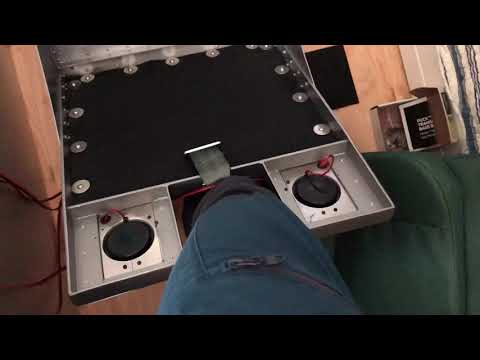
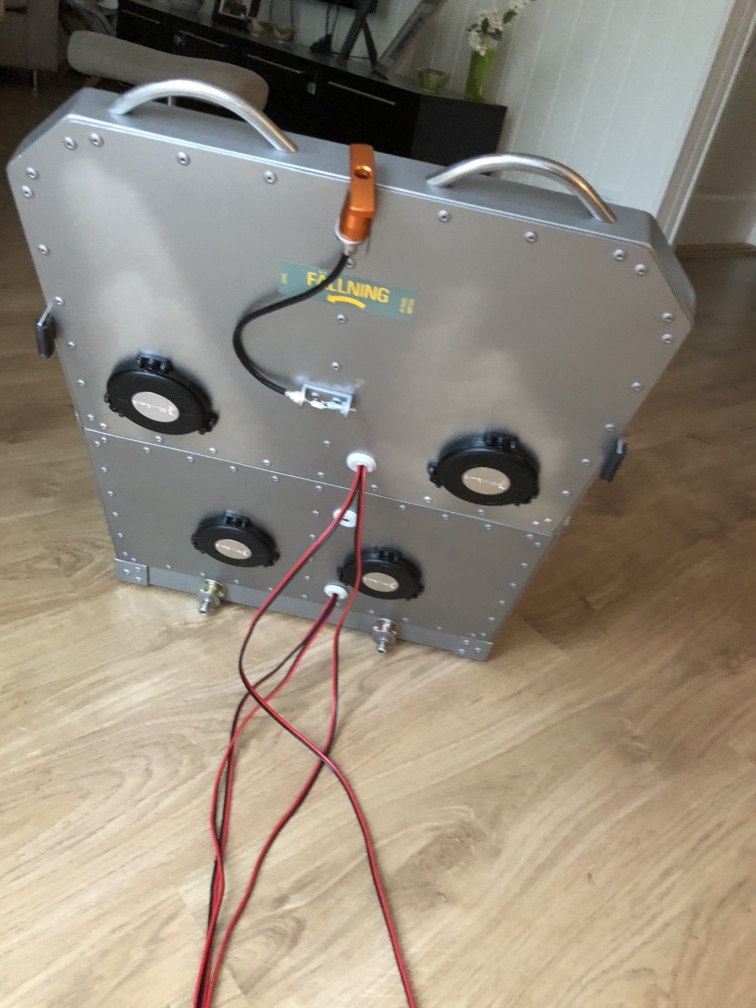
Ladies and gents, I do believe we have a winner!
As for the temp problem, that’s probably because I increased the power on the amp in order to get any vibrations out of the thigh support pucks. With all the pucks in the seatback I don’t need all that juice and the pucks stay luke warm.
And an added benefit of this is that the noise isn’t so bad. The noise isn’t just from the amp, but from the pucks as well. Guess I just have to live with that. And I can, at this level at least.
Now I’ll tidy up the cables with socks and strips and then I’ll go tweaking the software… I hope Dr. @jross is on call.
you could call the heat problem a feature, to keep you toasty warm on those cold winter nights 
My grandfather didn’t want to replace the incandescent bulbs in the basement living room’s 4-lamp chandelier for that reason. Him and my grandmother basically only used the kitchen, bedroom, bathroom and basement living room of their semi-detached bungalow. So the four 40W bulbs provided enough heat for the room that they didn’t need to run the furnace extra to keep the basement warm (while over heating the main floor).
The heat was a feature, not a waste!
Which is actually an argument against replacing lightbulbs with LEDs. The argument that a lot of the energy of a lightbulb is wasted as heat is only valid where you don’t need to heat your house…
Funnily enough, I spoke to an airport manager in Wyoming who told me they’d replaced all their runway lights with LEDs.
This led to two problems: In wintertime the LEDs wouldn’t melt snow around the runway lights, so they had to install heaters on each one, thereby negating the energy savings!
The second problem is that the specific LEDs they installed emit light on a wavelength that’s invisible to NVGs, making it impossible for Lifeflight pilots to see the runway under NV at night. They hadn’t decided how they would address this issue yet.
Same issues here. And the LEDs are really bright, even on the lowest intensity…
Finally finished the seat shaker installation…
The SimBox seat has now grown a tail. I added a connector so I can remove the seat without removing or unplugging the amp.
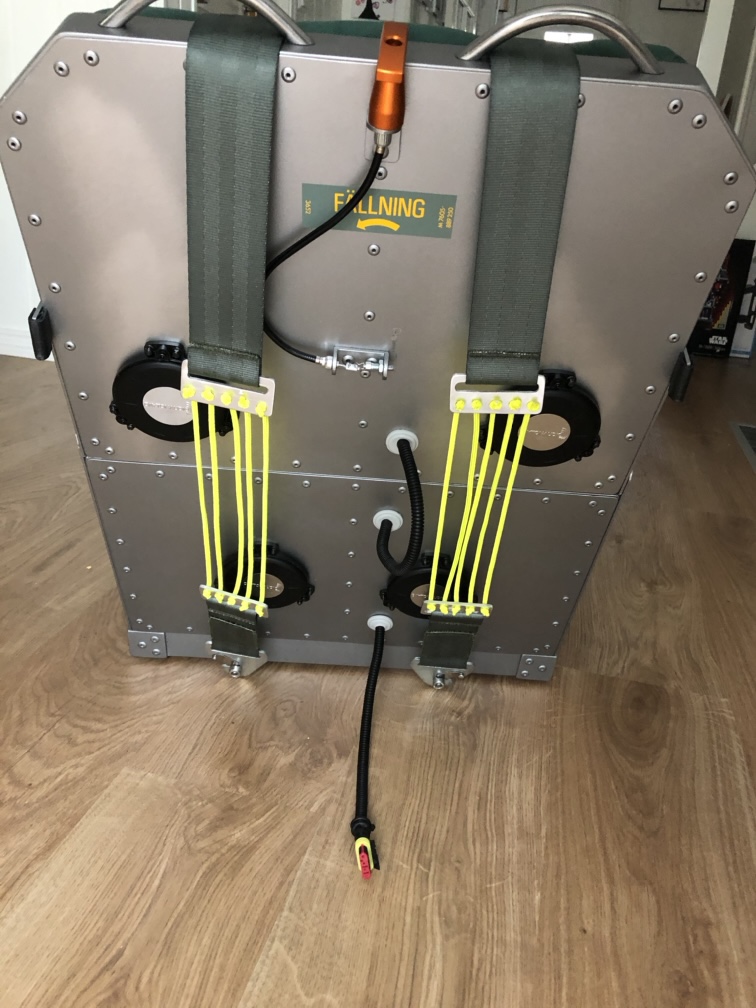
Don’t worry. The harness doesn’t touch the shakers when tightened.
Everything works as it should…
Must put in a few days of real flying before I can start tinkering with the software and getting it to work in a sim.
Winter is coming!
I know. That line has been used up.
But it’s true, up here, north of the arctic circle.
Summer is awsome, with the midnight sun and all. But it is short.
And there are things that must be finished before the snow starts falling.
So I’ve been busy! Haven’t had much time for flightsimming and testing out my shakers… I will though. Have patience.
But as I’m doing my chores, I dream of my toys…
The latest idea I’m tossing around inside my sorry excuse for a brain, is 2D display for the SimBox. I have the Reverb G2 on order and I totally love VR. But at the same time I miss playing around in GTA V and I really would like to play a little RDR2.
I have this small 13” LCD display, for Windows tasks. The SimBox is just for play, not work. But every once in a while you need a 2D display for OS stuff.
Now, 13” isn’t much of a gaming display, and I can’t fit a much larger display. Not if I want to keep the SimBox easily stowed away…
So, I started thinking of…projectors…! I could probably set up a rolled screen and a short throw projector.
But I know nothing about this.
The projector would have to be 1920x1080 but the screen won’t be much larger than perhaps 40”. The projector-screen distance is about 1,5m (5ft), or maybe even shorter, if the projector allows for that…
Anybody of you dudes have any experience with projectors and screens?