I have a fantastic one but its so offensive I’m keeping quiet. But I am laughing myself stupid because I’m a bit of a tool
1 Like
Textures are the weakest of my weak spots.
I am learning a few things but most of the time I am more or less stumbling around trying things out until they look halfway decent. 
Meanwhile I have found some errors in my mesh and corrected them. I have also given the hotel some placeholder textures (plain colors) and imported it into the sim again. Looks OK.
Right now I am contemplating whether to try texturing in Blender or export to ArmorPaint again. I think that the node system in Blender should be good enough for what I am doing right now, and the advantage is that I can quite easily export from there and the sim will refresh the object.
If I use ArmorPaint then I will have to re-import the textures to Blender since the gltf exporter is a Blender plugin…
2 Likes
Hehehe thanks for the consideration.
I think @Aginor has all the skill to become completely self sufficient.
Until then, mate, if you ever need any info or pointers, ask away.
I’ll be glad to help!
2 Likes
Ok, here is something I learned today which isn’t too obvious:
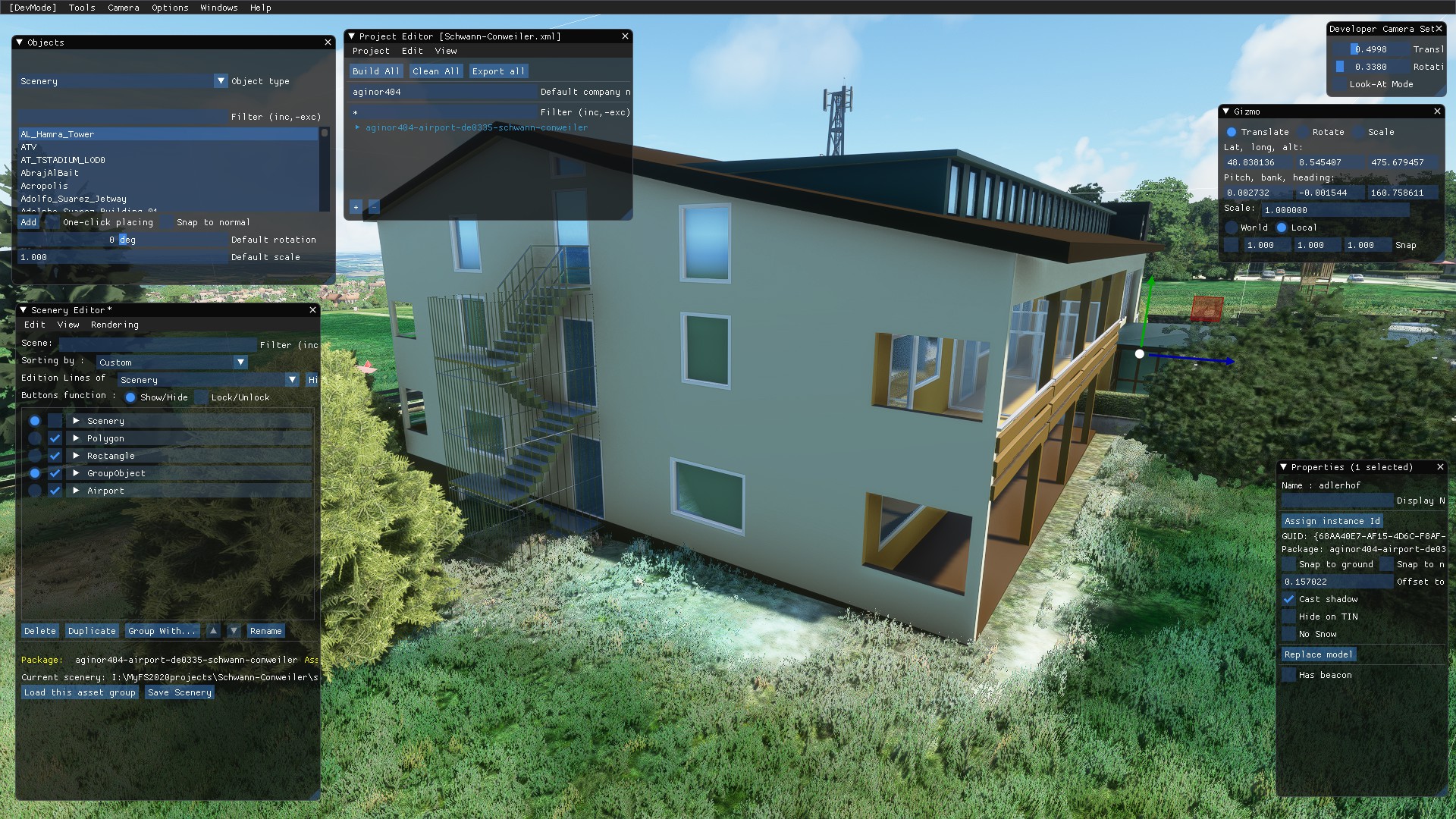
My building (placeholder materials, and I haven’t shaped the ground perfectly yet) had grass growing through it, and other effects like rain and snow also fall through it.

There is a material type called Environment Occlusion, and it is very useful.
I made a few boxes and applied the material to it (shown green here).
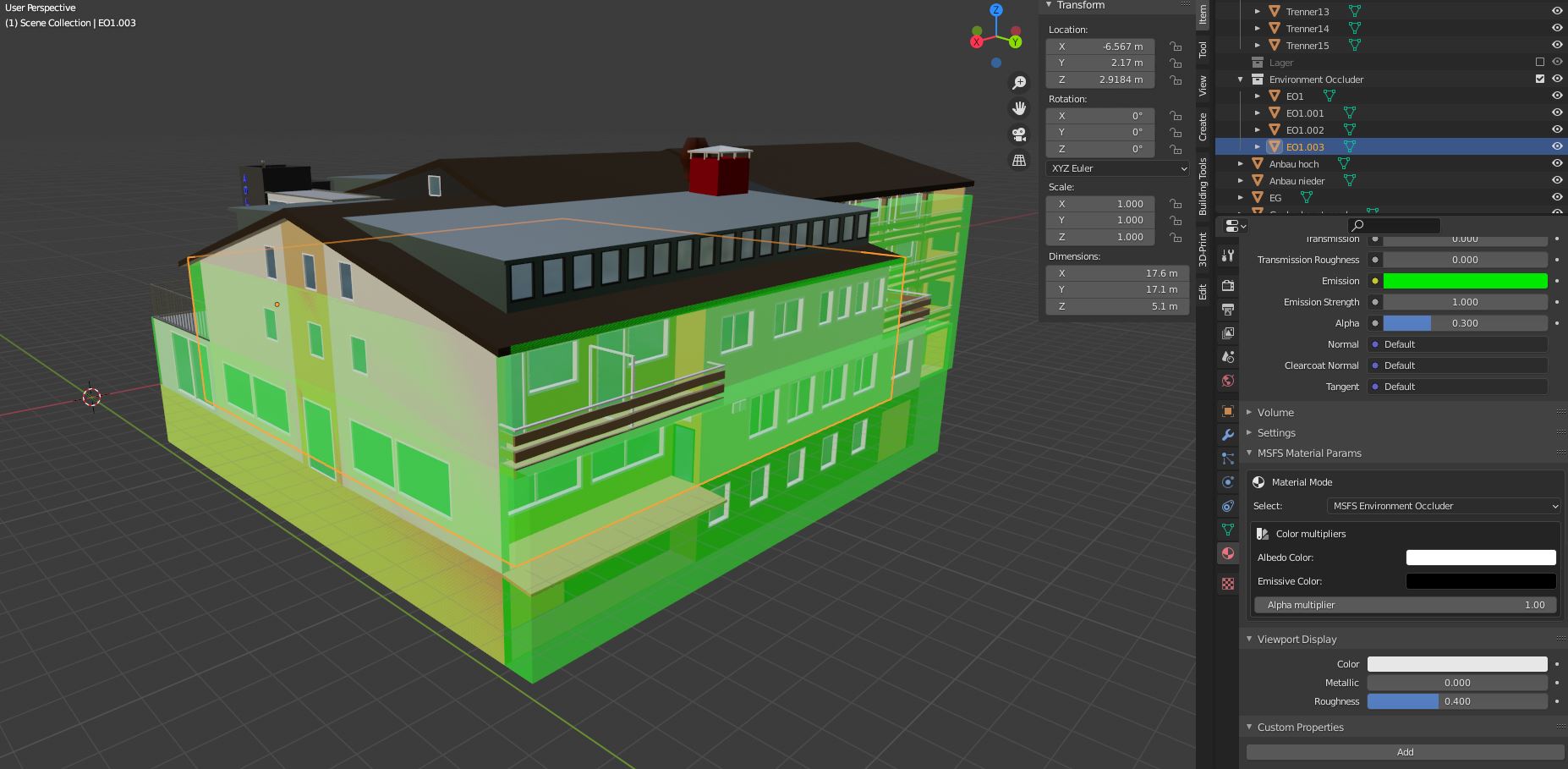
Result: No grass growing through the building anymore!
6 Likes
Short update:
I textured the whole thing in Blender now and I am halfway happy. (Pics soon but not today)
Today I spent some time on a few visible details that give the building a bit of character. That material system is pretty cool (although I am barely scraping the surface so far).
However I am stuck a bit now since I have a transparent texture which looks great in Blender but completely white in MSFS2020. Grml.
So if anyone knows a solution for that (haven’t found a working one on the Internet yet) I’d love to hear it.
1 Like
Short update:
It seems that I solved the problem with the transparency. Something with my file was off.
I changed the following things:
- jpg format instead of png
- made the file exactly square (power of 2 pixels, I think I used 2048x2048)
I think the latter was the reason it didn’t work but I am not sure.
Last week I also discovered that the terrain tools don’t allow me to create the terrain shape I need.
So what I am doing right now is making the terrace part of the building.
So more modeling and texturing incoming, but I am slowly getting there!
Pics soon.
4 Likes
Soooo…update please  @Aginor
I stalled a bit with the mod.
Next up would be adjusting the buildings’ geometries to fit the terrain.
However sim update 6 will cover Germany, so the terrain mesh will change anyway.
So I decided to wait until then so I do thatbworl twice.
1 Like