I hopped in to attempt a ramp start with the checklist but the visual cues got desynced somehow. I’m going to need some Crash Laobi style tutorials for this one 
3 Likes
I am in VR and whenever I click anything in the cockpit I have to close the checklist to make sure I don’t accidentally uncheck an already checked item in the list. If that happens you can only continue after checking it again. I tried moving the checklist but then I still sometimes end op clicking on it instead of the switch in the cockpit or when I move it almost out of the window it can be difficult to find the cursor, so now I close it quickly before clicking a switch in the cockpit and open it again afterwards.
2 Likes
Well, I did manage to get most of it working after watching Ralfidude’s video, though I can’t get my INS to align. In the video it simply aligns after hitting AUTONAV on the CNI. But when I do it I get “NO PRESENT LOCATION” and the align never starts.
1 Like
the thrust reverser takes some getting used to, you can change the detent in the settings (LFT CNTRL C) but you have to change this each time you fly.
1 Like
Slightly disappointed in the learning materials to be honest. The manual doesn’t have any explanation on takeoff/landing procedures that I can find, and there doesn’t seem to be a whole lot on YouTube either. Though I much prefer print material that I can read on train commutes.
1 Like
i have just been looking through Youtube, and there are only a couple of vids, not the normal flood you get post release
1 Like
Yeah, I kept reversing unintentionally whenever I put my throttle into idle. I wish there were a way to change the curve response of the throttle. I would then use the cutoff detent on mine for reverse.
1 Like
thats what I am hoping to do, when i get a chance tonight to play with it
1 Like
After some trial and error I did manage a flight from Bardufoss to Bodo without killing myself. More or less figured out the autopilot, TACAN, and at least part of the ILS. I didn’t get any GS or LOC symbology but I did get a synthetic runway which was really cool. I bounced and probably had a tail strike on landing because I have no idea what AoA or landing speed is best for this thing.
Waypoints I can’t figure out. I added waypoints in the mission editor but they didn’t show up in the CNI. I’m guessing I either need to use the DTC like the Fulcrum or the waypoints special tab, but the lack of documentation on that is frustrating.
I kept myself out of accidental thrust reverse by pulling up the engine diagnostics page and making sure the PLs didn’t go below 17.5.
2 Likes
You need to select and activate a route. It’s pretty complex and I highly recommend the training missions from Baltic Dragon that come with the module.
Edit: The route can be as simple as departure and destination. You can then insert waypoints, VORs TACANs etc.
Edit2: I think on the perf init page you need to fill out all the boxed items otherwise it won’t let you proceed to activate a route.
3 Likes
Second the recommendation of doing the tutorials, there is a lot to go over. Training mission 3 covers the basics of using the CNI to setup your flight.
With that said, to activate a flight plan created in the mission editor isn’t too bad.
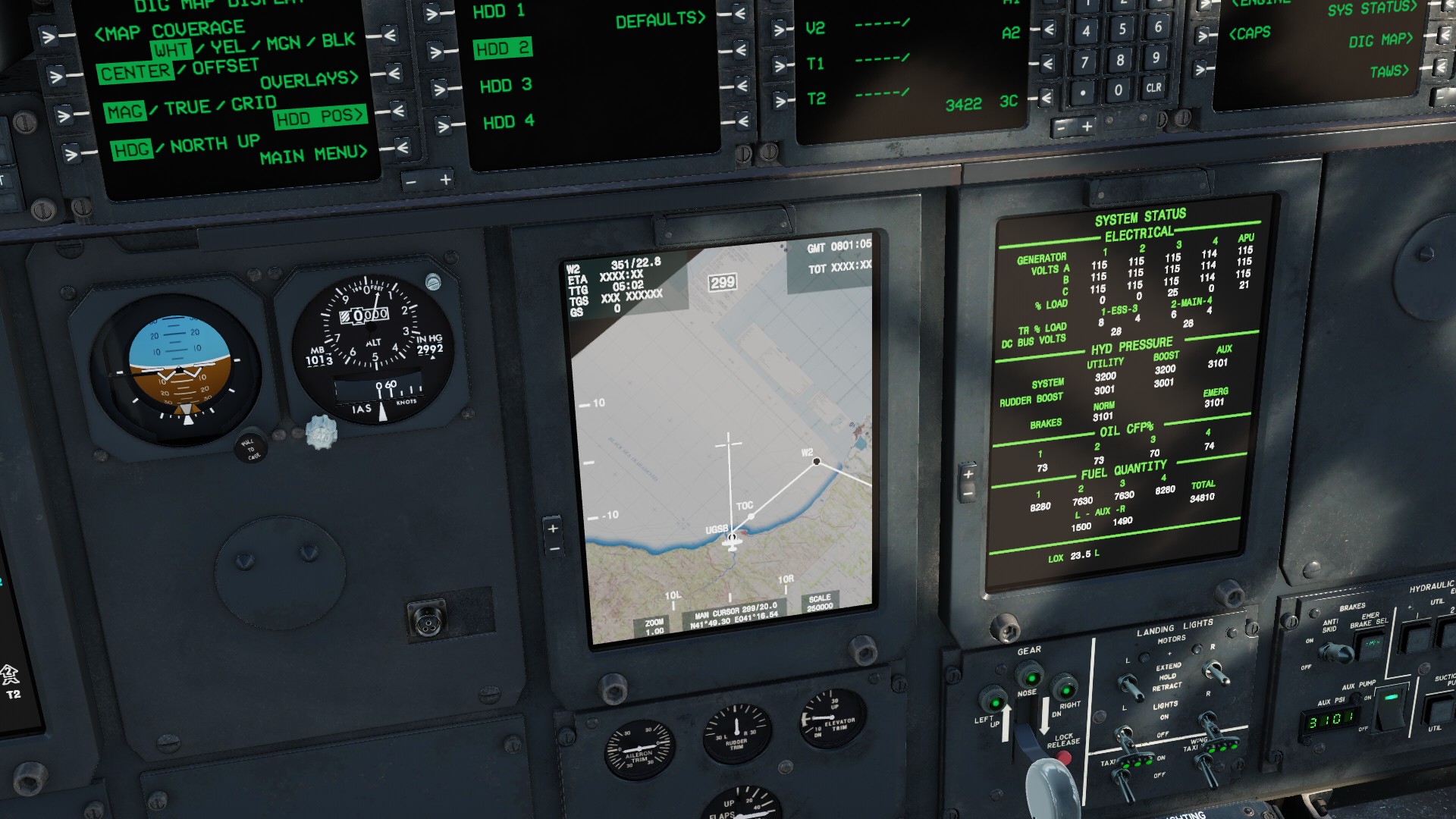
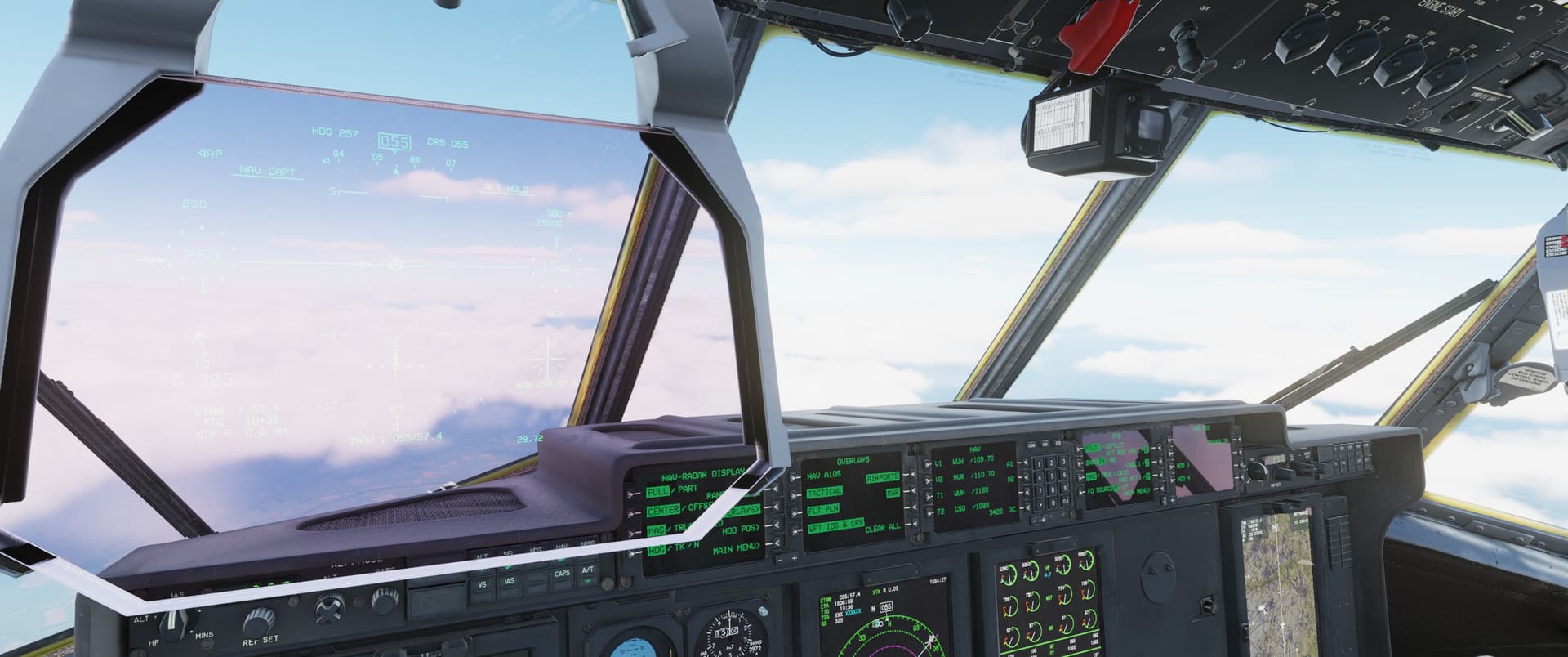
-Once your sitting on the ramp, if you pull up the map on the HDD and it’s cyan you need to activate the route.

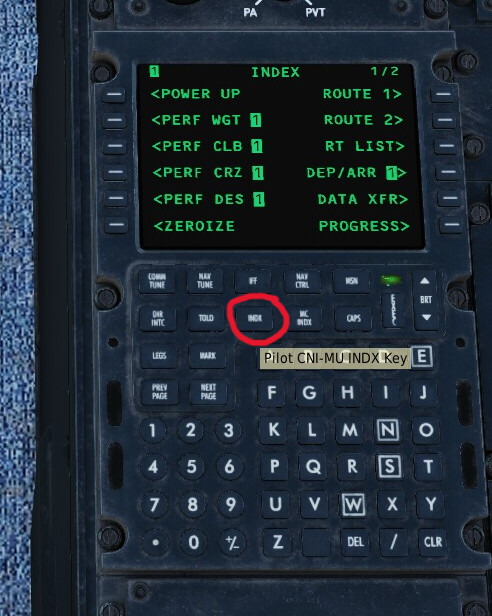
-Go to the CNI and press INDX, that will take you to the page shown.
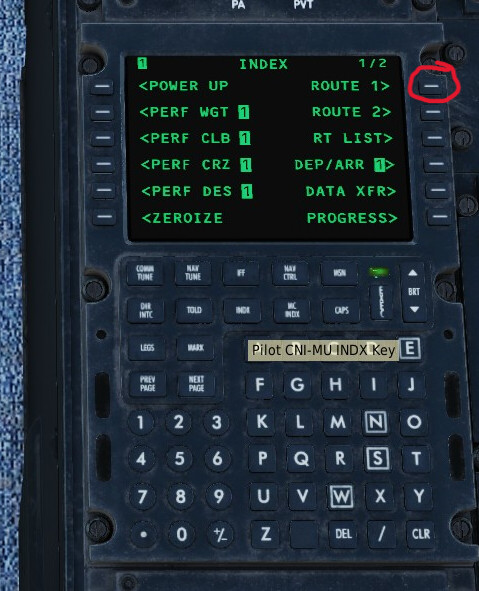
-Then press right LSK1 next to Route 1
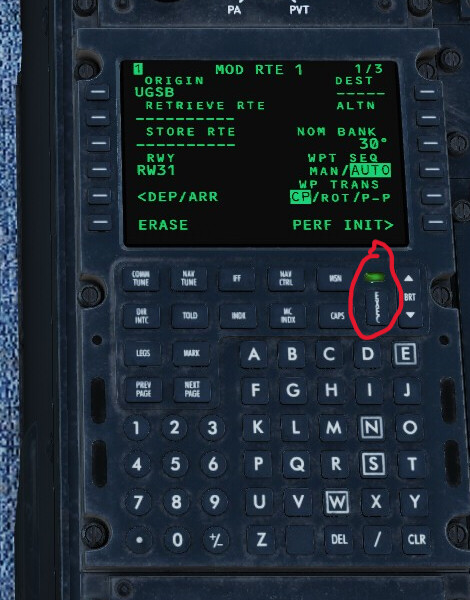
-Then press execute
-Bobs your uncle, the route is now active (shown in white)
If you want your V speeds, approaches etc, there is a lot more to do. But if you just want to throw a route in that the autopilot will follow there yeah go.
5 Likes
I couldn’t get the light above the exec button to illuminate when I tried a cold start this afternoon but I think that was because I didn’t fill out some required fields (boxes are required , dashes are optional) in the perform init or told page. I didn’t have much time so I had to stop faffing around with the CNI but I did manage to get a route working last night. I will do the tutorial again later tonight when I get home. I am sure I forgot something.
1 Like
quick question where is the flaps lever … I have it bound, but still cant find the actual control
Aft of the throttles on the pilots side
1 Like
I tried the first training mission by Baltic, and couldnt click on the oil coolers, did anyone else run into this
In VR your 2D mouse cursor for radio menus etc. is probably on the checklist or your kneeboard
1 Like
The switch moves in a Y shape, and the click spot is at the end of the Y rather then that body of the switch. Tthe click spot for that tutorial is straight below the switch.
Honestly we need a manual that explains these, not just training missions. I’d rather spend my two-hour daily train commute reading the manual and spending all my DCS time flying rather than spending all my DCS time going through a training mission and never flying.
6 Likes
Definitely, trying to memorize all the pages is a hopeless endeavour. We need a manual that explains all the systems and sub-systems and how to operate them in detail. That includes procedures and how you calculate your weights and V speeds
2 Likes
I just spend 3 hours on the ground in multicrew with a team mate as copilot to get a route working but we did get discontinuity errors for the selected arrival airport. In the end we selected it directly and were able to land fine. the departure on the other hand worked beautifully. 3h on the ground for a 40min flight
7 Likes