Hey Guys,
This youtube vid popped up and I watched it. now I was curious to those that know would any of these guys tweaks really help??
Especially the regedits he did:
Hey Guys,
This youtube vid popped up and I watched it. now I was curious to those that know would any of these guys tweaks really help??
Especially the regedits he did:
Skimmed the first bit. He disables memory compression. I wouldn’t expect memory compression to cause significant issues, but maybe this happens in some games?
Either way, the risk of disabling it is that instead of compressing your data into memory when memory gets full, your system will need to use the pagefile on disk. Which is MANY times slower than using even the slowest compression algorithm to squeeze it into RAM.
So only do this if your memory never gets close to full.
What’s the other thing he does?
To explain:
I thought it quite interesting to extend the analogy and think about some of the Numbers Everyone Should Know (due to Jeff Dean) as if a nanosecond was a second.
Main memory reference - 100 ns → 1 minute 40 seconds.
Read 1 MB sequentially from memory - 250,000 ns → nearly 3 days.
Disk seek - 10,000,000 ns → 4 months
Read 1 MB sequentially from disk - 20,000,000 ns → 8 months.
So, RAM is days, disk is months.
It’s been more than 20 years ago when I tinkered with my RAM settings in the BIOS. While it might have been faster, it for sure killed some files on my disk, as I made the RAM unstable. Probably there are better safeguards in place nowadays, but I would only (over-) optimize RAM on a throw-away system ever again!
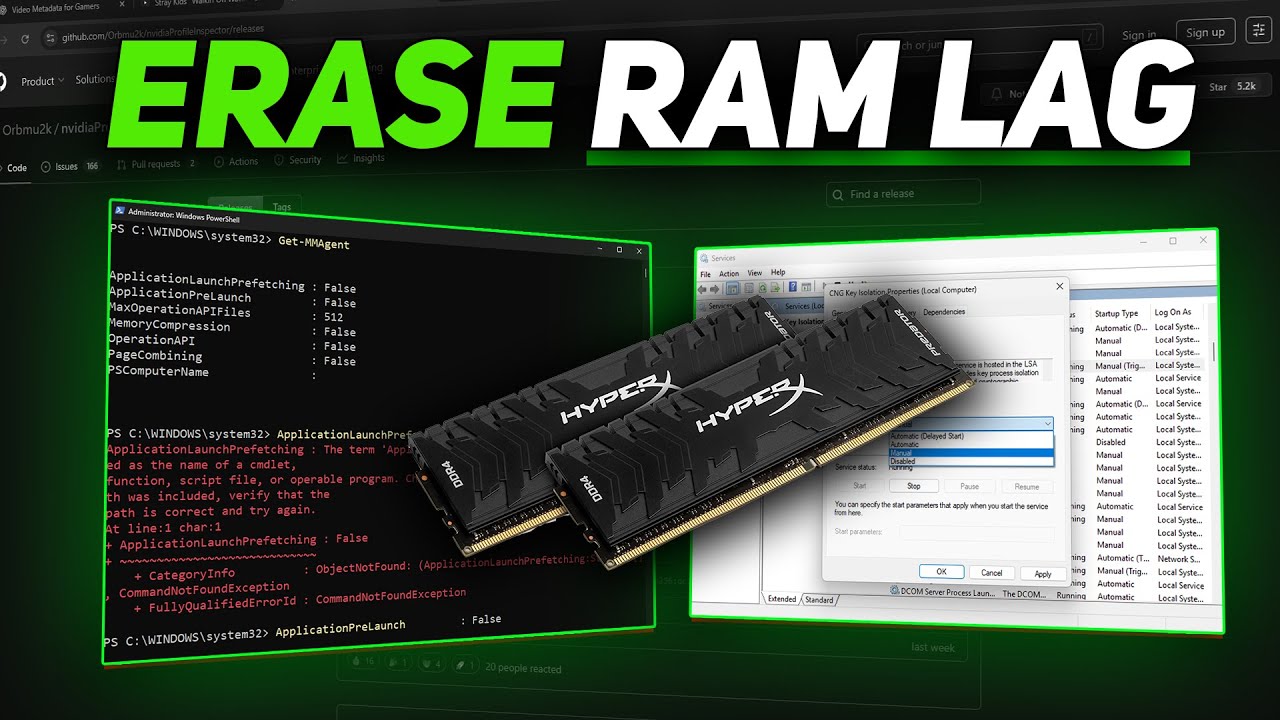
He did some memory tweaks in regedit that are supposed to help terrain loading and latency… he had some others as well…
I was just wondering of they are legit and could help or just total rubish…
Confusius says 
Defaults are peaceful.
Change them if you’re looking for drama.
Aye, cache misses murder performance.
Watched Step 2.
He disables Sysmain (previously called Superfetch) Prefetcher. Says it has no use anymore on modern systems where SSDs have their own cache.
Seems plausible.
Googled sysmain prefetcher.
Found this Reddit thread where basically everyone is saying the same thing, 4 years ago.
Step 2 gets the freaky seal of approval
Step 3 I really don’t know enough about to judge but they seem like reasonable things to do.
Step 4 seems like a good idea
Step 5 will make your pc slurp a lot of energy and make a lot of noise. Try it out and revert if it’s too much.
If you’re going this far to increase raw performance, you might as well install Linux though, and gain a bunch of  freedom on top.
Thank you everybody for their input… Liked your seal of approval there Freak 
Hey Guys,
I tried those tweaks and I am not too sure but I think they have helped alittle in DCS.
Now I never had any major problems running DCS in VR. but when I ran it last night the CPU Usage seemed to be more and the Frametimes seen very low, I think myabe it was reporting the wrong frametimes as it was only .4ms.
Either way it seemed to run good in MP but I was getting some network lag as I ran a mission in Instant Action which usually spiked a little here and there with no spikes…
So either it is a Placebo or it really worked and I thing it just worked better… will keep these mods for future reference and I am going to test some other games in VR and see what happens…
Thanks for the courage and the update!
Which ones specifically?
All of them?
The advice from me and sobek was quite clear that memory compression should not be disabled in most cases and is likely to be disastrous for frametimes (step 1 in the video).
Yes I tried them all and I just ran 3D Mark and came within a few hundred points of the best score,… I really think those tweaks did help improve, plus with the ultimate performance…
I can reenable the memory compression that is easy to revert back … but I guess if the memory does not run out it will not be compressed? or does it compress even if there is available memory?
Do you have a before/after?
If the memory does not run out it will not be compressed?
Correct
or does it compress even if there is available memory?
I’m not actually sure but I think it will start compressing a bit before it gets to 100% usage.
But yeah, if your RAM never gets close to full, it shouldn’t have big negative consequences
well I had a better before with a score of 47,364 or so and this new score was 47,161… so maybe not so much better but I can try and tweak a few other things and maybe try the same GPU Driver I used in the better score…
I think in DCS I get to about 40gb of RAM or so maybe a bit less so it does not compress so I will leave that tweak off…
EDIT: I just reran the Firestrike benchmark and had a score of 44861 which is terrible… I am thinking something inconsistent with that benchmark…
I am going to see if I can find an Heaven benchmark from a few months ago and try that one…
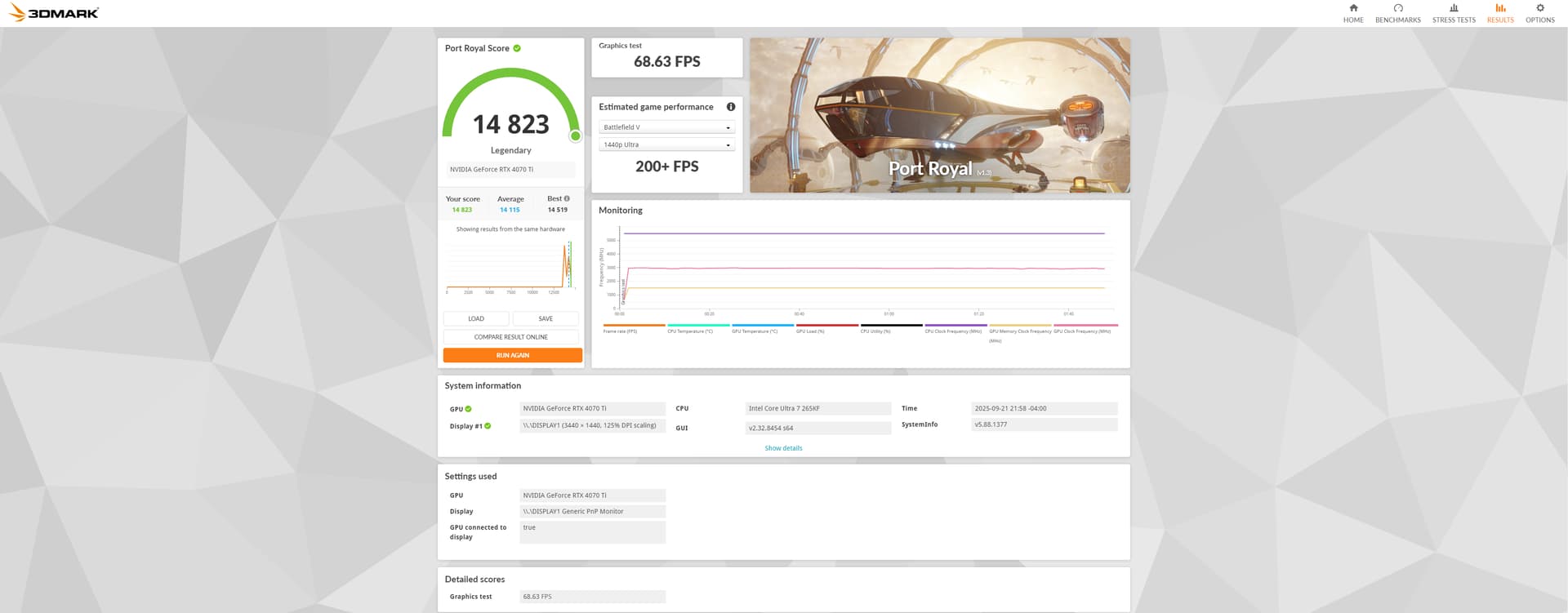
Hey I think these tweaks have helped or the benchmark glitched and I got some once in a lifetime score. But for the benchmark Port Royal I beat my best score… of 14519.
I had beaten it by 304 points… here is the screenshot. but what I had done the last time on my OC’s was have the core boost over 200Mhz and I did that this time and beat my old legendary score…
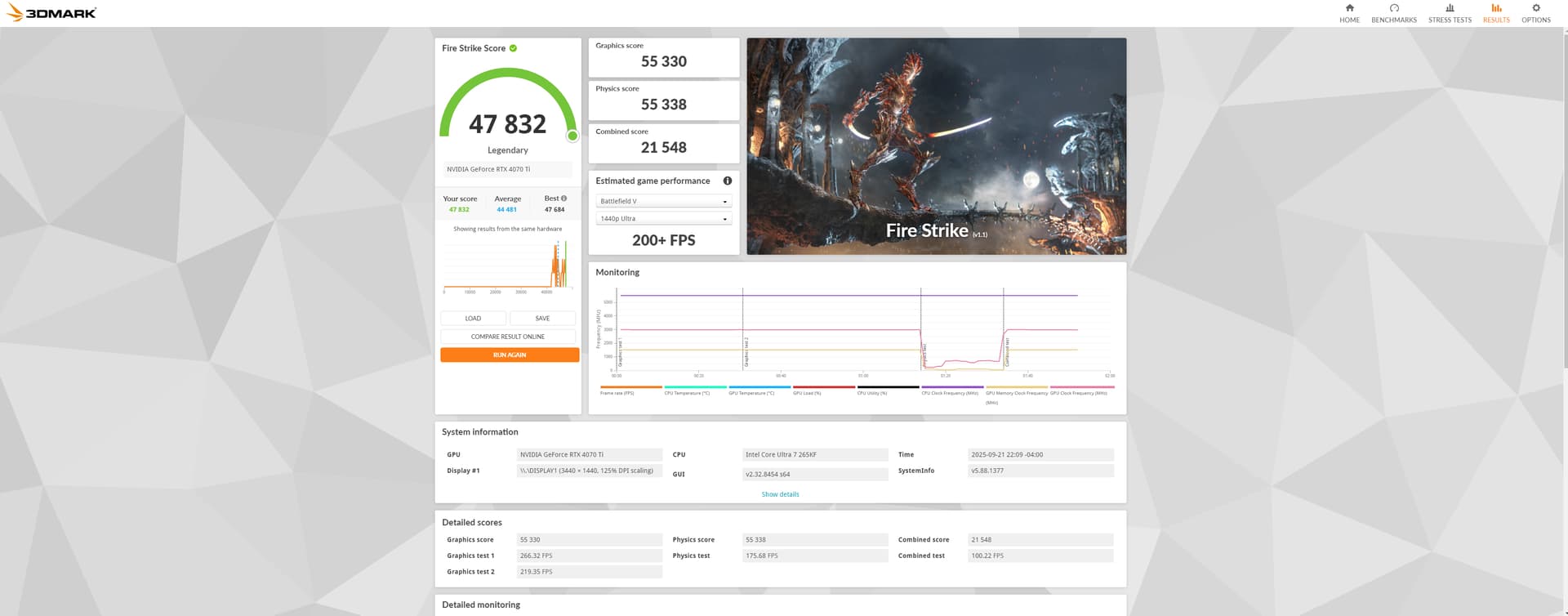
HaHa, I just beat my old Firestrike score as well by 300+ points… This time I scored a Legendary:
These old Benchmarks we in June of 2025. so the new ones are Sept. 21, 2025… Finally some tweaks that actually did something…
So yes I do beleiev those tweaks had helped… thnx guys…
Awesome!!
I performed these tweaks, and it seems dcs performance actually suffered a little. I will be reverting the cache ones, see if that fixes things.
Sorry to hear that but for me DCS Performance did improve… what are your sys specs and all?
Are you OC the GPU and CPU ?