I have always shared my company accounts with my elderly accountant with printed physical copies of my relevant data for the end of year.
My new accountant wants me to send everything digitally, i can physically give him a USB stick with everything on but can i upload anything to say dropbox etc? I’ve never used anything like that so wondering how you guys send large files and allow others access.
I’m probably making more of a meal of this than i need to so if you all have a simpler way, i would appreciate it.
Dropbox is a specific software designed to do what you are trying to.
I highly recommend it. The basic version is free and you have a secure folder of up to 2GB. The paid plans are very affordable if you want to have an actual on-line repository for your documentation, it really depends on what you need vs what you want.
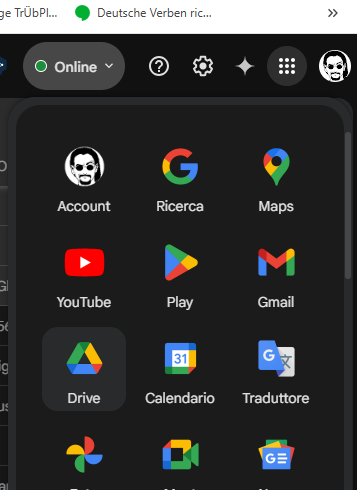
Google.Drive on the other hand is a free app that comes with your google account that allows you to do the same thing.
I do feel Dropbox is a slightly better/more controllable situation though, even if my Google drive can hold up to 15GB. (Do all google account have 15GB? I remember it was less, but anyways).
Exactly- uploading with google drive is as simple as drag&drop.
Personally I suggest to create a folder for each recipient- so you can make sure that only those who are supposed to receive documents will do so.
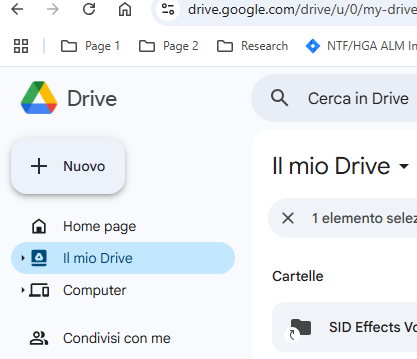
In the top left corner there’s “New” (“Nuovo” in Italian).
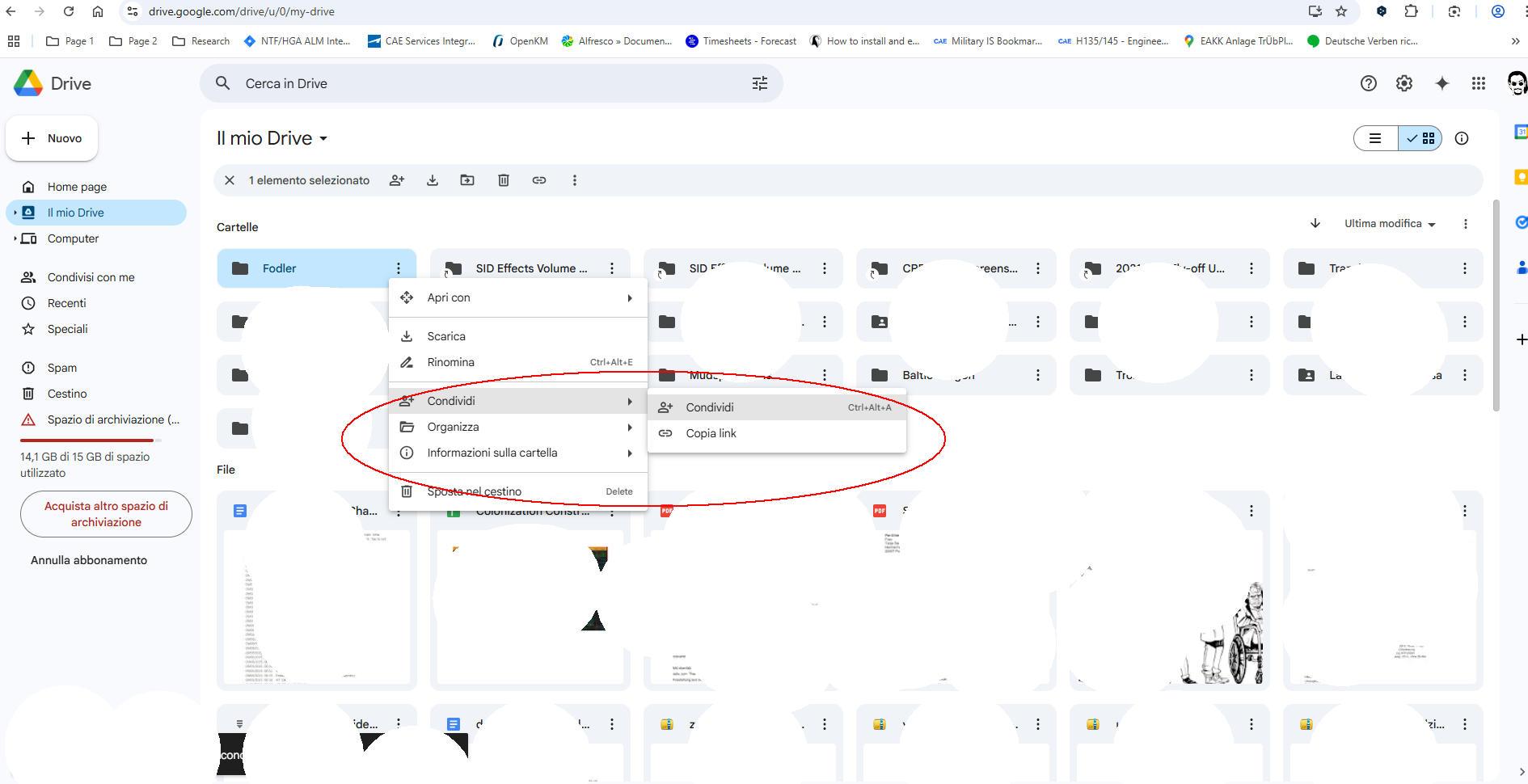
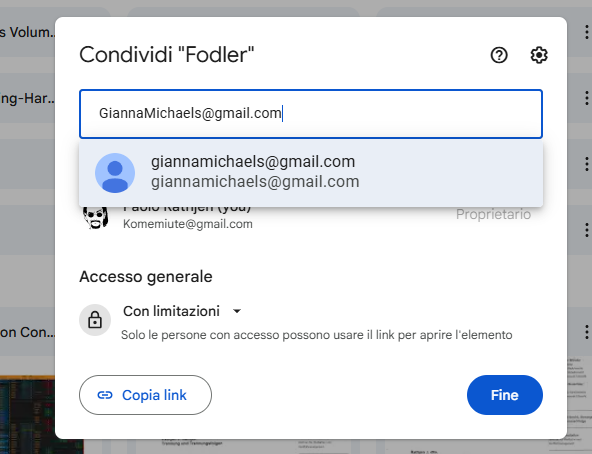
You click on New Folder - pick a name and when it’s been created you click on the three vertical dots to the right of the folder name which brings up details on who and how share the folder with.
You add the E-Mail of the contact/s that need to be able to reach the folder/download the files and -whoop- there it is.
In this case you know everything you Drag&Drop in this folder (You can literally upload files by Drag&Drop from whatever location of your computer to the open Google.Drive tab.
Only arrived now for the party, yes i strongly recommend the google drive. If you have questions about how to access it, upload files, share them etc, contact me by pm and we can assort a remote live session (using for example anydesk and i can show to you and give you a live example how to do it).

 I’ll try to help.