Any way to turn off that movie in the launcher?
1 Like
As @schurem mentions: symbolic link (there are 3, I think, subtle methods). I keep my most used map on a separate one this way (an additional SSD). Never noticed a load speed issue.
2 Likes
All about the Launcher. FYI, you can disable it if you don’t like it.

4 Likes
I got rid of that error message by going into the module manager an disabling those specific a/c. However, no matter how many times I install FC3, I am prompted to install it again the next time I launch DCS.
1 Like
I asked BigNewy on DCS discord about this issue. He replied it’s a known problem that is being worked on.
3 Likes
It’s not going anywhere anytime soon,
In fact I have spent a good amount of time to ensure that my app functions with the new launcher.
11 Likes
Lot of good news concerning moving stuff to other threads.
-
AI Aircraft. Changed old ED’s F-4E AI 3D model to new one by HB.
YES! They were kinda buttt-ugly, in comparison. -
AI Ground. JTAC not working with some callsigns - fixed.
That one! Spent too many hours trying to figure that one out - ended up just sticking to one or two (that didn’t cause issues) and crossing my fingers. -
AI Ground. Artillery “Shoot and Scoot” option added…
This is why I like scripts - only have to update it in one place.
Whew, hope this doesn’t break a lot of things. But some good stuff there.
4 Likes
Here’s a new one. Trying to install the Afghan. map, from the Launcher, starting with this:
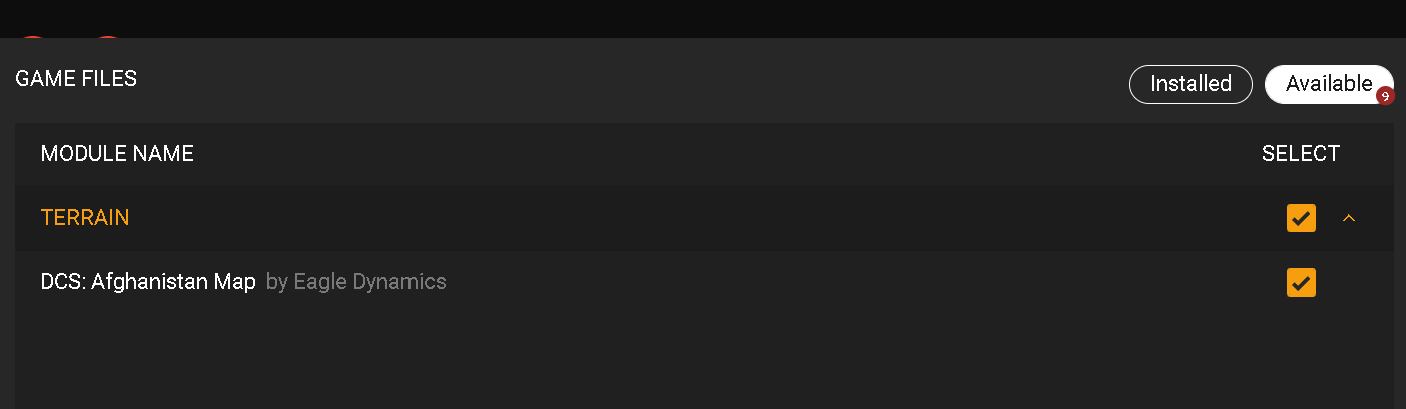
Click: INSTALL
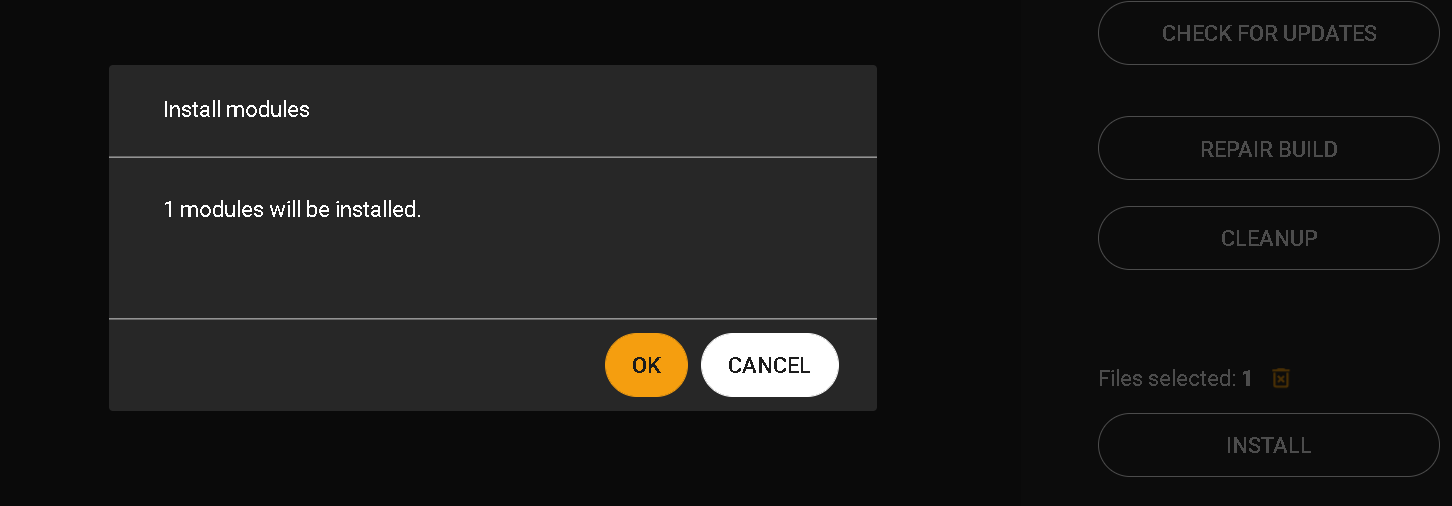
Then this:
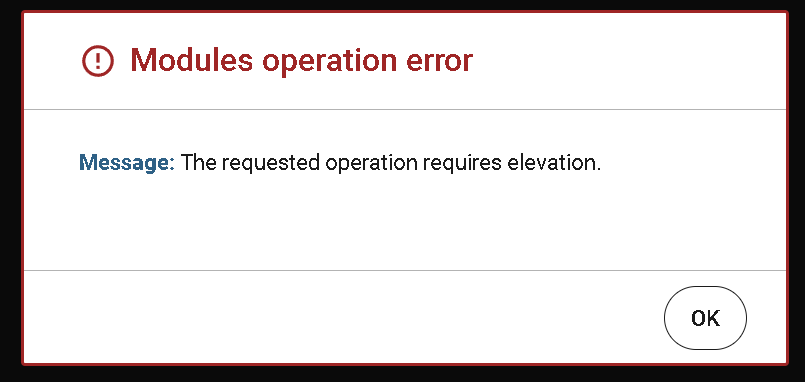
Tried bypassing the Launcher and doing it the old fashioned way. Immediately dumps to desktop.

1 Like
Followup…kept throwing things at it until something stuck…
Advice on ED forums says NOT to check “Run As Admin…”. I thought I was and the box: shortcut props | compatibility | Run as Administrator was NOT checked.
So I checked it. Now it’s working, via the Launcher [scratching head]. Virus thing?. Using Windows 10 built in AV.
Hey! - who voted for this new-fangled UI anyway  JK
JK
1 Like
Yeah, it still seems a little buggy! I’m using Steam to manage the DLC (I assume? I’m running it through Steam anyway!) but there’s still some rough edges and missing functionality - I can click the button for VR or just launch pancake which is nice… but I still can’t tell it to output to my second monitor 
Small steps…
I hope it’s free for those of us who bought individual FC3 aircraft. Didn’t need the A-10A as I have the C, and don’t need the F-5/86/Mig15 as I already have the full versions of those anyway.
Is there a way to bypass the new launcher? I use an older version of the Skatezilla utility to manage client/server updates and repairs, and have separate desktop shortcuts for VR and 2D. Would rather not have to change my entire workflow when what I have isn’t broken.
I’m also curious to find out if the new airboss station in the Supercarrier messes with MOOSE AIRBOSS scripting for recovery windows and turning into the wind.
There’s a switch-slider on the launcher, right side. In the old UI (think its under Misc?) another switch to re-activate the launcher. These both take effect on the next run
2 Likes
there’s 3 ways:
- my app.
- add “–no-launcher” to the dcs.exe arguments in the shortcut
- in the options.lua under miscellaneous add:
[“launcher”] = false,
3 Likes
FC3 Owners basically got converted to the individual FCS Jets from FC3,
FCS: A-10A, FCS: F-15C, FCS: SU-25A, FCS:MIG-29A/G/S, FCS: SU-27/J-11A, FCS: SU-33D.
3 Likes
If you’re in any doubt, and you own the old A-10A or Flaming Cliffs 3, check the “special” menu and you’ll see you now have “new” and “worn” options for the cockpit textures…

In my previous home I had 1 Gigabit Internet download speed… in the new apartment I have a speed of 2 Mbyte per second.
I.
am.
literally.
about.
to
go.
postal.
2 Likes
Oh my god, I did the exact opposite, I feel for you.
2 Likes
oh, I forgot to add it’s over Wi-Fi as well. 
Thanks man. I might want to correct that, I need to look into it.
1 Like
Yeah we did the same thing - I feel for you. My solution was to put steam on a PC that stays on most of the time and it just leeches away overnight, then I just transfer to the other PCs when I go to use them…
1 Like
Ah ok, but I don’t have DCS through Steam…
1 Like