Is there an additional hit on missions when using a ground unit set to late activation versus just putting a static unit. Obviously if the unit is just going to sit there the entire time static makes sense, but if it might be used for something later which is better? I know I could put static units in, and then despawn them and spawn in live units in as a third option. If the late activation on live units basically makes them static objects until they are activated, it would seem the sensible choice.
[edit: ok, yeah I do do this: all the potential friendly fighters are always there as real objects but until I give them a Task they are in a Late Activation state, but visible. If they are a part of your ‘package’ they go off and do other stuff - makes it more realistic and interesting to have them populating your start base].
I don’t immediatly see why it would make much difference. Perhaps some diff due to the size of the model data (memory; static less complex) but my guess is not much.
I can only say I have noticed a diff between statics and ‘realized’ objects (planes, trains, autombiles and infantry) as might be expected. I have a switch that will, if requested, try to use statics over ‘real’ groups for the bulk of Things To Blow Up.
Since I’m dealing with thousands of potential groups I only spawn (either static or real) as you move around the entire map, nixing them when you move away. The ugly part is tracking their state[1]
[1] My question is: how well does DCS/Lua clean up when I remove it, or a bunch of ‘its’, ie; bigListOfThings = nil.
I’m kind of doing the reverse with dormant SAM sites, that can potentially activate.
Gotcha, that was my major concern that I was over loading things.
Totally different topic, but is there a way to go into the .miz file and take all the units on one coalition (Red in my case) and change their country? I didn’t realize that the fortifications on my SAM sites were listed as Russian, when they should be Syria. And same question regarding being visible on the planner and MFD. I don’t normally go in the mission planner, but I don’t want all of them in there as free intel. I don’t feel like manually going in and changing a couple hundred units.
If you didn’t know this: a .miz file is a ‘zip’ file. The actual mission is a file in there called ‘mission’ (no file extension). It’s all text. But, that’s tedious and error prone.
Then there are progammatic ways; pick your favorite programming language and do it (I do it in C).
Just saw a video of someone that may have a solution…see If I can find it in my recent YT history…
Think that was it. Haven’t tried it. I’d try it but I already have code to edit the mission file (just not in the way you are asking).
[1]I ltterally just wrote myself a note a couple of days ago to write some functions that alllow you to do what you are askng and more (been working on other things right now though)…requires some UI programming, which I’m learning to hate, depending on how deep you go.
PS: If you decide to ‘hand edit’ this file beware you can’t get anything out of kilter or it will freeze up on loading. Most of that file is straight-forward (the ‘magic’ is what you put in there) with the exception of anything having to do with triggers - those are not straight-forward. I do 99.9% of my triggers in lua. And watch you line-terminators as it is confusing at first (CR\LF used by windows will choke DCS on loading).
An intermediate solution: find a GREP (I think they still call them this) app that does does bulk search & replace on text files. I use Find & Replace (bought it years ago; think it’s $20; is a real time saver when you’ve lost something in a mass of files and need to find/repla ce strings - works on zip files too I believe)
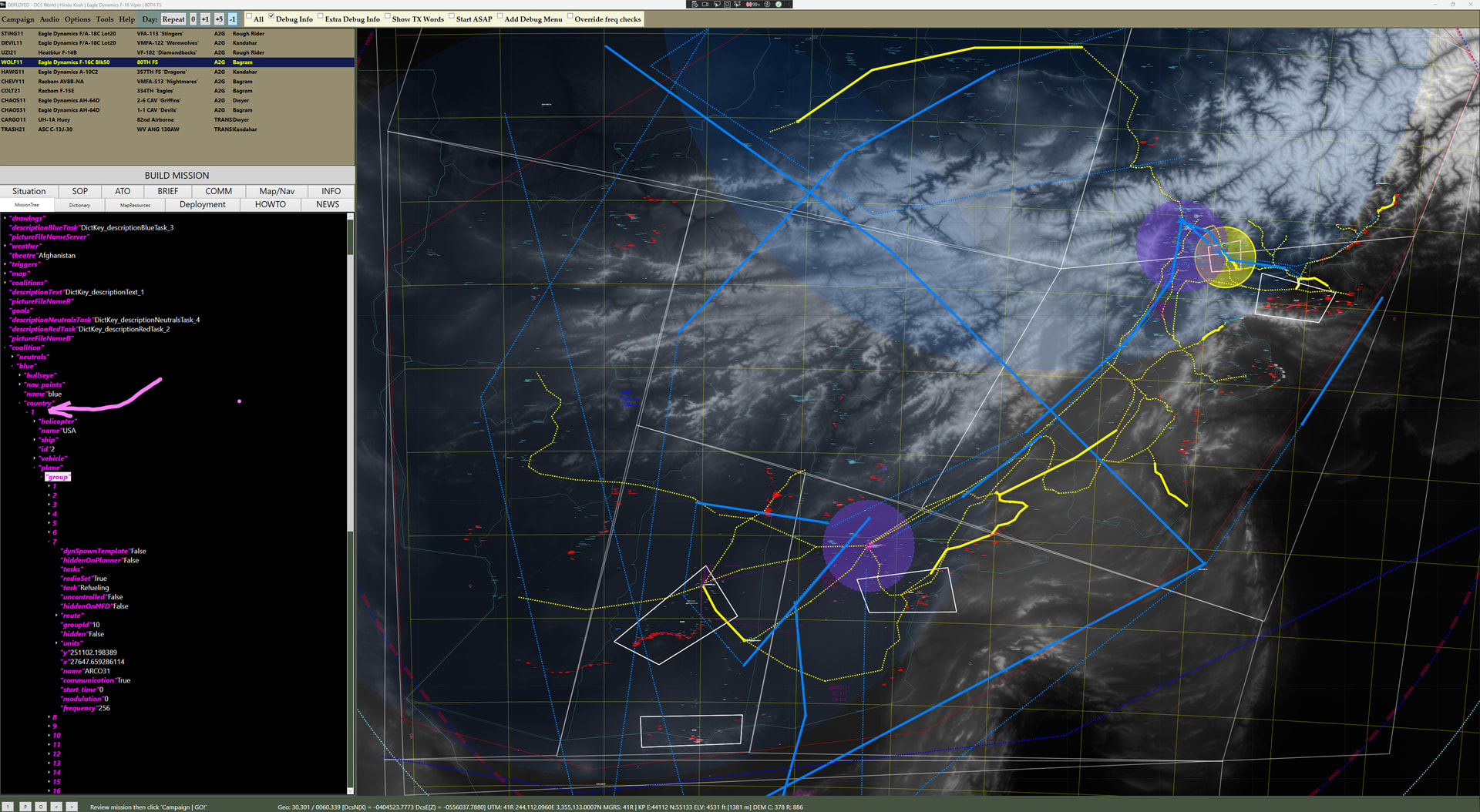
I’ve opened a mission up here in DCSGrok (faster than unzipping, draggin, loading in into a text editor, etc)…this is the country ‘enum’ (code; the pink arrow on the left side points to the table [1] here for that country).