Foothold - Logistics How To

As there a lot of questions, I figured making a topic people can easily find answers and share knowledge would be helpful.

The Basics

Logistics in the Foothold missions, do 4 things.

  1. Serve as a method to capture fixed site. The capture of all the sights is the overall goal of the foothold mission.

  2. To upgrade captured friendly sites. These upgrades include things like AI SAM’s, AI ground forces, etc.

  3. To provide ordinance used by players to fly combat sorties (can’t load up JDAM’s if there are none on the base).

  4. To allow players to purchase additional assets ranging from AI infantry to SEAD strikes to FARPs, to assist in winning the mission.

Capturing and Upgrade Sites

When ever all the site specific units at an enemy site are destroy it will turn Neutral, and message is sent to all players about this. Most enemy sites are capturable, some are not. If you look at the map, it will say “Capture” by the site name if it is capturable. The site can be captured in 1 of 3 ways.

  1. Players can place AI troops onto the site. Please see the CTLD section for more info on purchasing troops. This will capture the site and give it the base level of 1.

  2. Players can unload 1 or more zone cargo crates onto the site. Each zone cargo crate after the first will upgrade the zone and provide supplies.

  3. Players can use accumulated points to purchase an AI mission to capture the sight, which will launch a single helo with 1 zone cargo crate on an AI mission to unload that crate in the zone. This will capture the site and give it a base level of 1.

How to spawn zone cargo crates

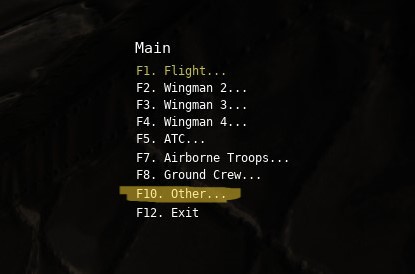
Spawn into unit capable of carrying cargo. Currently that is the C-130, and all helicopters except the KA-50, AH-64, and OH-58. Pull up the radio menu and select Other (your radio menu options will vary per platform)
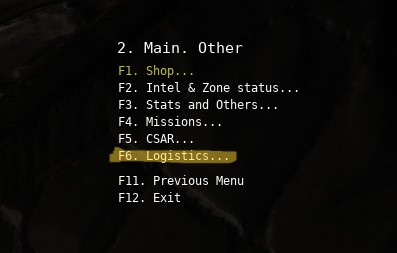
Select Logistics
Select Zone Supplies
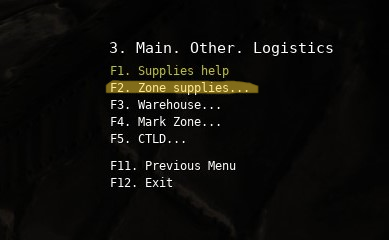
Then select Zone Supplies again
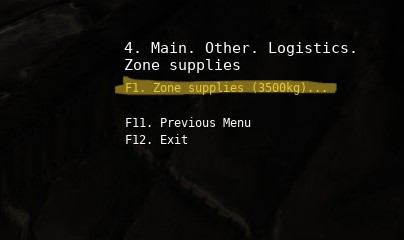
It will then ask how many zone supply crates to spawn, how many are offered is based on your specific unit that you are flying. The CH-47 as shown here is offered the options of up to 3 crates.
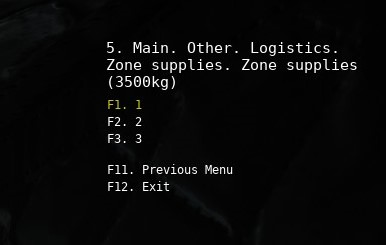
Please be aware zone supply crates have different weight when spawned by different units. CH-47 crates are 3500kg, UH-1 zone supply crates are 500kg and only 1 is offered. The idea is that any cargo carrying unit will be able to transport at least 1 zone crate to be able to capture a site. You can carry another units zone supply crates they spawned so yes you could abuse this feature by spawing UH-1 zone supplies, and carrying them in the CH-47.

Now use the rearm menu (or the Cargo menu in the C-130) to load the cargo as normal. Once you have arrived at the zone you are trying to capture or upgrade, unload your cargo as normally permitted by that unit (sling load release, airdrop, land and unload).

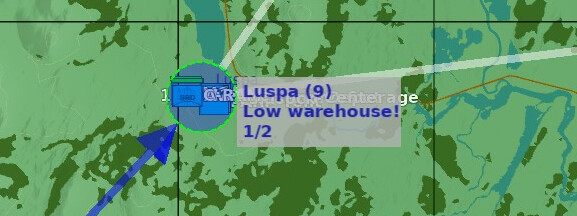
Sites that receive 1 zone cargo crate are captured and are at the base level of upgrade. The map will show how many upgrades a given zone can reach. Luspa, as seen below, can use 1 more zone cargo crate to be fully upgraded.
Warehouse Supplies

Captured sites that players can fly from all feature a munitions store referred to as the warehouse. When capturing a site, each zone cargo crate provide 30 of all munitions. How they pack 30 MK84’s and 30 AMRAAM’s etc in each crate is a mystery. After that initial load of munitions is expended, players are required to ferry new munitions to that sight to plus up the warehouse. The F10 map will let you know when a site is getting low (FARP’s don’t have an indicator, you just have to try and fly out of them to see what’s available).

To plus up a warehouse with ordinance we do something similar to loading zone supplies.

In your radio menu go Other → Logistics just like with the zone supplies, except now we will select Warehouse.
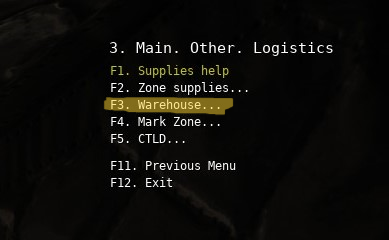
You will be given a list of cargo crates you can spawn to load.
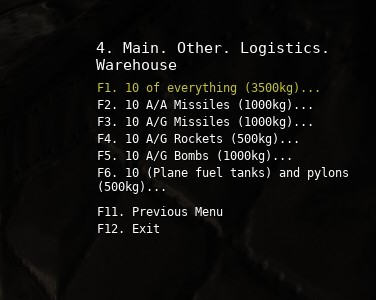
In the example above, this is what is available for a CH-47, smaller helicopters may be limited to only a crate of 10 rockets by weight. The weights do NOT scale, they are fixed. Here is where the heavy lift helo’s like the CH-47 and Mi-8, and our only transport the C-130 excel.

Selecting a type of crate will give you the option to spawn up to 5 of them, and you load them per the rearm refuel panel as per usual. Unloading them is the same as with zone crates.
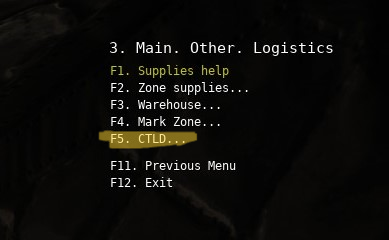
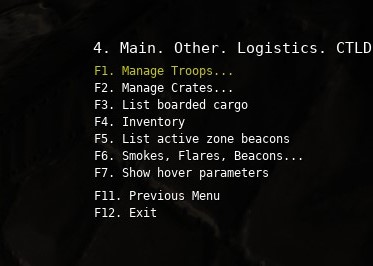
I’ll add in CTLD later this evening.

7 Likes

CTLD

CTLD is the system where additional AI ground units (or CA units) as well as FARP’s, etc can be purchased to support our operations on the server. CTLD operates outside of the Rearm/Refuel cargo system, but does add/remove the weight of the cargo to your aircraft as you load and unload things.

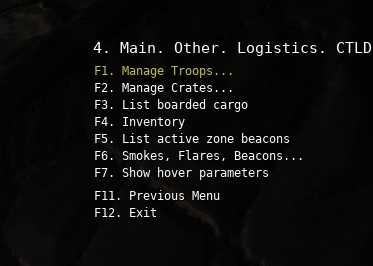
To acess CTLD, we’ll again open the radio menu and go Other → Logistics and then select CTLD.

CTLD has a lot of different parts, we’re only going to look at a couple of them here.

Selecting managed troops or crates is where you will spawn, load, and unloaded various types of cargos. “List boarded cargo” will show you want you currently have on board your aircraft.

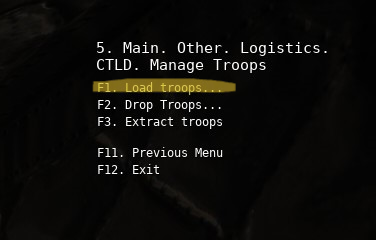
If we wish to purchase troops we would select “Manage Troops,” and we would get the troop management options. As we are purchasing troops select Load Troops.

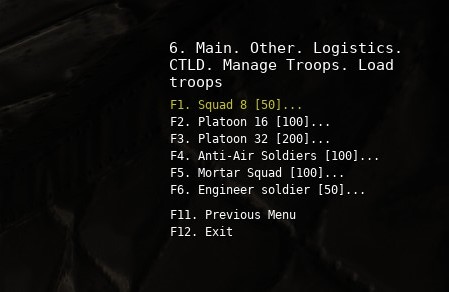
We will be presented with the various type of troops and the point cost that comes out of Blue’s total accrued points.

Squads and platoons of troops are a mix of AK and RPG wielding infantry. They can be delivered via helo or C-130. Anti-air, mortar, and engineer troops are specialist, and are purchased in groups. The number of squads/platoons of troops or groups of specialty troops available to load is based on the troop capacity of your aircraft.

Prior to selecting the number of squads/platoons/groups ensure you have either a cargo or personnel door open on your aircraft. Selecting the number of troops will automatically load them on your aircraft and increase its weight proportionally.

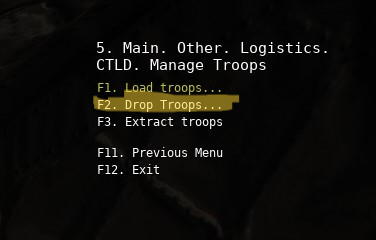
To unload the troops currently on your aircraft select Drop Troops

If you have more than 1 squad/platoon/group of troops loaded you will be asked what type of unit and how many to unload. In the C-130 troops can be “air dropped” (they just teleport straight down), but ensuring you at or below 130 knots, have the troop doors open, and the air deflectors extended. I am unsure if you can airdrop troops in helo’s testing will be done at some point.

To pick up units that are deployed on the battlefield, utilize the Extract Troops option. It functions similarly to the Load Troops option.

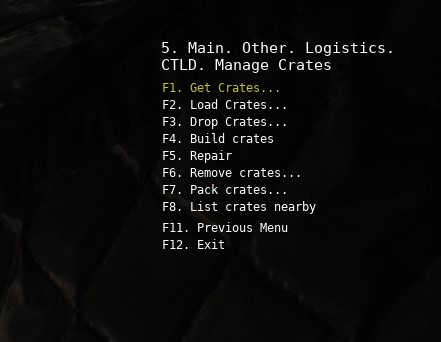
To load a variety of units and FARP’s select Manage Crates.

The crate management screen is similar to the Troop Management screen.

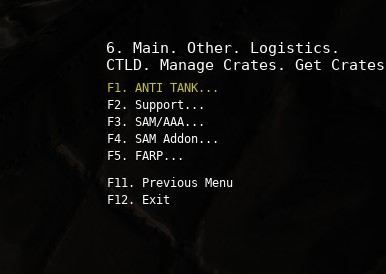
Select get crates to begin selecting what units you’d like to load.

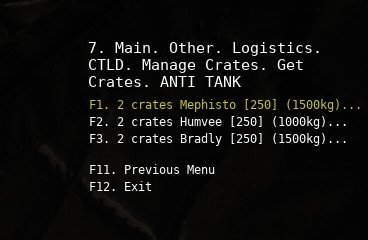
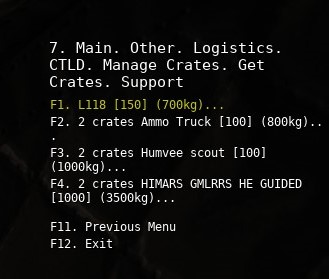
Units usually require multiple crates, and it will show how many crates are required and how much each crate weights. Here are the anti-tank units for example.

A Bradley cost 250 points, and requires 2 1500kg crates to be transported. For gameplay reasons the crates can be carried in separate lifts, or even separate aircraft piloted by different players.

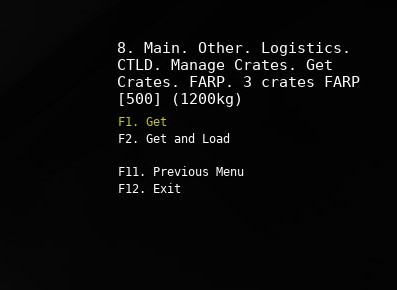
Upon selecting a unit you will be presented with the option to spawn the crates and load them manually via the rearm/refuel menu option, or have them automatically loaded into the aircraft (ensure you’re cargo door is open first). The “Get” option will spawn crates, “Get and Load” will put them on the aircraft. If your aircraft can not accommodate the full load, selecting “Get and Load” will generate a message telling you it won’t fit, and requiring you to go through the process again and select “Get” instead.

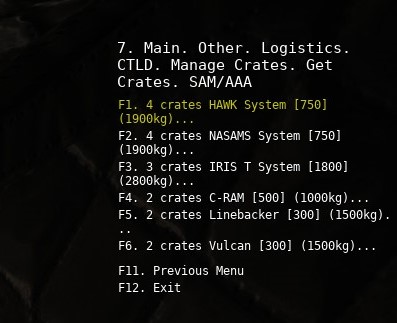
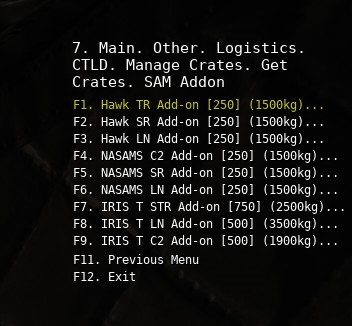
There are a lot of different options, available. Ammo trucks of course provide ammunition to artillery, SAM’s etc. Indirect weapons will engage the enemy on their own (sometimes…), SAM’s will provide air defense, etc.


FARP’s are purchased and loaded just like any other multi crate unit.

FARPs only have 10 of each munition when created, so it is often worthwhile to bring an additional warehouse crate or 3 of additional ordinance.

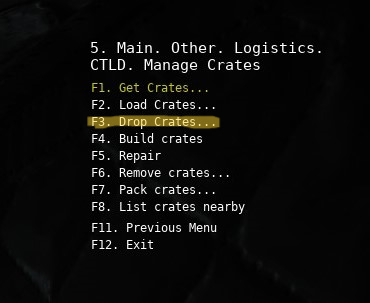
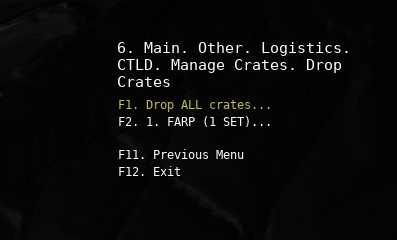
When you reach the location you wish to deploy your unit(s), select Other → Logistics → Manage Crates ->Drop crates.

It will ask which specific cargo load you want to drop, or all of them.

After selecting your unit(s), you’ll be asked if you wish to simply drop the crates at that location, or drop and build them. Dropping the crates does just that, placing the crates on the ground. Dropping and building them will create the unit(s) in question, or assemble the FARP in approximately 30 seconds.

There is a lot more functionality to CTLD, but that’s the basics to get you going.

10 Likes

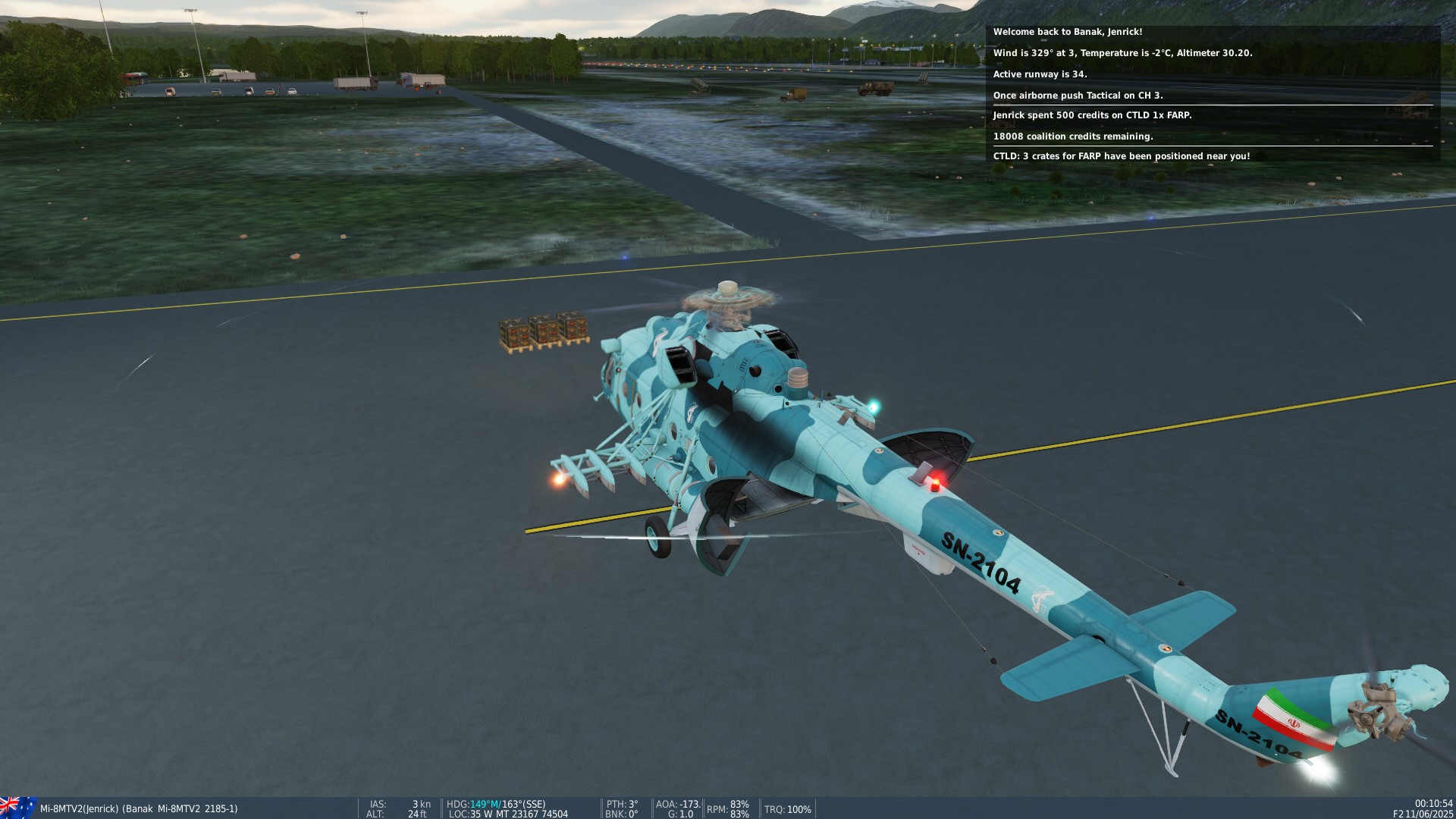
I do think the Mi-8 FARP crates are bugged, I can spawn 3 crates, I see them in front of me, but can only load all three at the same time which is too much for the Mi-8 to take-off with.

Hoped onto Kola to test this afternoon, was able to load 1, 2, or 3 crates no problem. Once I spawned them in front of me, I used the rearm/refuel menu to load cargo per normal DCS functionality and could load the crates individually. I spawned the Mi-8 at Banak, and used the “Get” function when purchasing the FARP.

3 Likes

And after they have spawned in front of you when you select “Get”:

Yep that is what I did too! How weird…

What’s the trick to getting a downed pilot out of the woods? I tried nearest clearing, hovering over him..

1 Like

Hovering over him should initiate the hoist pickup. It can be hard to figure out exactly where to put the pilot in relation to the helo, but it does work. You also have to be under a certain altitude, I believe it’s set at about 90’.

2 Likes

I’ve had them run all the way to the aircraft, but then stop about 30-100 meters away. I find that if you just pick up and relocate about 50 meters in any direction, that is enough to get him to cross whatever invisible barrier that he’s stuck on.

1 Like

If you have Combined Arms you can set a waypoint for them. That worked for me, I think the advice was originally from Chris.

1 Like