MSFS Add-Ons & Releases

I like to browse Marketplace and usually I buy at MP . I asumed that the Mscenery good revs were from their happy ’ light ’ customers of their ’ light ’ products .

anyway , whats really missing imo in MP is filter where you can check what you DONT want to see

btw really disappointed by the -25% off of MSFS . hopped for -50% already around this time. no sweat , back to scale models :slight_smile:

2 Likes

This would solve the problem for the most part. It’s so obvious that I can only assume that the lack of an ‘exclude’ filter was a deliberate choice by MS.

1 Like

Quite likely.

And if they ever implement it at the community request, the filter will reset with every session :laughing:

Something @Troll might be interested in .. or maybe a little too much like work (which is the problem I have with the HotStart Challenger 650..:zany_face:

9 Likes

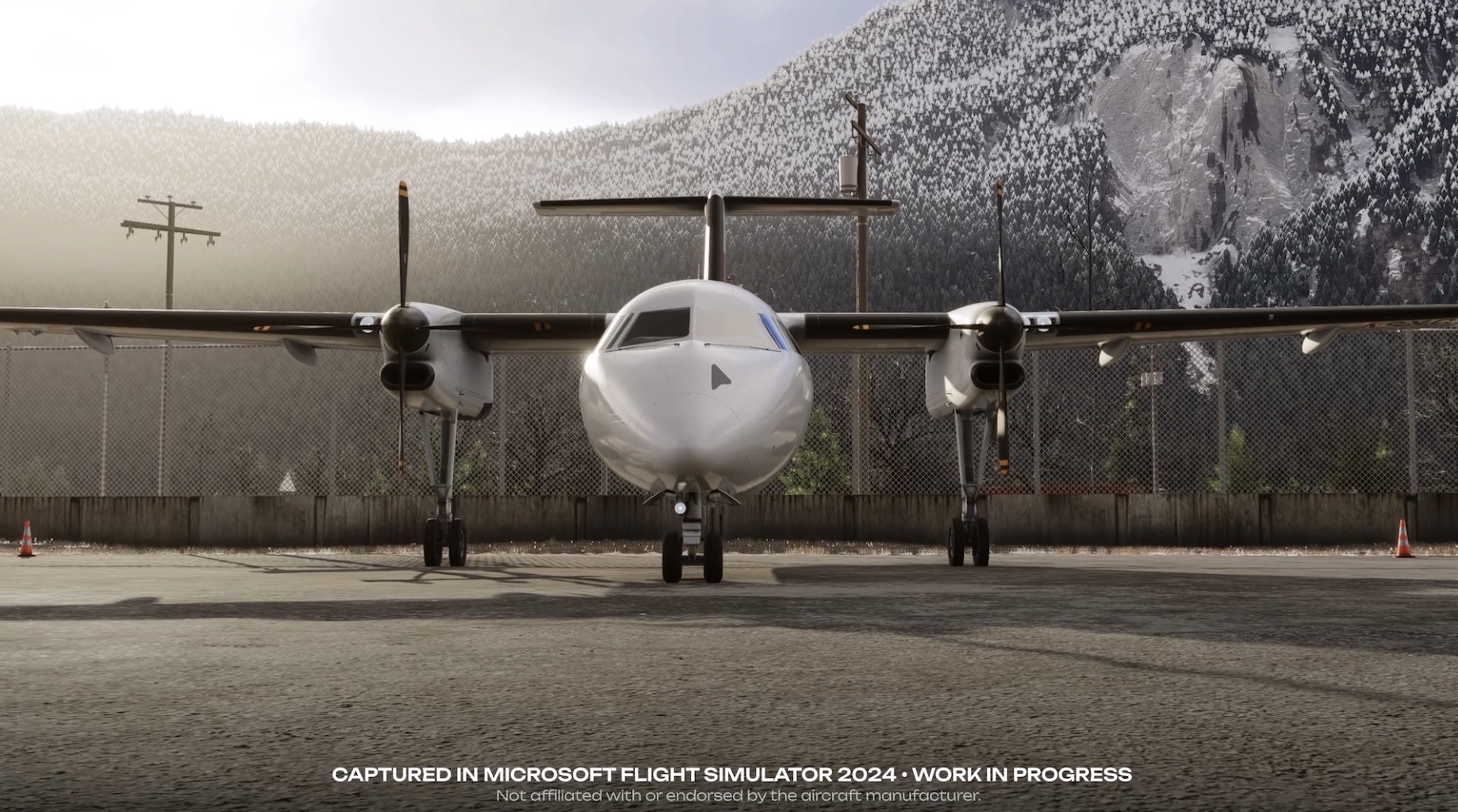
Cool! We need a high fidelity DHC8 in the sim!

Too bad we’re getting a cockpit upgrade for our fleet, soon. Maybe I can convince SWS to upgrade the add-on? :wink:

2 Likes

Well, at least it will be good for a few nostalgic flights..and you never know, they may look at including the new avionics. If your aircraft are going to be all glass then they will inevitably lose some of their soul.

That was my experience with the King Air B200’s I used to fly that were upgraded to the G1000 back in 2009. It was a significant upgrade in capability, but there was something about that big mechanical Sperry ADI that the G1000 with its colorful displays, synthetic vision, airspeed and altitude tapes just couldn’t match.

I will take off my rose tinted glasses now.

5 Likes

Also keep an eye on the future Majestic Q400 for msfs, it still in development. That addon was originally made for p3d and there was a strong study level aircraft that even have very costy versions to flight schools. It even included an internal module for multicrew flights.

1 Like

I know… But, it’s the way of the future. RNP AR capability will be cool!

1 Like

Very interesting addon for SAR and MEDVAC lovers:

EmergencyDispatcherPro | Aerosoft Shop

I think it’s fair to enjoy those old steam gauges. It is what I love in flightsimming, messing about with all of these old systems. Though the reality of what is safer and efficient obviously does not align with my personal preferences!

3 Likes

Nice video!

1 Like

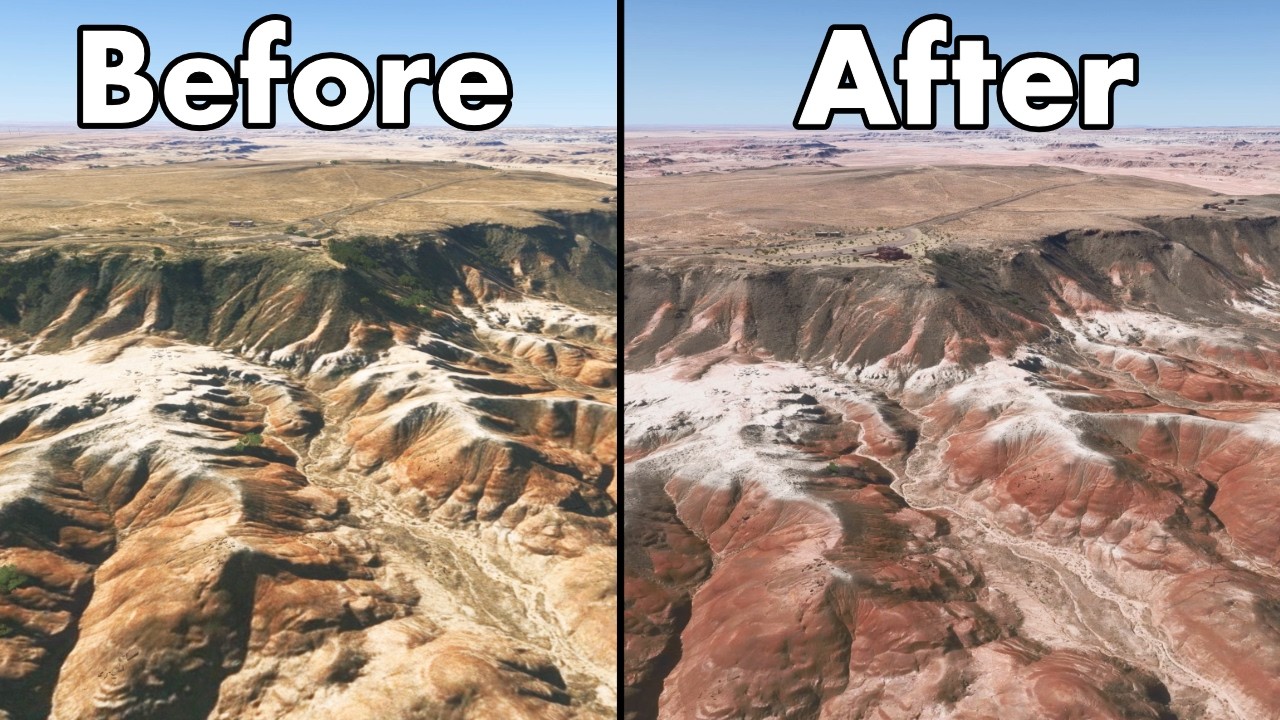
A new (to me) feature are the Guided Tours. I just did Grand Teton. It departs out of Jackson Hole, an airport I’ve been to twice. The tour is very well done; fun and educational. The improvements are outright stunning. It feels like Flight Simulator ‘26.

EDIT: Just did Bryce Canyon. Even better.

3 Likes
1 Like

Ever since ‘24 came out I have been complaining about an issue we’ll call the “Lock/Legacy” bug. It’s an issue on consoles where when the center of your view strikes a button or control, that entity latches and turns blue, often loss of control of the flying machine is the result. You could attempt to fix this by selecting “Legacy” in the Flight Interface menu. But no joy. The switch would immediately return to “Lock”.

Well…They fixed it! This along with the National Parks have made this a new, even better, sim!

3 Likes

Couatl™ Live update release notes

Version 4.0.8 – July 8th, 2026

  • GSX (all versions) NEW: Ground traffic awareness. Every GSX vehicle is now aware of the space around the aircraft: the working areas other vehicles occupy — or are about to occupy — and the routes they are currently driving. This brings a whole new level of realism to how ground services move and coordinate around your aircraft, and it makes busy turnarounds both better looking and better behaved.

    No more vehicles inside each other. A vehicle no longer drives in while another one is standing on its working spot: it waits for the area to actually clear, then approaches. This works automatically with every fuelling strategy, custom approach path and custom stop position — GSX derives each vehicle’s real footprint from where it is actually going to park, articulated vehicles included: a baggage train is tracked wagon by wagon, a fuel tanker as cab and trailer.

    Vehicles yield to each other on the move. Moving vehicles see each other’s routes and give way: they slow down, wait for crossing traffic, and follow consistent right-of-way rules designed so that two vehicles can never end up waiting on each other forever. A departing truck whose exit runs past a vehicle still working — the classic case of the fuel truck leaving through the catering position — now holds until the way is physically clear, and moves on the very moment it is. Vehicles only ever adjust their timing, never their route: custom approach and leave paths are always driven exactly as you authored them.

    Faster turnarounds, not slower. The new system replaces the old fixed safety timers and one-size-fits-all rules with real geometry, so services start as soon as the space is genuinely free: catering no longer waits a fixed time after refueling, the water and lavatory trucks angle their approach at their service port so they stay clear of the rear stairs, the catering truck and each other, the empty baggage trains leave immediately when boarding starts instead of lingering in the way, and the two catering trucks now leave independently of each other. And whenever something is waiting, the status page tells you exactly why — “waiting for the Fuel truck to clear the work area” — on the in-game panel, the web remote and the EFB alike.

  • GSX (all versions) NEW: More services at the same time. The zone-based system has allowed us to remove most of the arbitrary restrictions on which services could be performed together: instead of blanket rules keeping whole services apart “just in case”, services now run concurrently whenever there is actually room for them — and only wait when there genuinely isn’t. You can now call Catering, Refueling and Boarding all at the same time and watch the whole turnaround unfold at once — the fuel truck at the wing, both catering trucks at their doors, stairs, buses and baggage trains all working together, each vehicle taking its spot the moment it’s actually free, just like on a real apron. This also makes the “Assistance services Auto Mode” option considerably more useful: when it chains Refueling and Catering into a Boarding request, those services now genuinely overlap instead of queueing one after the other, with the baggage loaders dispatched as soon as the trucks have taken their working positions — shorter, livelier and more realistic turnarounds without touching a single menu.

  • GSX (all versions) NEW: Smoother vehicle and passenger movement. The most time-critical animation code has been moved from Python to C++, greatly reducing latency: the position of every ground vehicle — articulated ones included, so the baggage train’s whole wagon chain, the fuel tanker’s trailer, the towed GPU cart and everything they carry — and of every walking passenger and crew member is now updated by the engine’s native code on every single frame. Ground traffic keeps moving fluidly even in the busiest moments, greatly reducing the micro-stutter in vehicle and passenger motion that could be seen during heavy scenes at large airports.

  • GSX (all versions) NEW: Print your invoices on a real receipt printer. If you have one of the inexpensive thermal POS receipt printers (58 mm or 80 mm paper rolls, ESC/POS compatible — the kind shops use for till receipts), GSX can now print every invoice as a genuine paper receipt: operator logo letterhead, itemised charges with local currency, taxes and totals, finished with an automatic paper cut.

    Zero-configuration setup. The new “Invoice printing” section in Settings > Network detects receipt printers automatically — the paper width is read from the printer itself and the receipt layout adapts to 58 mm or 80 mm rolls — with a Print test button to try it out. Regular full-size printers are deliberately not used: for those, the invoice’s “Open in browser” option and your browser’s print function already give the best result.

    Preview first, print from anywhere. Before printing you get a preview of the exact receipt, character for character, right in the GSX menu — and the whole flow works identically from the in-game panel, the web remote and the EFB, from both the invoice notification and the “View past invoices” browser (your previously saved invoices are printable too).

    Auto Print. An optional setting (off by default) prints every new invoice automatically the moment it is issued — receipts simply roll out of the printer as services complete, no clicks needed. A lovely touch for home-cockpit setups.

  • GSX Pro Change: Remote API updates for third-party developers. A remote client — an EFB, an ATC or dispatch tool — can now select the parking gate directly with a single command, picking from the same live gate list the protocol already publishes. And beyond reading the rich aircraft, gate and flight data that aircraft profiles (handler scripts) see, remote clients can now also write the same properties a handler script can customize — gate options, service positions and routing — so external tools and aircraft integrations can adjust GSX behaviour on the fly. Both features are fully documented in the included Remote API guide.

  • GSX (all versions) Change: On multi-aircraft (MARS) parkings, custom vehicle approach paths are now strictly per sub-position: paths authored on the parent position no longer apply to its sub-positions — a path is only geometrically correct for the exact stop position it was authored on — and editing a sub-position’s paths can no longer silently modify its siblings.

  • GSX (all versions) Fix: Invoices for ground handling and passenger transport now show the amounts converted to the airport’s local currency, exactly like the fuel and catering invoices already did.

  • GSX Pro Fix: Service questions (“Do you want to board the crew?” and similar) now reliably appear on the web remote and the EFB while the main in-game menu is closed. Previously they could be silently skipped, depending on how the menu had been used earlier in the session.

  • GSX Pro Fix: Menus displayed in the classic style now render correctly on the web remote and the EFB — they could show up empty, or with leftover buttons from a previous page.

  • GSX Pro Fix: Fixed the EFB occasionally being left with blank menu icons after quickly backing out of the SimBrief details pages.

  • GSX (all versions) Fix: Fixed a possible complete freeze of the Couatl engine when a menu (the refueling fuel-level selection, for example) was re-displayed while the menu system was busy closing.

  • GSX (all versions) Fix: The SimBrief entry in Additional Services opens its details pages again.

  • GSX (all versions) Fix: Much improved walking routes for passengers moving between the aircraft stairs and the passenger bus: passengers now step clear of the bus before heading for the stairs, walk around the passenger-guidance unit instead of through it, and on aircraft without one they no longer detour in single file all the way out to the wingtip — each door keeps its own separate stream, rounding the nearest wing edge only when actually needed.

  • GSX (all versions) Fix: The arriving baggage train could reverse onto its docking spot and end up folded against itself, misaligned with the aircraft; it now docks straight every time, on custom and default routes alike.

  • GSX (all versions) Fix: The empty baggage train waiting at the gate could materialise with the tractor and all its wagons stacked on a single point; every part now appears correctly spread out.

  • GSX (all versions) Fix: The fuel truck’s fuel counter could get stuck showing 00000 for the entire refuel, and the scrolling fuel-price display could stop with an error; both now display reliably.

  • GSX (all versions) Fix: Long invoices shown in the in-game panel now shrink the operator logo to a small inline mark instead of hiding it entirely.

  • GSX (all versions) Fix: Fixed an internal conflict that could disable the automatic removal of pre-existing static vehicles at the parking spot.

  • GSX (all versions) Fix: Improved engine resilience: an error occurring in the per-frame animation code is now caught, logged and isolated to the object that caused it, instead of potentially corrupting the engine and causing a crash much later.

3 Likes

My former favorite utility for MSFS24 was a simple utility called SimBrief Panel. It did two helpful things, present OFP data in a concise list of the items most often needed when programming a MCDU/CDU, and had a jump feature that allowed you to warp to various points on your flight plan, like fixes or TOD.

Recently, I found that the dev had disabled downloads on the app’s fs.to page. But it didn’t take long to learn that he had given it a major overhaul and rebranded it in the process. Now called, Briefly, it has all of the original’s features.

TBH, I haven’t decided if there is anything useful that has been added, or if it is just a rebranding. I really liked the simplicity of the old version. If you don’t need things like ZFW and ZFWCG regularly, then you might miss the jump to feature. Very helpful to not suffer through long flight plans.

From the same developer, this also looks useful.

1 Like

New Content and Features

  • MastLights have been added to a large number of generic airports, ranging in size from M to XXL, with automatic placement. This improves illumination at parking spots at these airports in night conditions.

  • Bush trips have returned and are now accessible in the Sim Update 6 Beta from the Activities menu. Please note some bush trips are still being tested and are not yet available (full list below). We encourage everyone participating in flighting to play bush trips and share your feedback.

    • The following bush trips are not yet available:
      • Discover Sweden
      • North Queensland Coast
      • Austria – Land of Mountains and Music
      • Germany’s Coast and the Rhine
      • The Alpine World of Switzerland
      • The Baltic Coast of Denmark and Sweden
      • Wales
      • Upper Northeast Adriatic Countries
      • Rijeka to Santorini
      • Breckenridge

Stability & Performance

  • Fixed frame rate cap not ignored during initial boot (was slowing it down)
  • Fixed unnecessary long loading times occurring is specific cases.

General Bug Fixes

  • Fixed landing tips notification sometimes appearing after taking off
  • Fixed an issue where the option “First person freelook speed” was missing on Xbox
  • Fixed an issue where some input device could be impossible to scroll when configuring the hardware
  • When using a search with a controller, validating the text using the virtual keyboard now immediately focus on the dropdown.
  • Fixed date and time flight conditions are reset after returning to main menu
  • Fixed scoring for rotorcraft CPL
  • Fixed Search departure/arrival not updated after a freeflight.
  • Fixed display logbook.
  • Fixed selecting a copilot not working after selecting no copilot in customize identity screen
  • Fixed buttons not working and input disappearing when switching from mouse to another device
  • Fixed an issue where changing the flight conditions was not possible when not in a group

Aircraft

  • Fixed an issue causing the CAMERA_RAY_NODE_COLLISION to not work properly, which was used by the F18’s HMD to hide it when looking at the F18’s cockpit and instruments.
  • Fixed snow on cargo loads

Boeing 737 MAX 8

  • Fixed Cabin Doors missing animations.

Aircraft Engines

Turbine Engines

  • Added an optional “delta_commanded_Ne_table” parameter to the [TURBINEENGINEDATA] section of engines.cfg. This multi-dimensional table is applicable only when either the “corrected_commanded_Ne_table” or “uncorrected_commanded_Ne_table” parameter is used, and defines a correction to corrected or uncorrected commanded Ne, respectively, as a function of condition lever position and throttle lever position. See SDK for details.
  • Added an optional “uncorrected_commanded_Ne_table” parameter to the [TURBINEENGINEDATA] section of engines.cfg. When specified, this table defines the target uncorrected N1 for turbojet, turbofan, turboprop, and turboshaft engines as a function of throttle lever position. When omitted, the existing behavior remains unchanged to preserve backward compatibility. See SDK for details.
  • Added an optional “corrected_commanded_Ne_table” parameter to the [TURBINEENGINEDATA] section of engines.cfg. This multi-dimensional table allows corrected commanded Ne to be explicitly tuned as a function of pressure altitude, inlet Mach number, and throttle lever position. For turbojet and turbofan engines, it represents the target corrected N2. For turboprop and turboshaft engines, it represents the target corrected N1. When omitted, the existing behavior remains unchanged to preserve backward compatibility. See SDK for details.
  • Added an optional “full_throttle_commanded_n1” parameter to the [TURBINEENGINEDATA] section of engines.cfg (for turbojet, turbofan, turboprop, and turboshaft engines). When specified, this parameter also overrides “high_n1” for consistency and modifies the engine-speed control law for turboprop and turboshaft engines so that it controls actual N1 instead of corrected N1. When omitted, the existing behavior remains unchanged to preserve backward compatibility. See SDK for details.

EFB

Minimap

  • Fixed the minimap auto-zoom when no aircraft category is specified, now adopting the behaviour of PLANETYPE_PROPELLER category by default
  • Fixed the simrate indicator not properly scaling depending on the screen resolution
  • Added an option to minimize/disable the minimap

Aircraft Gameplay

External HUD

  • Added the propeller lever notch in the external HUD

Career

  • Replaced “No Skip Bonus” with “Skip Cost” in mission reward screen and change how it is calculated
  • Added a warning notification when a WASM crash or an aircraft related issue is detected during a mission.
  • Fixed aircraft sometimes spawning with zero speed after a back on track or a skip.
  • Added more missions available at night in live weather and live time.
  • Added a warning icon and extra rewards on missions that start or end at night on a runway with no lights.

General Bug Fixes

  • Fixed an issue that sometimes incorrectly set the turbine engine rating briefing.

Missions

  • Added a notification to warn the player if they try to take off with the doors open

Airports

Bespoke Airports

  • Fixed edited passenger boarding, such as at LEBB

Generic Airports

  • Renamed “ParkingLight” to “MastLight” for parking spot illumination of airports.

Virtual Reality

  • Following community feedback, we fixed an issue where the virtual reality controller could display a “Controller disconnected” pop-up when it went to sleep mode.

Controls

  • Added action “EYE/HEAD TRACKING PAUSE”. Assigned [Shift+Alt] on Keyboard default profiles.

Peripherals

  • Thrustmaster T.Flight Hotas 4 is now functional again on PlayStation 5 consoles
  • On PlayStation 5, T.Flight Hotas 4 and T.Flight Hotas 5 (PS4 compatibility mode) default profiles have been adapted to the recently integrated Thrustmaster SDK.
  • With this change in SDK, other Thrustmaster peripherals are now not read as T.Flight Hotas 4 anymore. However custom input profiles from versions previous to SU6 aren’t compatible.

DevMode

  • Fixed “Open local documentation” button in DevMode menu hich tried to open old documentation
  • Fixed checks on VisualEffectLib and VisualEffectLegacyLib output path in PackageBuilder
  • Added Thrustmaster PS5 device type to the Input Profile Editor

General

  • Added max value for WASM memory in SimObject Profiler
  • Potential fix for mouse disappearing unexpectedly while using devmode.
  • Added mesh occluder debug in “Debug >Aircraft>Environement occluder”.
  • Fixed Screenshots having incorrect resolution when smart docking is enabled

Scenery Editor

  • Fixed scenery object shift between the editor and the built package
  • Fixed framerate issues in the editor with projected meshes (regression SU6)
  • Fixed collisions not working for instanced objects
  • Fixed “View only current package” not reloading the ground textures.
  • Polygons can now be used for material and vegetation override at the same time
  • Fixed hiding objects with the eye icon not working for a lot of types

SimObject Editor

  • Fixed hydraulics valve of type ShutOff required to have a Circuit
  • Fixed possible infinite freeze when opening the navgraph editor
  • Fixed CFG Validation Window allowing modification of parm from VFS files

Visual Effects Editor

  • Fixed random crash in VFX Templates/Instances debugger

SDK

  • Added key event GROUND_SERVICE_ATC_MESSAGE to trigger new Ground Services for user aircraft

SimVars

  • Added SimVar IS_ANY_OPEN_INTERACTIVE_POINTS_RISKING_TO_CAUSE_CRASH which returns true if any interactive point would make the aircraft crash if it reached their failure speed (i.e. they have the type Main, Cargo or Emergency, they have a positive failure speed and they are opened at more than 95%)

Exporter Blender

  • GLTF import: Support deprecated ‘AsoboMacroLight’. They are automatically imported as Street Lights.
  • GLTF import: Support deprecated decal materials defined in the ‘ASOBO_material_blend_gbuffer’ extension.
  • GLTF import: Disable assignment of a unique ID to each imported object. This prevents issues when importing GLTF files containing nodes with the same ID.

Documentation

  • Update to the ui_fuel_burn_rate parameter description as well as associated career documentation to better explain how it affects the effective range of the aircraft.
  • Fix for missing additions to APU (Fuel + Pneumatics) docs that were not included in a previous documentation update.
  • Update to multiple pages related to APUs (Fuel system, Pneumatics system, etc…) to clarify that the simulation can currently only parse one APU definition.
  • Simvars: New liquid dropping SimVars added to the documentation - LIQUID DROPPING TANK PCT FULL VOLUME, LIQUID DROPPING TANK PCT FULL WEIGHT
1 Like

What a trailer!

6 Likes