Since I swapped my old hardware for the AMD Ryzen 9800X3D and an Asrock X870e mobo I’ve had preciously little time to enjoy it… Bluescreens and restarts into BIOS happens almost every time now. Often when the PC is just idling in windows desktop. I’ve tried default BIOS settings, updating the BIOS, installing all the latest drivers, but nothing seems to help.
I’ve had periods of stability, but then life calls and the PC is unused for a month or so and then it falls apart like a house of cards. I’m trying one last Win11 install. If that doesn’t work, I don’t know what to do?
Remove and reinstall all the hardware…? Could I have installed something wrong? Is there a glitch, somewhere? Did I mess up the mobo when I installed the wrong BIOS once? It installs the new BIOS versions just fine?
Have you run memtest on it?
Brainstorming:
Did you run a memory test already?
-
Grab a USB Stick, install ventoy.net on it.
-
Then get a memtest86+ iso file and copy it to the usb stick.
-
Boot it and let it run for 2 hours.
Also, try to use your bios to run all fans on full speed. See if that makes a difference to stability.
Re-do the thermal paste on the CPU if the memory tests come up negative. Check your power supply. Is it old? Is it underspecced?
Good luck @Troll . I feel you, non working PCs are very frustrating beasts indeed 
I’m also running a 9800X3D and an Asrock 870e (Nova - not Taichi).
I had issues after upgrading to BIOS 3.25. It would not launch Windows until it randomly worked after several reboots.
After upgrading Chipset drivers and BIOS to 3.30 it would boot reliable again.
In general I have the impression that it’s more finicky than my old Asus Mainbord running Intel & nVidia. Onboard Sound on the Asrock for example is having issues of stop working completely every once in a full moon. Rebooting or even Hibernate cures this.
No. I will if I can reinstall windows again… Something is seriously off here.
I will tear it apart and reinstall everything, as a last resort.
It’s a Corsair 1200W and should be good. Just a couple of years old.
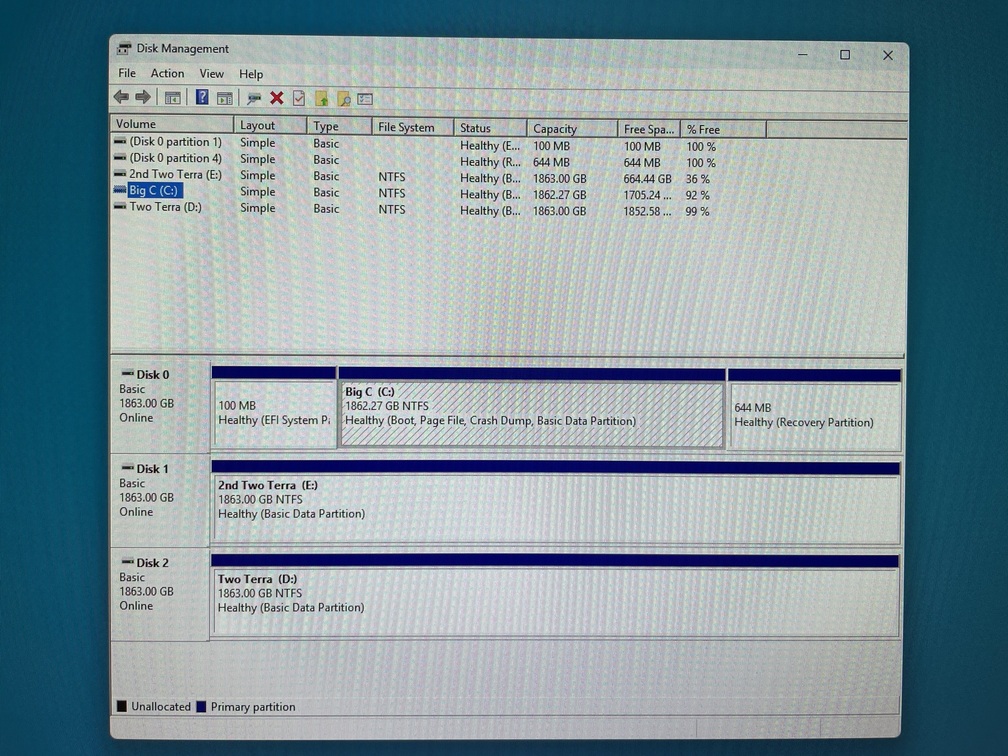
So, I tried reinstalling windows, but the installer can’t find the C drive… I rebooted into windows and there it is:
In the Win11 installer, not so much:
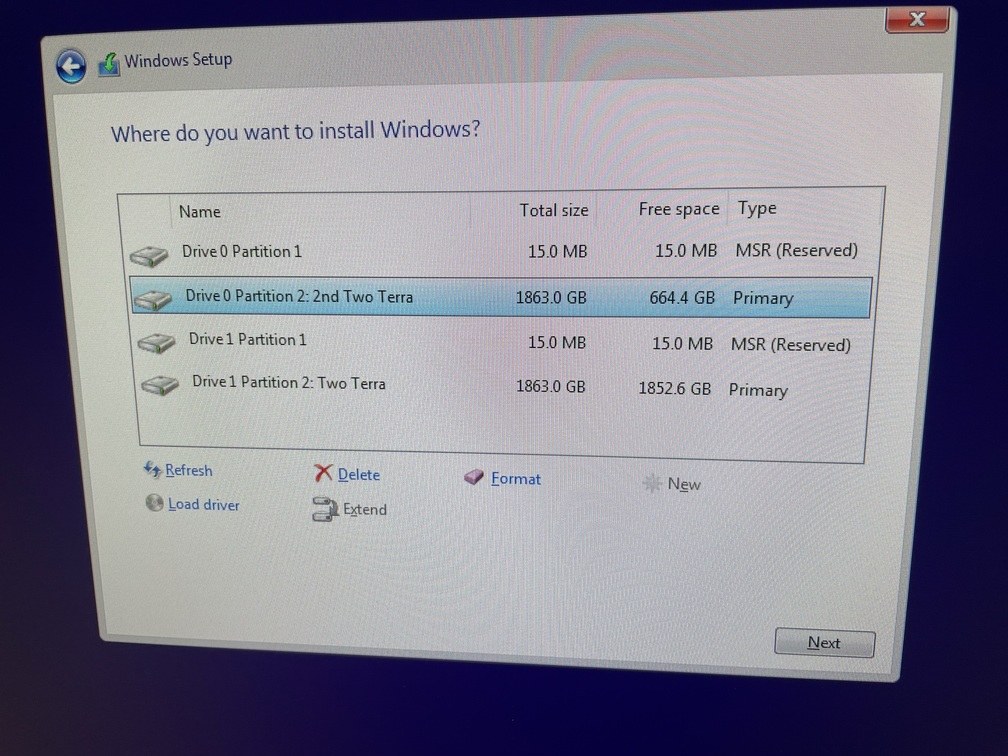
WTH is going on? Is it the C drive SSD that is causing all my troubles?
If so, what is it with me and SSD’s, this year?
Yeah, I kind of miss my old Asus board.
Run memtest first. If your RAM is broken, you are doing all that work for nothing.
Can I do that without a working OS?
I started on the installation, but it crashes half way through…
Yes you can make a boot drive for memtest so you can isolate issues from the OS!
Have you fully formatted the Disk 0 and repartitioned it? Could there be a remnant of a previous OS there so that Windows will refuse you to access it?
I can’t even keep the PC going long enough to reinstall windows.
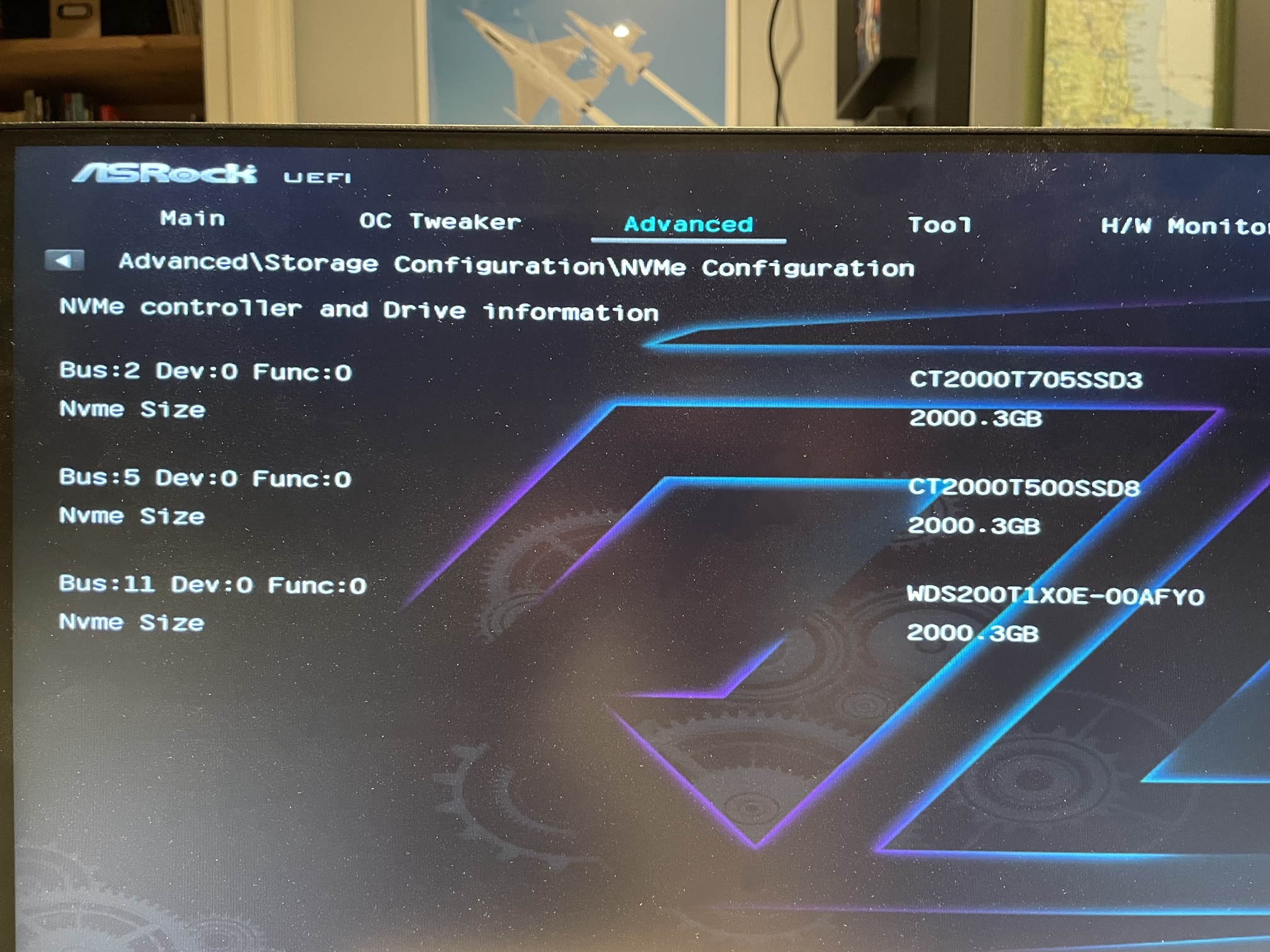
After it crashes, not even BIOS can find the C drive.
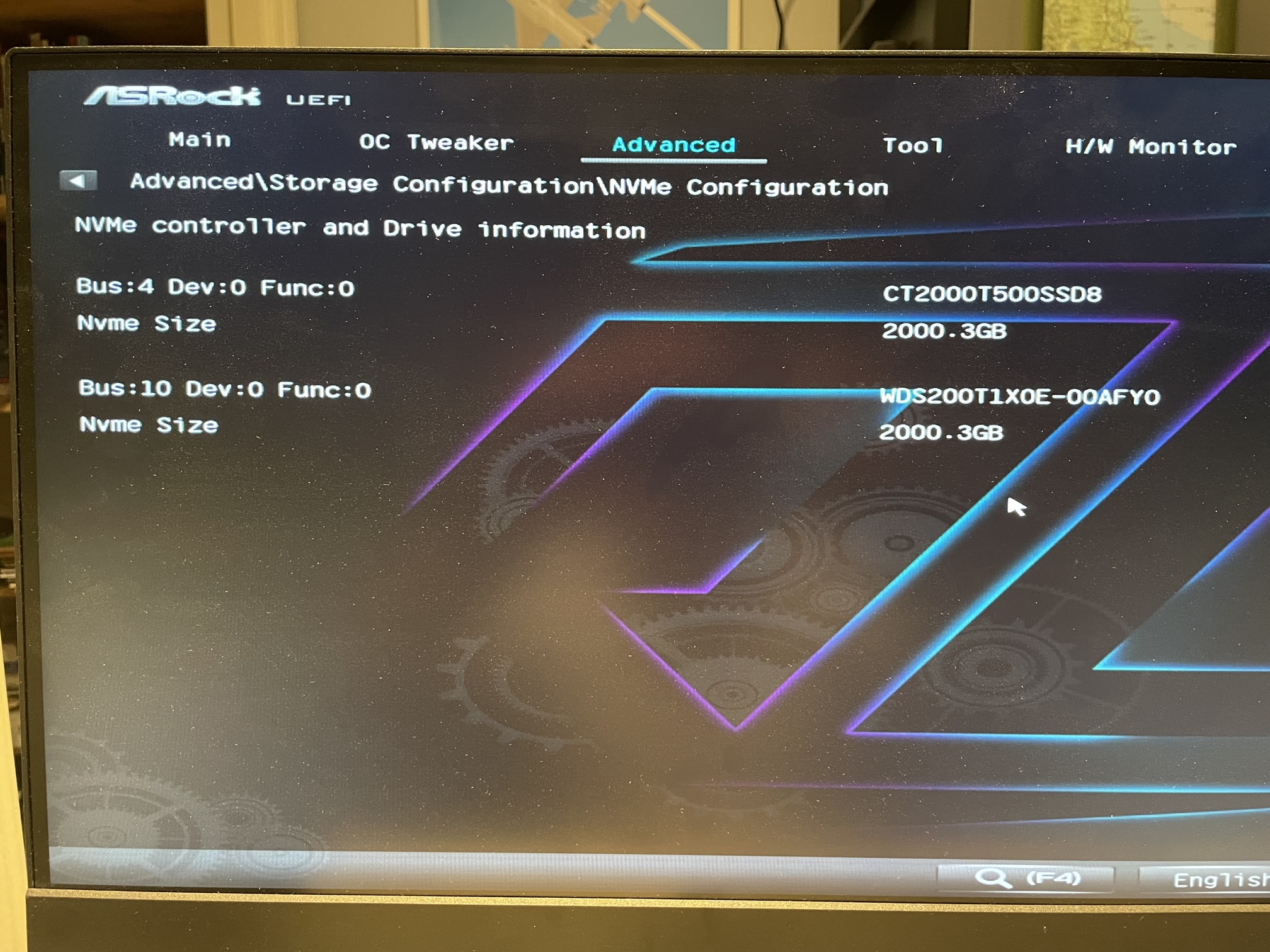
If I let it sit powered off for a while, it is detected… Heat issue or a busted SSD?
I know if windows isn’t shut down properly it screws up something with the boot record and that stops any OS from booting. When I had that issue I could get linux to work properly, have you tried installing that so that you can troubleshoot more?
I’m not anywhere near an expert, so I probably have no clue what I’m talking about, but maybe try the drive in a different slot?
I had the same issue with a missing C drive with BIOS 3.25. I swapped the NVMe-Slots and could see it again but still had boot issues. Upgrading the BIOS and Chipset resolved it.
Yes, but makes the drive disappear from BIOS…?
I haven’t tried installing Linux, no. Wouldn’t know where to start nor how to use it.
I could try one of the other two drives.
I’m on 3.30 now but the problem existed on 3.20 as well…
Did you try updating chipset as well?
Seems like there is a new version from 8 days ago: AMD chipset driver ver:7.06.24.2226
see if its not power suply issues, if you mount many devices on the same rail if overload the psu and some disks can disconnect with voltage instability, try to redistribute the hardware throught multiple psu rails.
months ago i had a similar issue of disks disconnection and this fixed that.
Yes, when I had a working Windows installed… 
These are M.2 NVMe drives mounted in the motherboard slots. Shouldn’t be an issue…?
can be if the total power of your psu is not enough also if the other rails are overloaded and can affect other shared ones.
and the temp monitor? you have any action-reaction relationship that can guess the relation to that crashes?