That timeframe would work just fine for me.  Any other ‘Spikers’ interested in joining?
1 Like
I didn’t do that…. but I will this morning. It seems I still have much to learn!
Not sure how related, and I’ve yet to have time to try the latest drop, but with the previous version I enabled SMT/HT[1] (I have an AMD 5900X) and things were noticeably smoother. Feels like with DCS things change so often that something that used to work (DISabling SMT/HT) no longer does and visa-vis. YMMV.
1 Like
Unfortunately I won’t be able to join until after the littles get to bed; Karen’s on the coast teaching all weekend, so I’m solo.
Did a little testing last night and was pleasantly surprised by the ground AI updates. Not sure if it was unreported part of the update but my convoys route finding seems way better. No longer are convoys getting stuck in cities and on bridges. I was able to sneak up on several groups reasonably and was not instakilled by multiple BTR-82s. I’m curious to see if the Apache is now more viable.
4 Likes
6 Likes
You are quite right. Your app still reigns superior. Bravo zulu on kicking out a new version so quickly sir!
3 Likes
13 Likes
So it seems the trick with disabling/enabling CPU cores I used when the first 2.9 update dtopped, fixes the stutters for me with MT executable. I wonder if ED is going to ever fix this.
1 Like
Same. MT is a big improvement over the default exe.
And our feathers were ruffled over a delay. Shame 
3 Likes
So, what is the drill here for this? Via Task Manager or something?
Yup. When you start the mission open Tadk Manager, go to details tab (2nd one from the right) find DCS World process, right click, set affinity, disable half of the cores, enable them back, repeat for the second half of the cores, done. In the end you can do this with only one core, for me it’s the last one but YMMV.
2 Likes
Can’t you set an affinity mask directly on the EXE? Sounds tiring to have to do it on the process level.
Maybe you can plug in a PowerShell script to apply the mask and have SkateZilla’s Utility run it after starting DCS.
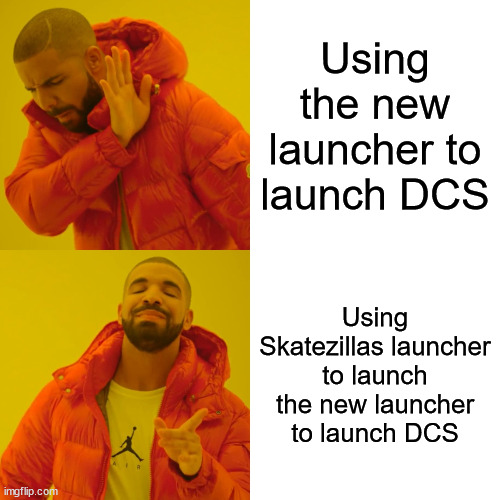
I didn’t even look at the new launcher yet. With all the reports of bugginess, I just added this to the extra commandline args field in Skatezilla’s updater utility:
--no-launcher
If people start saying it is as good as Skate’s thing, I’ll give it a chance
Perhaps I am being too dumb, but why exactly do you need a launcher? I have two icons on my desktop, one for VR and one for 2D. If I want to play the game I just double click them. What is a launcher good for?
1 Like
If you’re a poor like me, it allows you to change the graphics settings (including presets) before launching the game. I need that for VR vs pancake use.
The mask alone would not work, since the trick is to disable and then enable the core. But perhaps the script that automates it would. But it has to be done after you load into a mission. So no much less work anyway.
1 Like
For me its because my DCS broke years ago and would not start any other way than to be launched from Skatezillas app.
This app update has been in the works since October,
it was being held back because things were integrated into it for DCS that weren’t public at the time.
1 Like
Does it keep reverting to easy comms for you after you’ve unclicked it? (does for me on each restart).