I guess, since we’ve already got the basic IFF in the F-4E we have in game currently, the bird slicers are cosmetic only? Have we heard anything different on that?
I’d really enjoy a full F-4E AUP, but that’s be a huge amount of work for not much utility in the actual sim… and I know a lot of the anti-button-pushing crowd would hate it
I really appreciate the F4E,It’s Amazing and arguably The Best/Most useable Module of any of the 3rd Parties…But Is it So Wrong to really Crave/Desire a F4J ??
I know “Roadmaps” are just Developer “Predictions “…but I thought we were supposed to see some realistic progress on The Phantom Family after a year?
Aside from the usual slump after a release (fixing post-release bugs and just generally recovering from the pre-release crunch), a lot of work has gone into the Jester framework, and that’s not something that we as players can really see. I imagine now that is done the other projects can get some coding love.
Very true and very well said…I for one am certainly guilty of forgetting how much more complexity and work that goes into creating Jester and adding new useful content.
There’s the Heatblur manual page, what I was remembering was the Flares Dispense Switch in the front cockpit, which will either give you what is set in the programmer or a single flare for every button press.
Lately I have been flying the Phabulous one offline. I really like this module but there is one thing I dont get along with. TRIM. It is an absolute nightmare for me and because of it I can barely use the AFCS. In a typical scenerio, I will be trying to fence in or use Mavericks and I struggle with the AFCS and trim. I then give up and try to do everything with one hand. I end up frustrated with the Mavs because its tough to keep the airframe level and lock on to targets. I have played with the settings in the Joystick to no avail. I have tried the settings in Special Tab. Still, It seems like I go from diving to climbing. Frustrating.
Highly subjective, but this is what works for me in both the F-4E and F-5E, which sort of makes sense, since they were developed in the same era.
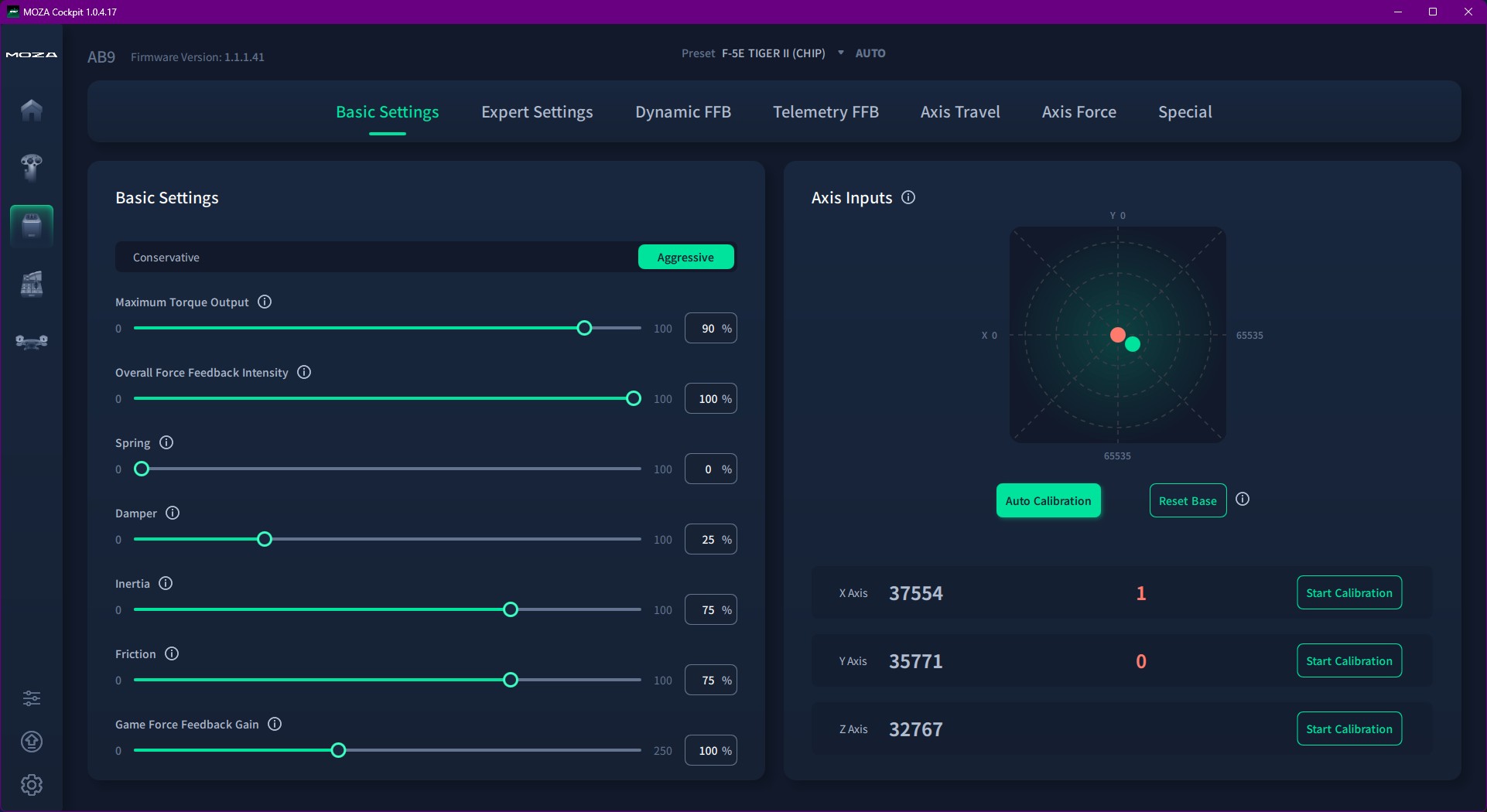
In DCS, make sure that FFB is turned on in MISC. For the F-4E, I have the setting that limits input to 60% UNCHECKED. FFB gain 100% both axis. Here is the tune I use for both X and Y…
EDIT: I WENT BACK TO REMOVING CURVES AND SATURATION DUE TO HAVING TRIM ISSUES.
In MOZA Cockpit, use Integrated FFB. If you use Telemetry FFB, the Phantom will constantly pitch up, no matter how the trim is set. The setting that seems to have the most impact is at the bottom, Game Force Feedback Gain. Around 100 feels good right now, but I might lower it down the road. It’s feels a little like a synthetic spring, but in a good way. Like return to center force by air pressure. If I was flying the Viper, I’d have this turned way up.
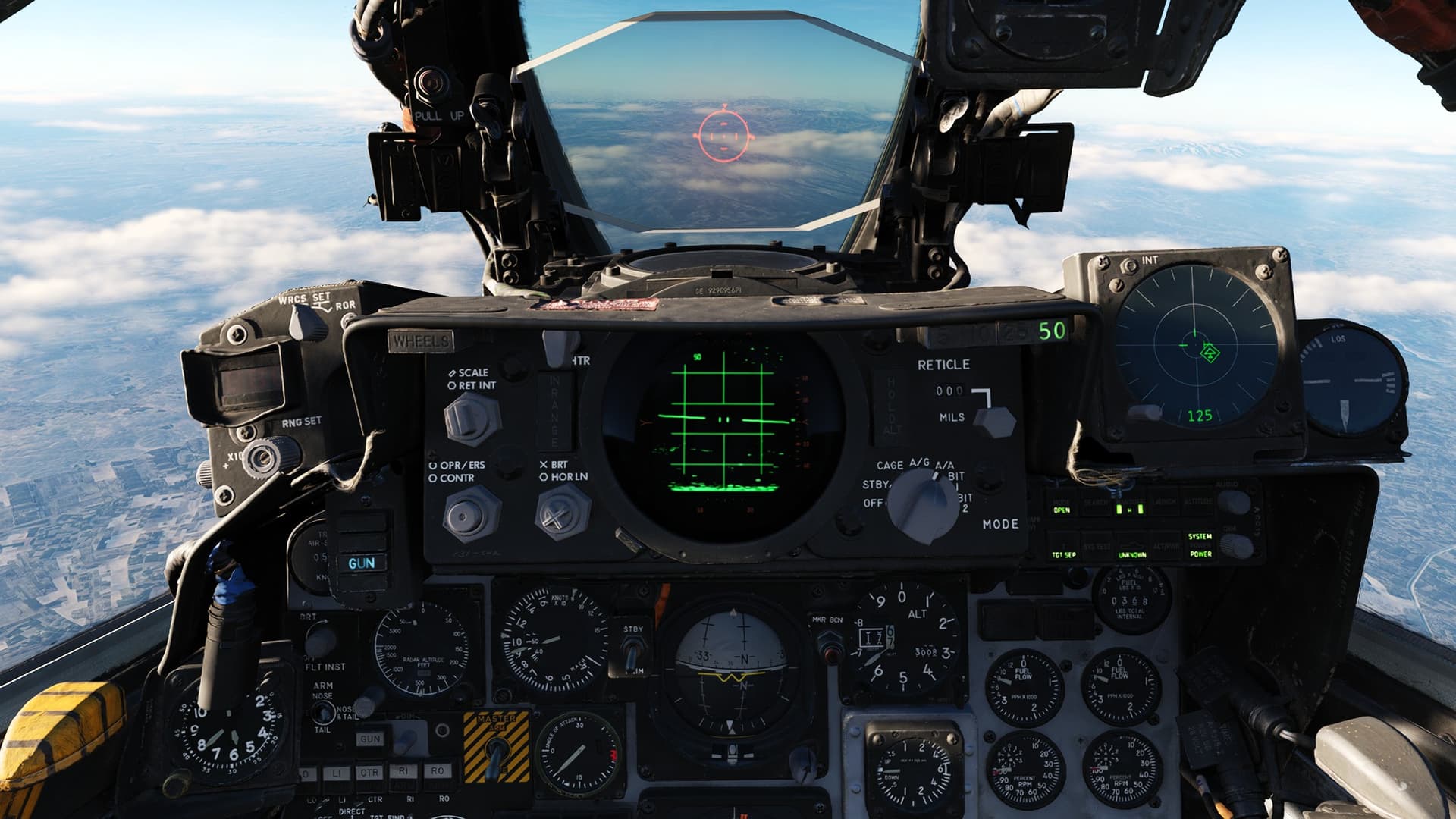
Lastly, with the gunsight reticle set at 0 mils, level flight will be with the horizon a tick above the top. Trim for this as a ballpark setting. The F-5E is level with the reticle more centered.
I’m non-FFB. Trim is little coarse in the Phantom. I can’t trim to a real hands free situation.
Regarding Mavs I found that you have to change the approach a little bit. I don’t use slew. Put the pipper around 40. Visually aquire your target with Mark I eyeball and aim with with the pipper. Only when the pipper is above the target transition to the TV monitor. Try to fine tune by aiming the whole jet and try to lock the target with AAR button.
I’ve found this to be an issue with a lot of planes in sims. While their trim is analog in reality, in the sims they get digital trim. At X units it’s a little too nose-up, at X+1 units it’s a little too nose-down. Attempting to mess with airspeed to make it work likewise seems to run into the inability to control thrust precisely enough to do so.
Wish there was a helo-style cheat that let you hold the stick where it needs to be and then auto-applies the exact amount of trim needed to hold that attitude so you can go hands-off again.
Trim is particularly aggressive in the Phantom. Try thinking of it as a button you click once or twice (or three times) to get the right setting instead of a button you hold down until the trim is correct.
In the Phantom I find it’s an issue of the first three clicks doing nothing, and the fourh click swinging my nose ±500fpm. Or overshooting my desired attitude by three clicks, yet three clicks in the opposite direction doesn’t rectify it.
All the other modules I’ve flown from Spitfire to Tomcat have had very consistent, predictable, and stable trim compared to the Phantom.