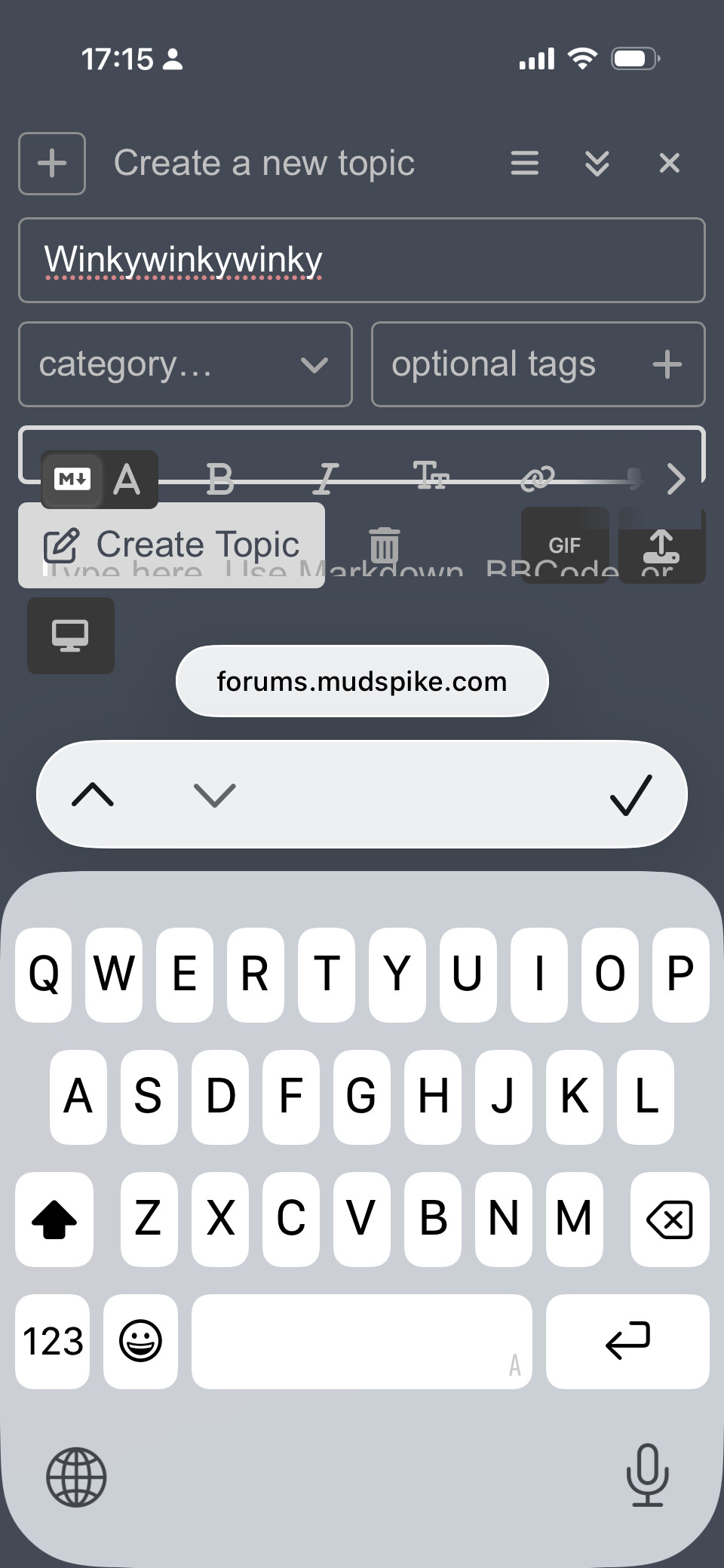
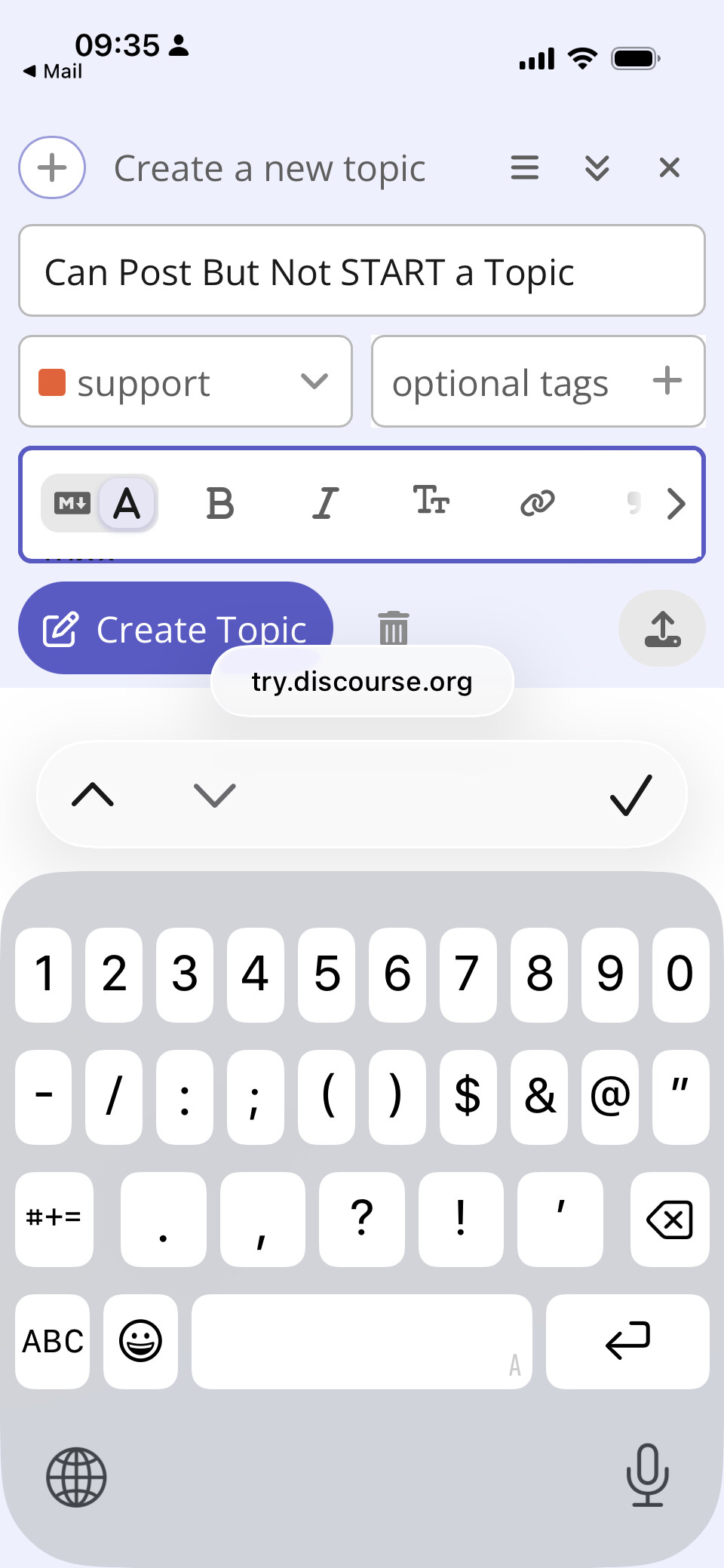
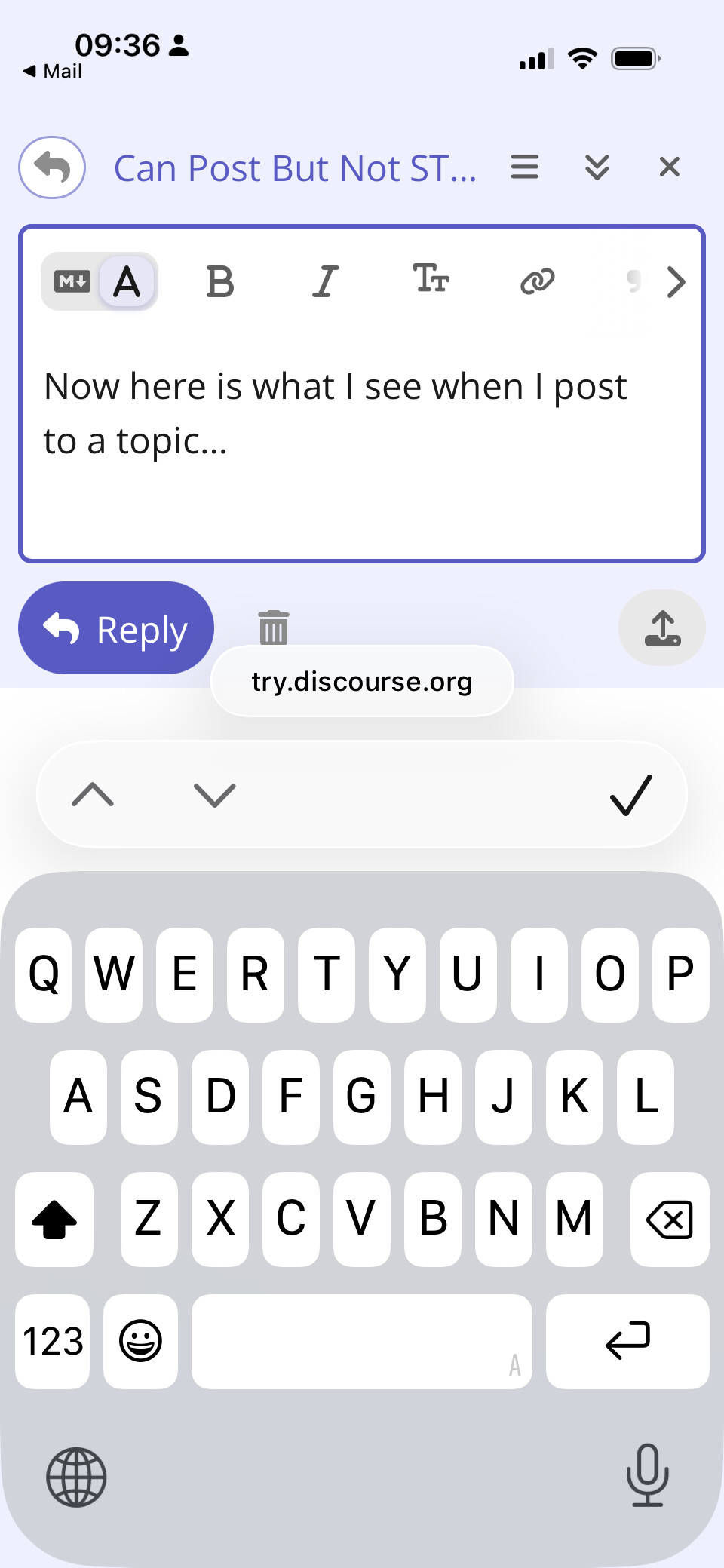
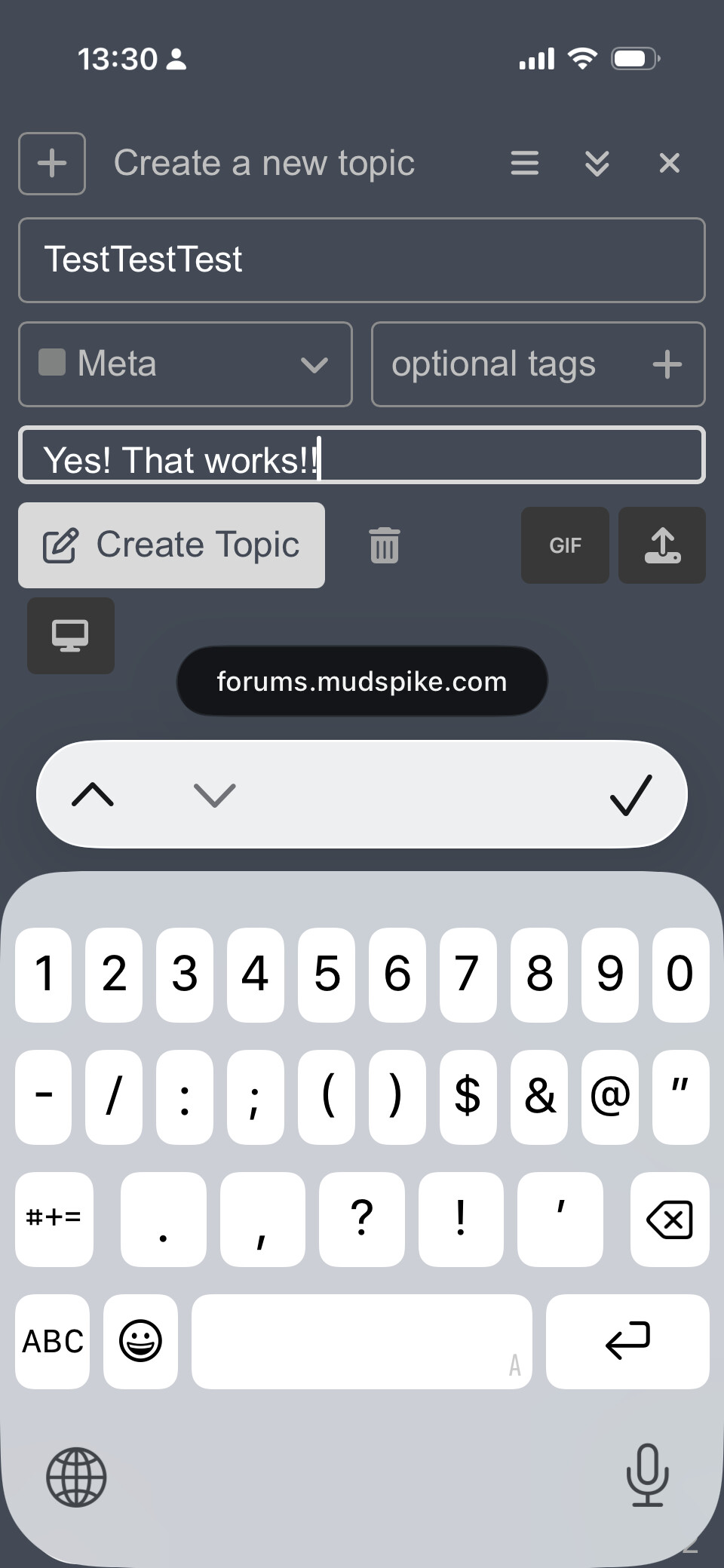
Ok, I’ve logged it to their support sub forum, and with zero angry elf energy 
 they or others that have seen stuff like it maybe might help out. If I get a bit of time later I might try to fiddle with it too, as they do accept fix PRs etc (that I’ve done before). Here’s the topic I made so we can all follow along
New Topic Editor Too Small iOS 26.5 Safari Web - Support - Discourse Meta
FWIW these were all Claude’s ramblings (on a pretty new model) on this so far although pretty weak workarounds tbh, try them if bored as might offer clues:
Disable the accessibility setting that may worsen fixed-position bugs
Have them check:
Settings > Accessibility > Motion
Then temporarily turn off:
Reduce Motion
Prefer Cross-Fade Transitions
A Stack Overflow report on the same iOS 26 fixed-position Safari issue says fixed elements can be “quite messed up” when Reduce Motion plus Prefer Cross-Fade Transitions are enabled. This is one of the best “local setting” candidates to test.
Force-quit Safari, then reopen
This is worth trying because the WebKit bug thread describes the bug being triggered after focusing/dismissing the keyboard, and notes that reloads or switching tabs may not clear it, while closing/reopening Safari can. Swipe up from the bottom and pause, find Safari, swipe its preview card up to close it, then reopen Safari and try Discourse again.
Rotate to landscape, then back to portrait
There is a later Discourse Meta report where a user found that turning the phone landscape and back to portrait could fix related iOS 26 Discourse composer/cursor problems. It is not a real fix, but it is a low-effort workaround to test.
Try making the composer/editor large before typing
An earlier Discourse iOS 26 text-editor report says the problem was more likely when the editor was small before the keyboard opened, and worked better when the editor was made large before focusing the text field.
For your user, that means: open New Topic, then before tapping deeply into the body field, try any available composer expand/fullscreen control, or rotate to landscape first so the editor starts larger.