I’ve never seen that so can’t help you, sorry.
How do you call up the toolbar, when in VR?
I have a button bound on my HOTAS (actually I also have a button to toggle between internal/external view, so use that), so that might be why I’ve not noticed that before - otherwise it would be the VR mouse put up high (I’m not sure how that works though) or Tab on the keyboard.
I have bound a HOTAS button for that too. I also tried the default keyboard TAB key, which should accomplish the same, but that doesn’t work, when I’m in external view.
Funny thing is that I can see the menu window floating alongside the aircraft, from far away 
The beta might have reset your Keyboard profile - put it back to default. Here’s my hotas binds for VR if that helps
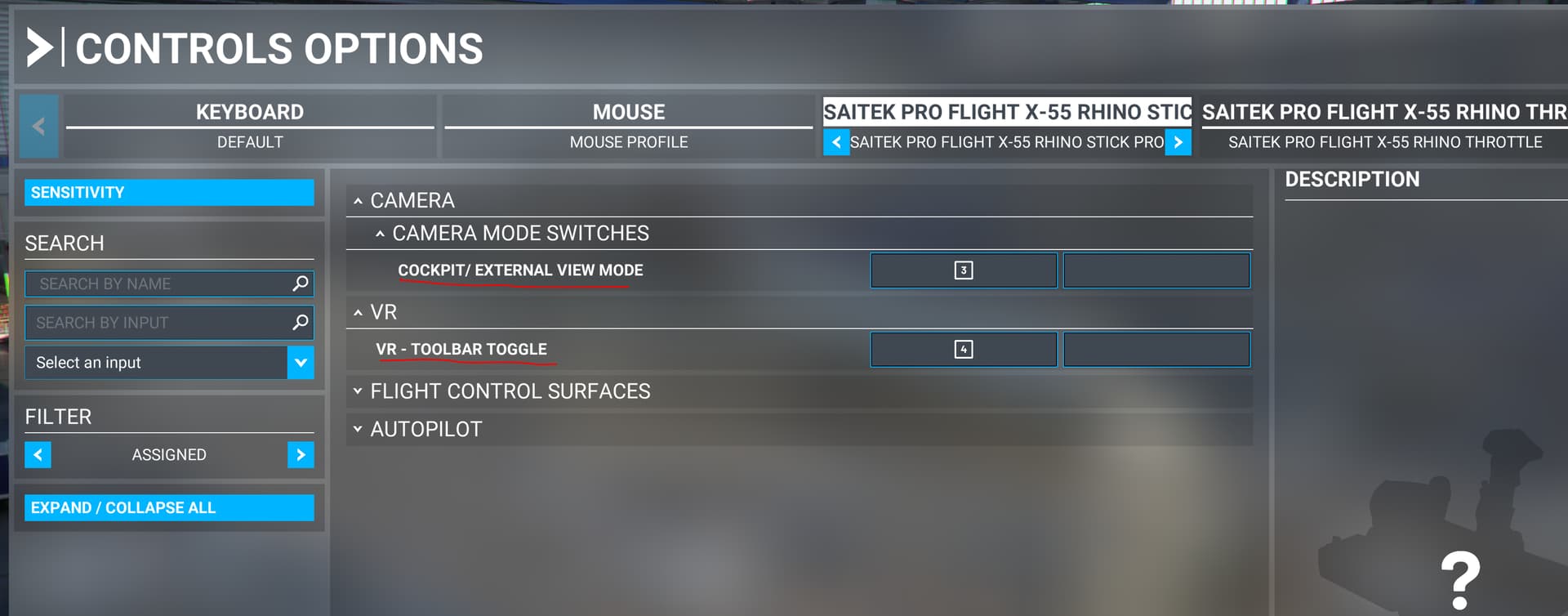
1 Like
I got it mapped on space bar and it works just fine in the beta. Let me check what command it is mapped to (not at PC right now).
Also: Is your viewpoint centered properly when in outside view in VR? Alt+space bar by default. Hit it just in case. Maybe your viewpoint happens to be a bit off just enough not to see it.
2 Likes
At lunch I hoped in MSFS to see if I broke anything last night after installing NIS and the two Content Manager updates (one called Deluxe and the other Premium), and bam, a 2 TB update comes rolling down. It installed and the sim is running beautifully now, so a happy camper. The combination of running NIS and setting Render Scaling at 100 seems to have given me a little better image view out the side window in VR too. All is well. Note that I still have betas enabled.
2 Likes
Oof, that’s a juicy meatball.  . I updated and it was like 200 kb with the ‘Premium Deluxe With Luxurious Hair’ edition, so not sure where you are getting your bytes from Chip. . I’ll check again.
1 Like
I think the default VR keyboard profile puts space bar 
 as ‘reset VR headset position’? I sometimes start up MSFS and the menu appears 180 degrees behind my happy head, and I sit there grinning like an idiot while waiting for it to appear before finally realizing and hitting space.
1 Like
When I had installed the Xbox app for very special users, and got in on the beta, I had a small MS store update, a 1+GB download when starting MSFS and then approx 2Gb in the content manager…
Asobo has made me love how DCS does its updates! 
2 Likes
Oh, and @fearlessfrog,
Thank you so much for always being there and trying to help out! I may not always get it right, or understand everything, but I do appreciate the help! I really do! 
2 Likes
Hear, hear… 
1 Like
sorry if anyone has addressed this before, but why do my options settings reset every few days. What happens is, I set a flight, load in to find it’s defaults to easy, have to go in to the menus, change everything back to my liking, then discover that the ATC training wheels are still on, go back in to the menus to turn that off, etc. all the while trying not to let my blood pressure rise.
Not seen that before. Maybe a connectivity issue, as isn’t it stored with your profile? Perhaps try logging out and in again as it’s got into a local/remote sync bug?
1 Like
Oh, you are probably right. I must have re-mapped it to reflect the vorpX settings… 
1 Like
I think what you are talking about is one of the bugs that arrived with SU7. After I switched to beta versions in Steam, it went away.
2 Likes
Is TrackIR still borked? I havent really flown msfs since it got broken, but i tried it a couple of times since the Australia update, but its not working for me. It used to work automatically, do i need to toggle something, somewhere?
You can toggle it in the camera menu.
The automatic turning off error is gone since the last update.
1 Like
Has anyone noticed any performance hits recently?
I just started getting some microstutters over the last few days.
Performance hits i.e. Stutters? YES. I have tried every PC witchcraft trick on the www and just when I’m feeling good, starting to relax, I turn onto a final and then it starts. It starts as one, and for one long second you think “this is the only one”, and then another, and then another. And then you cross the threshold and the worst stutter of all comes in. That’s when my landing goes sideways and I’m lucky I don’t end up in the grass.
Don’t have this issue in X-Plane, don’t have it in DCS. It’s just like the old FSX days when we all didn’t have super computers. Well now we do and MSFS is still a pile of shyte when it comes to this side of things.
I keep making the mistake of going back to MSFS because it looks gorgeous and I’ve paid for a few planes and sceneries. But every time I start to relax with it, it ruins things.