And it would run at 2000+ FPS!
I find BMS to be an absolute work of art. Truly.
I like looking at it, I’ve read and bound up all the manuals properly and they look amazing. I just wish I actually WANTED to learn to fly a falcon. Because I kinda don’t.

I just don’t have the love for it that others do. A spectacular, wonderful airframe. But it just does not grip me like a Strike Eagle does
And that ladies and gentlemen is how the internet broke.
You’re no longer mi mate, mate.
kidding, still love ya, ye philistine <\sub>
Take more than a 40 Yr old single engined bird of prey to break us up 
Too tired to fly a 2 hour Fear the Bones campaign mission last night, I jumped into the DCS Viper for a little sightseeing tango around the Marianas. Man, there is something about that airplane that brings on the hoodlum in a person. I usually try to fly as smoothly as possible, but in that airplane I just want to be bad.
I’m guessing you’ve tweaked/tuned it! Someone recently posted link to a GPU comparo site. My 3080Ti rates at about 85% faster than the old girl (1080). But I wasn’t seeing it until I cleaned house on Windows 11 and tweaked some odds & ends. Apples to apple’s settings.
Good one. My good friend and former “Eagle Driver”/“C-model dude” sneer’s when I mention the Viper. First he corrects me, “It’s fighting falcon” in a demeaning tone.
Ha, cracks me up. I like the Viper. I like em’ all though.
Tell me more…
Stuff from DBloat Windows of Chris Titus Tech
First, this box is basically an expensive Game…Sim, rig. Nothing much else. Like a large, warm & cozy X-Box. With a lot more cables coming out of it.
This 'Tube video is a good place to start. Note I just ran the “Essential Tweaks” script using PowerShell, mentioned about 14 mins into the video. Cut the number of processes running in half. Follow the entire video however, I recommend.
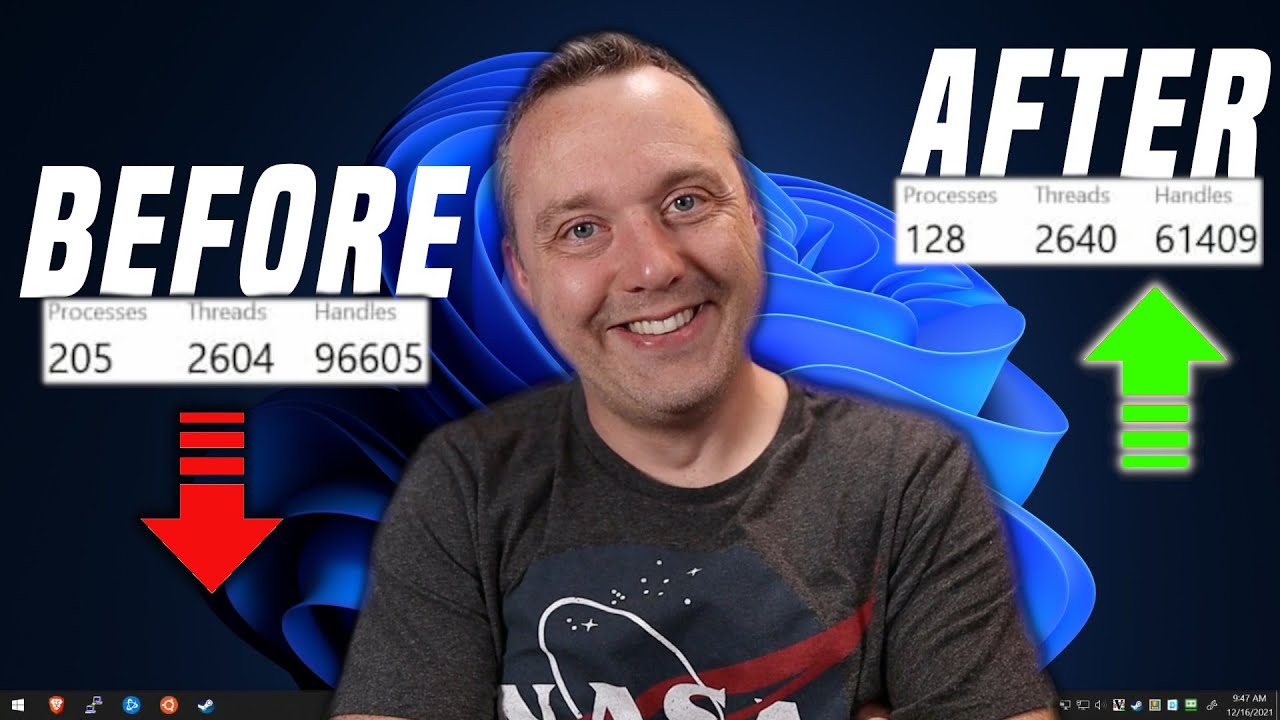
Then stuff related to nVidia and VR (for my needs) from here:
85% means that, say on the CV deck, where before I’d see 35-ish FPS, I’m now seeing 55-65. There’s a lot of if’s, and’s or but’s in there of course. But the missions are identical with a bump Up of my Pixel density and visible range. Hmmm, clouds went to high+ instead of “normal” too. So, it’s not exactly the same situation…
I see 90 FPS a LOT more, all things being equal. Even see 90 (max I’ll get) down low on occasion. Also note I use a couple of things that are hitting lua every frame that drop me by about 4% on the old rig, 1 on the new rig. And my code too (but I wrote it to keep that burden to a minimum. So far).
This is all using DCS, in VR, Reverb G2.
If I was only getting, say 20 in the above scenario on the old rig then it will be smoother, but not that smooth. DCS still doesn’t like a lot of “stuff” going on. Ahem, hopefully they are working on this - I’ve got a lot of cores that need to “get a job!”.
exactly that one was also on my mind  those oldtimers were just funny abstract example
@Victork2 iirc you can fly multiple jets in BMS, surely they are just kind of F16 fitted into other body but maybe it could work. didn’t try them myself yet (in fact didn’t try BMS in years). but we have some nice Tornado aar here for reference
btw @jross you wrote that article? am I reading the subsequent discussion correctly?
Thank You for info
Yes. I’d forgotten about that one. Tis when I first found this warm & cozy escape from the “other” places in the flight sim world. Can’t wait til BMS gets VR. I know it’s going to happen sooner or later.
Eagerly awaiting BMS and Il-2 COD in VR!
@jross, this powershell tip made my machine finally capable of running DCS in my new G2. I literally spent a month trying to make it work on my machine and was about to reformat it as soon as I finished the current job I’m working on. This, however did it. hours of frustration resolved.
I will finally be able to try some DCS VR once I tweak it a little more for solid 45 fps.
So thank you for this post. Even if it wasn’t the intended result, rest assured it brought at least one person, much rejoicing. 
Cool. Ya, I think that PowerShell script helped me too. I wasn’t real thrilled with the new 12 GB Space Heater at first. Was better for sure but not what I thought it should have been, and…
I’ve visited the “dark side” recently (FPS/Dungeon crawler world)…came across a series of YT tips that go deeeeper. Danged if it doesn’t look like another, and significant, boost is in the works.
Too soon to make the call. I’m trying to kill some pesky bugs in my Lil Project then I’ll examine it more; first glance (I’m seeing this as I run DCS through my debug builds) shows another 20%. But it sounds too good to be true at the moment. Will see.
Things that make me go, hmmmm…
FWIW, in 2D I’m getting almost 200FPS; on my old box that meant in VR it would be at 40-50% of that. Seems to hold true with the new rig too.
The only problems I’m having are with SteamVR and the G2; the former gives me this “SteamVR has encountered a problem…” nonsense. Does this about every 3rd flight, about 30 minutes in. Annoying. The G2 has been more consistent lately - but I keep an eye on it
So, the tweaking I mentioned above (going a little deeper) is seeing even better results.
Of course it depends on a lot of things. Since my mega-project is using NTTR right now that’s where I’m flying around.
Windows 11, NTTR, Hornet. I updated my spec’s in my sig BTW.
As I mentioned somewhere else here, with above scenario I would see 90FPS (I have the motion vector ON so it’s kind of a ‘binary’ test), at a few places on the map, when down low. And that was with scattered clouds.
I just did wonderful trip through the daisies with an heavy broken weather preset, near sunset, and the FPS thingy was banging on 90 - 90% of the time! High, low. Again, it’s all relative.
Then I tried Syria. My benchmark stroll there is overhead Aleppo with the Overcast and Rain preset, bases at 6,000AGL. Didn’t stay at 90 but it would flicker on the low 80’s quite often.
Then steamVR vomited on my parade 
Man, it is such a nice experience with no stuttterring when I look out the sides or am rolling hard. The sense of speed is noticeably more pronounced. Low-down with the Apache and I’d imagine I could dole out the eye candy without issue.
I actually took notes on the tweaks I did yesterday. Scary when I get organized…This is just stuff scratched out as I was doing it.
2022-01-11-1
nVidia Cntrl Pnl (NCP) From → to
All
PhysX Auto → GPU (RTX 3080Tx)
Black Shark
Low Latency off → on
OpengGL GPU auto → RTX 3080Ti
Texture Filter Quality → High perf.
OS
Empty Standby List
YT Instructions: https://www.youtube.com/watch?v=EjnF-bVYUdw&list=WL&index=2
Device Manager
System Devices
High Prec event Timer ENabled → Disabled
Power Plan changes
BIOS
Enabling XMP (already done before but the following was added):
FFZ to 1/2 of RAM speed (1600) < AMD only thing
(copy/paste from Notepad++ doesn’t format well)
Not on that list
- Clean driver install (It’s a new box so likely not necessary but I wanted to turn of stuff and have a clean slate).
- Turned off Physx in nvidia control panel
- No GeForce Experience anymore.

But why do the title have to sound so click-baity?
