Welcome back old kiwi! How you been? And congrats on the Q3, you’ll love it 
1 Like
Just a PSA for anyone with a Quest 3. I was having strange crashing issues lately when flying in VR. Seemed isolated to DCS and it was relatively random. Game would randomly crash, sound would continue, but video would freeze both in the headset and the screen and all keyboard inputs would appear ineffective. Only recourse was to reboot.
Long story short, I swapped Q3 link cables (from an Oculus cable to a generic USB to 90 degree USB-C I had bought a while back) and problem solved. Amazing how much difference the cable can make if you’re not using AirLink.
4 Likes
Hey 
I’m well, busy as ever but got a new job which I’m liking so far, which is nice!
How’s things with you?
To be clear, I haven’t bought the Q3 yet, but I am fairly well decided that I’ll get it. There’s the thread about the upcoming Steam alternative, but I’m kind of thinking that this side of Xmas would be nice…
3 Likes
Nothing to see here. should have read the above post properly beforehand.
1 Like
well.. public service anouncement..
Today my quest 3 absolutely refused to do anything with Link. It was just showing the Meta logo ad infinitum. Trying to be sneaky and launching DCS anyway got me the game sounds but nothing else. I then went into an AI deep dive.. They made me do a lot but nothing worked. Fortunately there is something better for troubleshooting than AI, it’s a certain type of person called a redditor. It turns out that the easy solution is to have the internet unplugged when you start up the link and the bit more difficult solution is to have outbound rules for your firewall blocking outbound traffic for the meta app.
https://www.reddit.com/r/oculus/comments/1qggd3s/meta_quest_link_isnt_working_correctly_error_all/
Fortunately, no Steam frames for sale today.
6 Likes
That reddit link is blocked for me, maybe VPN related?
Anyhoo,I only read this a couple of days ago. Although it is about Meta Horizon Services, I wonder if it could be related?
In any case, knowing Zuck’s track record for continuing to support ‘stuff’ that he loses interest in (i.e. money), A Quest 3 has just dropped to the bottom of the list as a replacement for my G2.
2 Likes
It says to block this file from having Internet access and you are good to go.
\Meta Horizon\Support\oculus-dash\dash\bin\OculusDash.exe
7 Likes
I am unfashionably late to the party. I hope my decision to support the Quest rather than the Pimax pays off. The product is much better. About the only thing I can say about the Pimax is the res is a bit better. However, everything else is better on the Quest. Lets start with that i ordered it at 11AM and it was at my door by 4pm. Then there is the price. Pimax is getting a little spendy. I am going to try Virtual Desktop. My internet router is next to my PC and CAT cable is already run to my pc. Its a Wifi 6. I wonder if I will get away with just using it. I live alone so no other users…
The overlords say:
Wi-Fi 6E support is the key special feature for an access point optimized for streaming to a Meta Quest 3 VR headset. This enables the 6 GHz band, which the Quest 3 supports natively, delivering lower latency and higher bandwidth essential for smooth PCVR wireless streaming via Air Link or Virtual Desktop.
Why Wi-Fi 6E
Wi-Fi 6E reduces interference and congestion compared to Wi-Fi 5 or 6 on crowded 5 GHz bands, providing faster speeds up to several Gbps and stable connections for high-resolution VR video streams. The Quest 3’s Wi-Fi 6E compatibility ensures minimal lag during real-time tracking and rendering, critical for immersive gameplay.
Comparison of Wi-Fi Standards:
| Standard | Bands | Max Speed | VR Suitability for Quest 3 |
|---|---|---|---|
| Wi-Fi 5 | 2.4/5 GHz | ~3.5 Gbps | Adequate but prone to lag/interference |
| Wi-Fi 6 | 2.4/5 GHz | ~9.6 Gbps | Good for low congestion |
| Wi-Fi 6E | 2.4/5/6 GHz | ~46 Gbps | Best: low latency, high bandwidth |
| Wi-Fi 7 | Multi-band | Higher | Optimal with MLO for VR |
2 Likes
I got the Quest dialed in. I had a little scare that I am sure some of you may have experienced. It just would not connect. I had to restart the headset. For a minute there it had me thinking I stressed the cable. No… its just fussy sometimes. The rest went sort of well. I had some setting on where I was in the game (IL2 and DCS) and even though I was starting out in the hanger, the game was sort of see through… It was weird. Hit reset on the Virtual Desktop settings and then redid my settings. All was well once I figured out how to start the games from the Virtual Desktop. Thank You @Troll for your support and patience.
The 20 dollar strap I had bought, does not hold a battery. I ordered the 80 dollar one that does. I also ordered an extra battery. Both should be here today
1 Like
Ok, arrived today along with other stuff:
-
Quest 3 512 model
-
Syntech Link Cable
-
BOBOVR S3 strap & battery thing
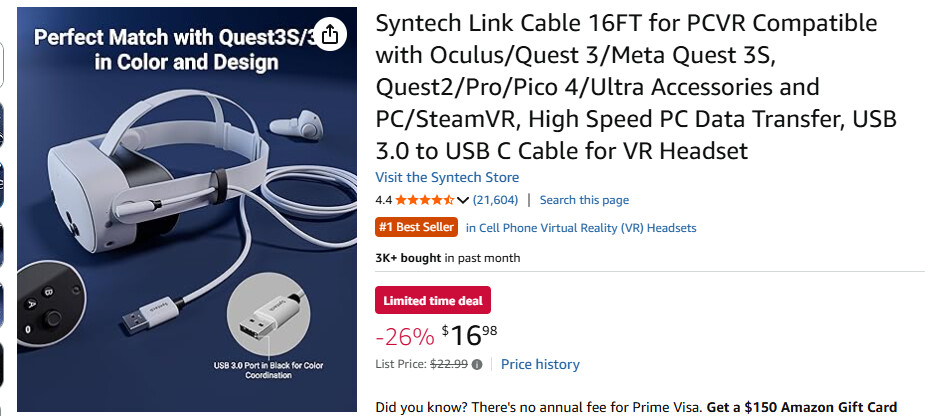
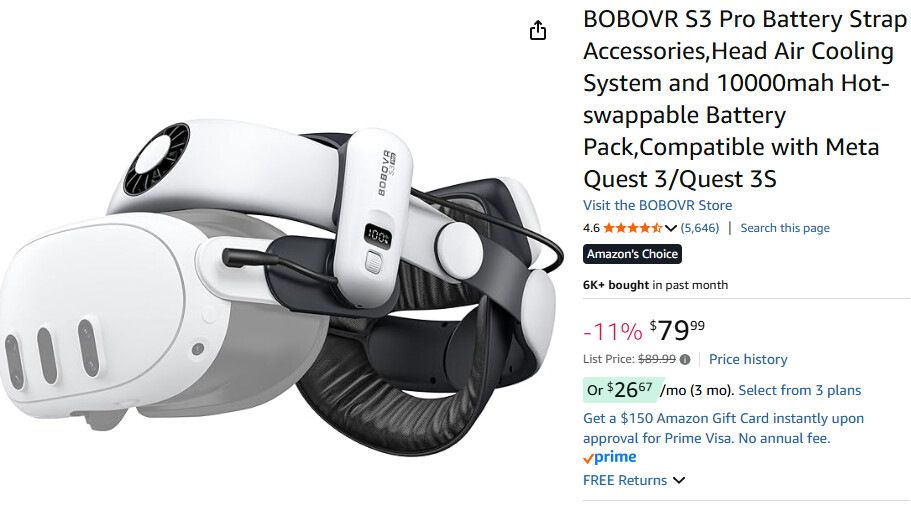
Seems I may have gotten the wrong strap or cable as the cable doesn’t seem to be charging the Q3 - the strap-to-battery-to-Q3 uses same plug…have to sort all this out. I kind of assumed the cable would charge it. A ‘wreckless purchaser’ I was 
However, once I got past the Meta nonsense during setup things went well.
TLDR:
- The Q3 + BOBOVR strap is the most comfortable VR experience so far.
- The default strap was barely useful IMO
- The Q3 display while maybe not [yet, still playing with it] as sharp as the Varjo Aero it is much more ‘consistent’
- With the Aero I had to constantly [it felt like] adjust the HMD to keep the sweet spot, or the best resolution area, in the center of my view. Eye-tracking, when it worked, just didn’t seem to help (did help FPS but something just wasn’t right).
- With the Q3 + BOBOVR not an issue.The Q3 charge ran out but I was very comfy for the entiire hour-ish.
- In the Hornet the itty-bitty numbers are not quiet as sharp but again still playing with the buttons, knobs, and settings. Some of this may just be my eyes; they are old; I am VERY far-sighted (I can’t read my PC screen without ‘cheaters’); the font size on my I-Phone is on the “Geriatric” setting

- I didn’t realize the Q3 came with speakers and a mic (see wreckless purchasing above). So, I have fewer cables and one less piece of kit to hunt for.
- Inside-out-tracking is back (had it on the G2, my first VR) and I love it
- Bumped the Q3 Pixel Density to 1.6 and changed RR from 72 to 90hz
- All DCS settings same as with the Aero except I turned off Eye Tracking and Quadviews (not sure latter is correct but it all worked)
- Performance seemed about the same as with the Aero, but it’s early.
- To reiterate: the entire package is more comfortable and this is kind of a Big Thing - I am more likely to take on longer sessions - the BOBOVR strap just seemed to ‘evelope’ my funky-shaped head nearly seamlessly with out tightening things down as much as with the Aero (the G2 was torture)
Almost forgot: the Pass-through thing == great! Thought I might like this; wearing glasses, and being nearly blind up close, it was a real PITA sometimes…where is The Thing?…pull off headset, find glasses, put glasses on; find The Thing; take glasses off; replace headset & rearrage it to fit; yadda, yadda. No more.
4 Likes
Pass Through was soooo good. Had a blast tonight.
2 Likes
Some say that the Pimax is better. Having had the Pimax for over two years, I think the small tradeoff in visual quality, when compared to the extra features, reliability and durability of the Quest, there is no contest. The Quest is just a better product.
Last night I had one of them Christian Experiences with the Quest where I did not want to put it down. This was going to be my first real session in Wireles VR. I got home to the new La-7. I took off from Vaziani and went to the coast. I overflew Senaki Kohlki and headed South till I landed at Kobuletti. No combat, no crazy weather, just enjoying the view. As I was landing the scenery stated to degrade… The res was less than stellar after being so good in the air for better than 30 minutes. My battery was still very high.
I have a Wifi 6 Router/Access point combo that my ISP installed. It is high quality. I may need to just make sure that all my (two tablets, phone, tv) are turned off.
I am wondering if its worth adding a router?
3 Likes
I have posted about the PrismXR Wireless VR Bridge. Basically a dedicated router purely for wireless VR. I have been using mine for quite some time now and it works great…
4 Likes
Thank you brother. I am on it like white on rice.
Ordered!!!
1 Like
PrismXR is Amazing. No need to do anything else. My clarity is really good. I can play Space Pirate Trainer Again!!! Yeah baby. Being wireless and able to see when I want to… Its Freedom in VR.
Moving away from the Pimax was scary. But I can now say I have no regrets. The Quest is good and the support is unrivaled. I order stuff and its here in a day or two… not 3 weeks.
Passthough is unreal. I answered my phone today and said, “Im playing!” My son laughed.
2 Likes
Glad it made a difference!
I agree. It is so good that I rarely have to take the headset off to do things like text on my phone or look up a webpage. The clarity and ease of going in and out of VR is what I really like about this headset.
1 Like
Had some minor-ish issues and so went to USB - LAN to use with Virtual Desktop and it’s been solid in my AC and iRacing setups. Still need to try DCS again. I should retry the Prisim again I guess… would be nice to be wireless if able.
1 Like