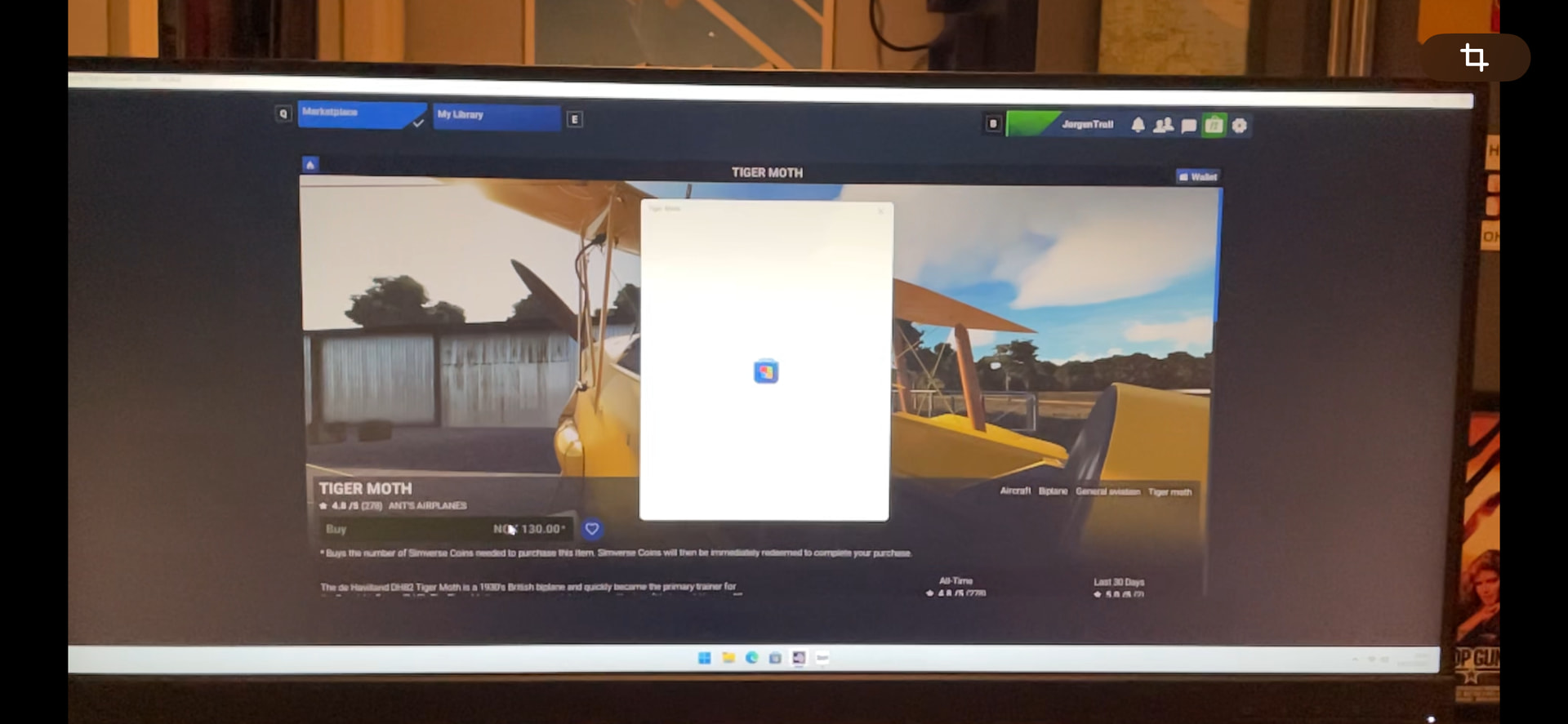
I guess that I don’t know what simverse coins are means I am not using them. I have my PayPal account listed within MS as a payment method. When I buy something it comes straight out of that.
1 Like
The price of the add ons in the MSFS marketplace is in Simverse coins, for me.
I should check if I have a valid payment option in the MS store…
If you are flying the Steam version, this usually happens when you have the Steam overlay disabled. Even though you are purchasing it from the Marketplace, the purchase goes through Steam.
No, I bought it in the MS store
95% of MS Store problems are solved by logging into the MS Store.
if you think you‘re logged in already, log out and in again anyway.
1 Like
Copy. I had that issue with the Steam overlay, which took months to solve.
Here an official answer in an official forum thread concerning the issue. Hope that it helps.
1 Like
Thanks guys!
Will try those steps tomorrow.
Come to think of it, I did reinstall Windows since I bought MSFS2024, so maybe payment details must be added again.
Just out of couriosity - what do you plan to buy?
Ants Airplanes Tiger Moth. I had that for 2020.
3 Likes
Nah.. MS doesn’t want my money.
I have signed out and in. Deleted my payment option (paypal) and added it again. Tried running MSFS in admin mode and not.
When I press the green buy button the text please wait comes up and then the buy button is greyed out and the process stops there.
AI Overview
A Microsoft Flight Simulator (MSFS) store payment freeze, often showing “Another transaction is still pending,”
usually means a glitch in the Microsoft Store/Xbox app sync, fixed by signing out/in, restarting, clearing store cache, or disabling VPNs/antivirus, but if stuck for over 72 hours, contact MSFS Zendesk support for a manual reset.
Quick Fixes (If pending < 72 hours)
- Sign Out/In: Sign out of your Xbox app, Microsoft Store, and MSFS, then sign back into the Store/Xbox first, then launch the game.
- Restart: Close MSFS, wait a few minutes, then restart your PC.
- Clear Cache: Clear the Microsoft Store cache (via Windows Settings > Apps > Microsoft Store > Advanced options > Reset).
- Check Apps: Ensure MSFS, Xbox app, and the Microsoft Store are all fully updated.
- Disable VPN/Antivirus: Temporarily turn off VPNs or security software that might block payment pop-ups.
Advanced Fixes (If stuck longer)
- Run Repair Tools: Use the Gaming Services Repair Tool or the Store troubleshooter.
- Check Time/Location: Ensure your PC’s time, date, and location settings are correct.
- Reset Store/Xbox: Reset the Microsoft Store or Xbox app in Windows Settings.
- Clear Community Folder: Clear out add-ons in your MSFS Community folder.
When to Contact Support
- If the issue persists after 72 hours, or if you see the “Another transaction is still pending” message repeatedly, create a support ticket with Microsoft Flight Simulator Zendesk. They can manually clear the stuck transaction status.
1 Like
Thanks! I don’t get that transaction pending message, but I’ll try the suggestions.
One thing that list reminded me of is the XBox app. I wonder if I’m logged in there?
1 Like
Good luck Troll. They’ll get your money somehow. It is a certain as the sun will rise. (For those of us living in places where the sun actually rises in winter).
2 Likes
In the meantime, try the Boom (free). It is loads of fun.
1 Like
Troll,
try the ms live tech support, they works well and usually help much, i used in the past because some buyings on xbox store and they fixed all.
Good Luck!!!
1 Like
Of that, we can be sure! 
LOL! Maybe there’s a correlation..? 
1 Like
In case you think flying the Learjet 35A is boring.
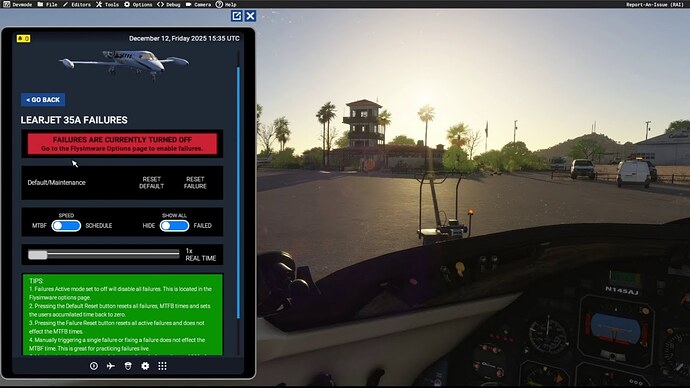
Coming soon to MSFS 2024.
1 Like
Getting back into MSFS 2024… I bought it a year ago, but I haven’t done more than basic testing. Figured I’d leave it be and wait for updates.
Having read about the latest Sim Update 4 having significant VR improvements, I thought that now is the time!
It was a stuttery mess. Micro stutters every 1-2 seconds… Unimpressive, to say the least. Ok, Troll, don’t give up! Do some research. Ok, let’s start with with switching to a graphic preset. I was on custom settings that must have been working ok before, but not anymore. Just for reference, let’s try Ultra settings and take it from there.
Smooth as glass…
This sim…has me scratching my head, sometimes.
3 Likes
Not at all! I think it is one of the most exciting airplanes ever built. I flew the 31A for a bit. Not quite as exciting as the 35 (no dutch roll). But still a blast.
1 Like
This is annoying…
I have tried @HiFlyer’s list.
I have reset and repaired MS Store, Xbox and MSFS.
When I press buy in Xbox or MS Store apps it opens a payment dialogue window.
When I press buy in MSFS I get a brief Please wait and I can barely see a MS Store window flash by…