Well said. Yeah, I like both too, especially since an update can break VR. It’s great to have a fallback. And sometimes you just want to consume sims in all of their ultra HD glory.
Well I would like to buy vorpX despite your best efforts to persuade us not too. What will it be like with my rift and a 1080, as in is it because the reverb is superior and its driven by a 2080 that makes it so good or will I just adjust settings to find the sweet spots
And does it need WMR set up too?
BMS has a weird and somewhat insecure, defensive culture. There is a huge amount of pride that so much greatness comes from a pro-bono collaboration. Users appreciate that and strongly defend against even the slightest notion that there might be another way. They’re not entirely wrong. And if you see the amounts of forum fertilizer that the likes of Matt Wager and Jason Williams wade through each day, it beats being part of that. In small doses, they are ok. But swim into the deep end and it’s a swarm of crocodiles and piranhas.
Great points smokinhole. @BeachAV8R will probably use the soft sell method, and when they see new sim pilots interested in the BMS Viper, perhaps lower their shields a bit.
Yup. Turf Wars, People Hate Change, and I just have to be right. Sucks knowing too much.
It is the developers that are putting out the rumours.
Don’t tease me.
Getting harder and harder to not recommend vorpX because it is clearly such a powerful and well thought out tool. I haven’t really taken time to settle into anything simply because I’m ranging through a bunch of stuff, but I did go back to Arma 3 this morning because I was curious about the helicopter operations.
I realized that the best results (this probably should have been self evident) were to run the sim in a resolution somewhat near to my headset resolution. The Reverb features 2160 x 2160 resolution, but I’m assuming there is actually a slightly wider in-game resolution required since by necessity 3D is shifting the left and right eyes slightly to provide the stereoscopic view. So I’m assuming you might need slightly wider perhaps in game resolution to provide the rendering out those few dozen (?) or hundred or so pixels that aren’t included in either one or the other eyepiece. I don’t know if that makes sense, or is even correct…but regardless, getting a somewhat square aspect ratio seems to provide the best structure for vorpX to work with if you are going for 1:1 3D resolution.
To this point, I had been running in a widescreen format, which obviously put the left and right edges out of view. Changing the in game resolution to more square view has allowed me to fit the “box” field of view more comfortably in the 3D rendered view. As well, vorpX has some really cool tools that I hadn’t really explored to move the in-game HUD overlay in closer (horizontally), as well as scale it, and even push it out and in so that the focal point changes on it. This is pretty useful for Arma 3 since you can shrink down the HUD game overlay so that you can see things like the sling load interface, context menus, and other items that normally inhabit the upper and bottom corners of a 16:9 display. You can combine these effects with the ability in Arma 3 to also change the positioning of individual portions of the HUD overlay to place what you want where.
The end result (well, I’m still working on what my “end result” might actually be) is that you can have the game overlay with useful information moving with your head as a bit of an augmented reality glasses feel to it. It is hard to describe in 2D images, but it really works well. Squaring up the aspect ratio also allows for a much more natural feeling zoom level and field of view.
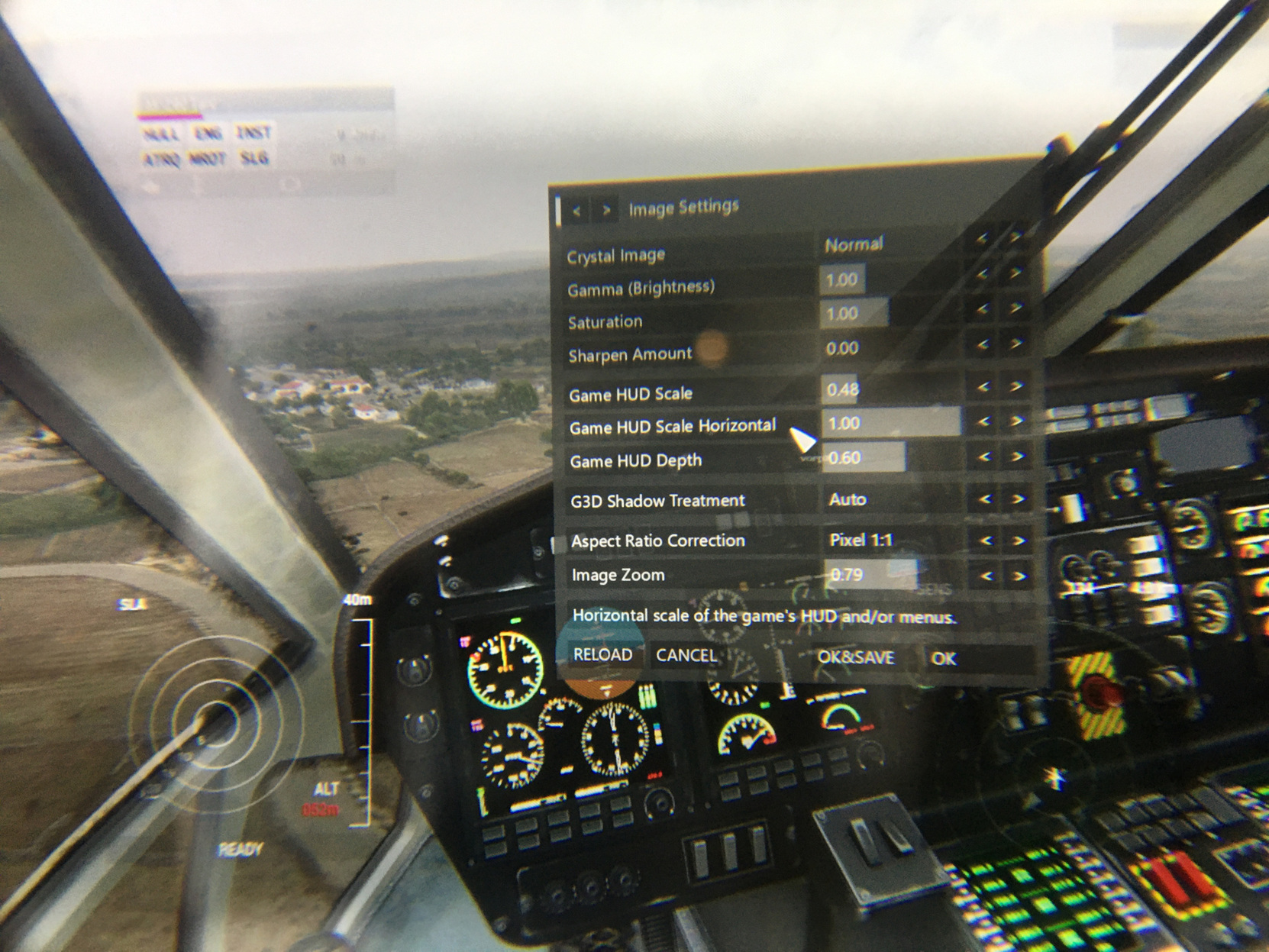
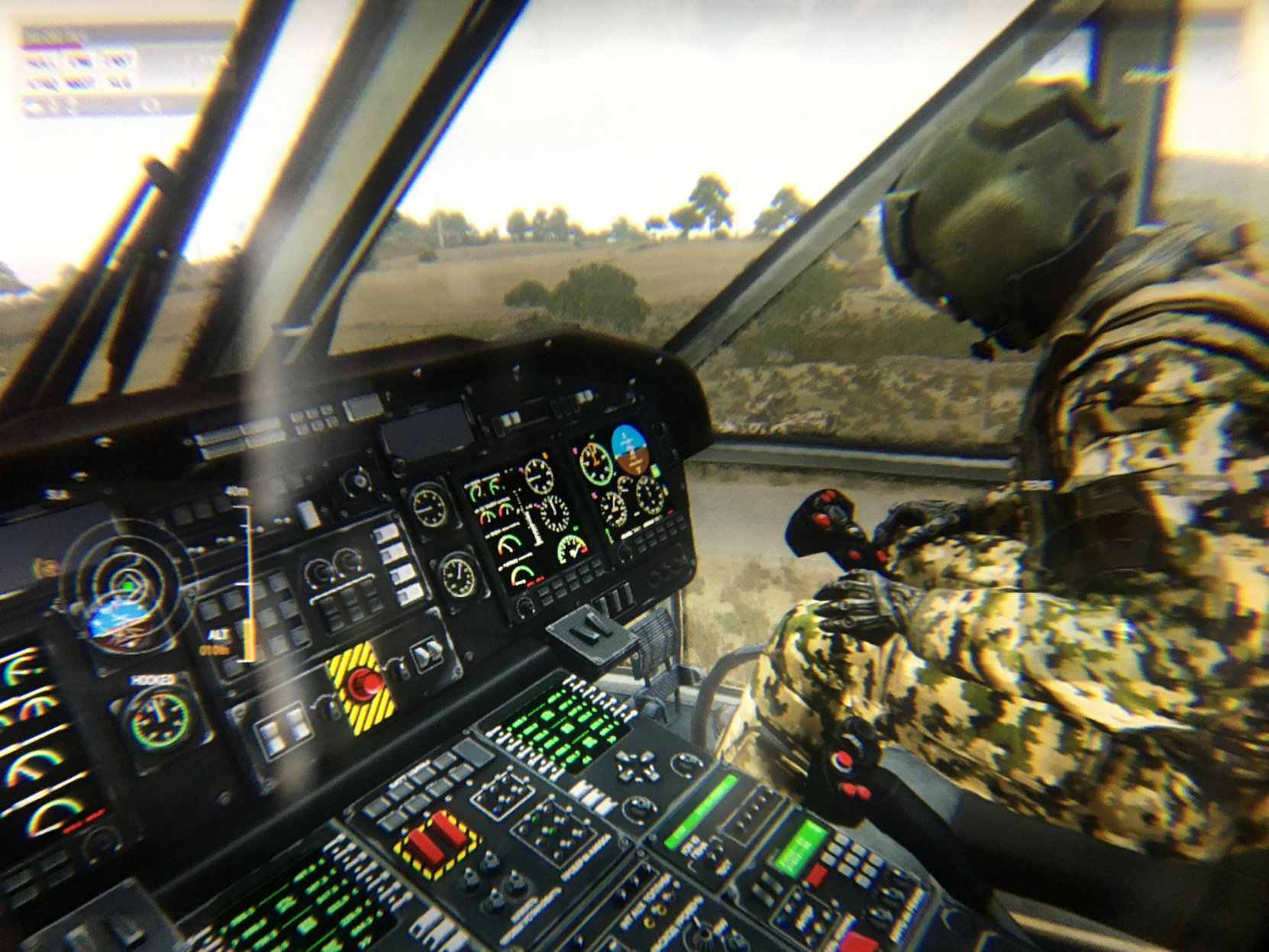
All in all…the helicopters feel awesome now. I’m also exploring the rendering options of vorpX and have been able to pick a different type of rendering that gets rid of the doubled up helicopter HUD (actual HUD, not the game overlay HUD) but that would also require an adjustment to the zoom level.

So it is all in what you are wanting to do and I suspect one person’s settings will vary significantly from another player’s based on hardware and personal preference.
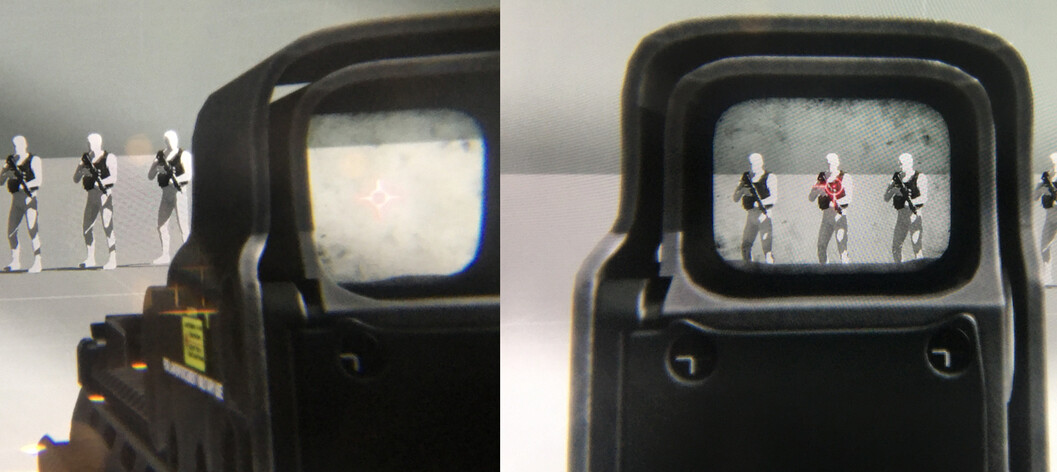
As I’ve mentioned before, infantry action is really cool looking, particularly now that I went to the more square aspect ratio as things look more proper. I composited these two through the lens shots to sort of give you an idea - the left eye shows an offset view, the right eye looking through the gun optics. You can also change eye dominance in vorpX for left/right/none to bias the weapon to going to that eye…kind of weird to experiment with, but with practice you can get very quick at bringing up the weapon and settling onto the target. It feels very realistic.
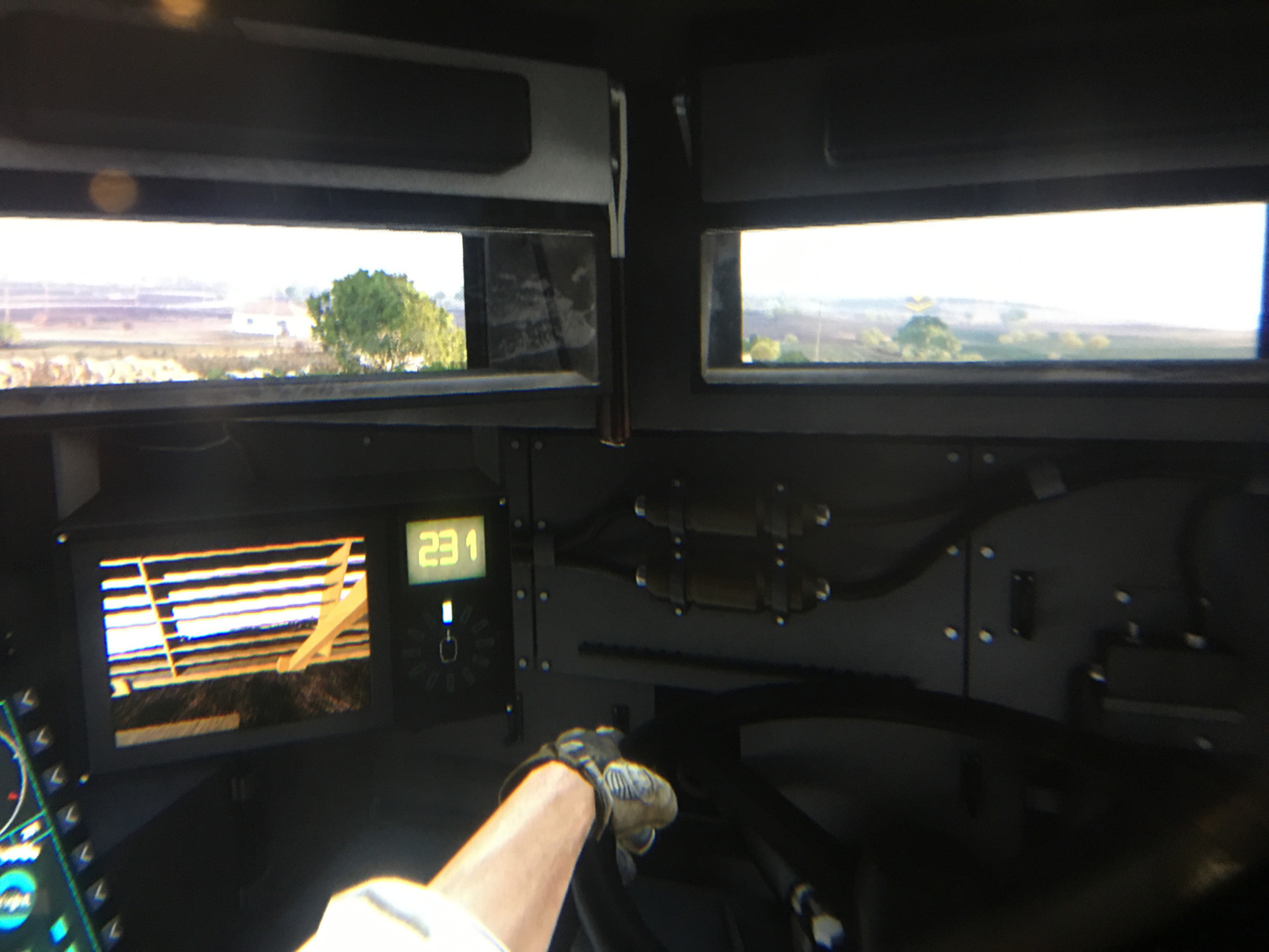
I only briefly experimented with the vehicles…but things like driving the Tank Destroyer from the buttoned up position is awesome. Screens that show external views do show the artifact of being rendered in 3D though since vorpX just sees that screen as a portion of geometry that needs to be rendered as a 3D world instead of a 2D panel. But you adjust to it readily and gunnery and all is fine.

I bought it and going back through the thread I have so many games to try it with. I gave Arma 3 a blast on the first day and felt a bit queasy but I bought it on the same day as Voiceattack and Vaicom pro so that has taken the most of my time. I cant wait to try IL2CLOD/Blitz and Il2 1946. I have a couple of far cry games too and somewhere Tom Clancys HAWX 
disobeyed a direct order sir!
bought vorpx to run Cliff of Dover Torbuk in Vr
but Cliff doesn’t hook on Vorpx!

any tips!???
Trying running vorpx and COD in Admin mode maybe? I don’t have Torbuk…so not sure if it is a different executable…
VorpX already tried…
will check launching also Clod in admin mode…
and should have a non Blitz version of Clod!
If somebody bought both Tobruk and VorpX can try it too would be much appreciated!
head tracking works fine with Opentrack
but game don’t get hooked to vorpx…
(as a test was able to hook 1946)
as an alternative i will try clod in opentrack with VirtualDesktop and VorpX desktop mode…
I got it to hook but had a very large gunsight filling the screen and an inverted tracking, looking right when I looked left. Never tried to tinker as time was limited.
Ok that’s FoV settings
And opentrack axis that can be inverted!
Should be something we can solve!
Did you had any special settings on vorpx?
Can you make some screenshots of your vorpx configurations?
What’s your start order?
Thanks, I will try to get on my PC over the weekend and give you details 
Beach, tobruk is the same executable as mblitz.
You was able to make it working (blitz) and i never was able. Also I was not able to make it work any of the games you reported working (bms 4.33 il2 1946 blitz strike fighters). So probably I am doing something wrong and cannot find any guide.
Would you do a little tutorial for it?
on a sidenote regarding Cliff i’m able to play it using virtual desktop external software + open track! using a curved desktop feeling is not bad! bat it’s 2d
i’m not able to run the steam desktop theatre mode with Cliff of Dover!
+1 in tutorial!
@BeachAV8R have you tried this with mfs2020 yet?
I did in the beta with not good results. Probably not really worth the tinkering time if it will be native at some point.
I had binned this for a bit just out of lack of time…but this is an interesting development - the vorpX developer has bought himself a Reverb G2… Support for OpenXR sounds pretty interesting…
21/04/20
vorpX 21.2.0 has been released.
vorpX 21.2.0 is the second major release for 2021. This time mainly focusing on making vorpX future proof by adding support for the industry wide OpenXR standard. Apart from that there also are two brand new game related features: for one the DirectVR feature family got a new member named Automatic Weapon Hiding, great for first person games without a built-in option to holster weapons. No more ‘gun face’ in games that work with the feature. And secondly hardware cursor capturing, which is mostly helpful for games with interactive cursors.
List of games that currently have Auto Weapon Hide, more to come: Half-Life 2 (+episodes), Portal 2, Black Mesa Source, Titanfall 2, Fallout 4, Crysis, Skyrim Special Edition, Aliens: Colonial Marines
No new profiles this time (booooooh!), the coding stuff ate away all time for that. There will be either a maintenance release or a profile database update with a bunch of new profiles in the not too distant future.
New/Improved
OpenXR support added (beta): this is the big addition this time, making vorpX’s technical fundament future proof for the next few years to come. OpenXR is the upcoming industry wide VR API that will – or at least is supposed to – eventually superseed the current vendor specific APIs from Oculus, Valve and Microsoft. OpenXR is recommended now for WMR headsets, works better with vorpX than WMR over SteamVR. For Oculus there isn’t much of a difference, so you can stick to Oculus or try OpenXR if you want. Valve’s OpenXR implementation isn’t quite ready yet (e.g. no 32bit), so for native SteamVR headsets like Index/Vive/Pimax stick to SteamVR for the time being.
Auto Weapon Hide/Adjustment: With Auto Weapon Hide weapons are only in view while shooting, reloading etc., otherwise they are automatically moved out of sight by vorpX, even if a game does not provide the means to do that at all. Won’t be possible for all games, but for those that do work with it, it’s frankly just awesome. One of those little things you might never have thought about, but don’t want to miss again once you have them.
Improved hooking timing/safety: fixes some DX12 games not hooking anymore since Microsoft split the d3d12.dll into two separate DLLs a few weeks ago. Also improves hooking reliability with some games that initialize DirectX very early in their launch process.
vorpX can now grab the icon of the Windows hardware cursor instead of showing a custom vorpX cursor in the headset in games that use the Windows hardware cursor. Improves playability of affected games with context sensitive cursors. If you still encounter games that show the vorpX cursor instead, let me know. I can’t entirely rule out that there may be some unusual cursor format that the grab routine doesn’t handle yet.
Custom background images can now be applied in immersive screen mode, not just as background scene in cinema mode as before.
Improved immersive screen size/distance default and range. The default values now provide a more natural world scale at typical game FOVs while at the same time you can adjust the screen size/distance even more to your own liking than before.
Improved EdgePeek scale behavior: factors in the current user set screen scale/distance in a better way.
Catched a few more edge cases where blocking game mouse movement/clicks didn’t work while navigating the vorpX menu.
New shader authoring option: shaders can be switched between normal/special based on frame stats, e.g. the number of draw calls. Useful for treating shaders differently during gameplay vs. in menu screens.
User profile comments are now displayed in the top left corner of the game window instead of just as tooltip in the config app.
User profile authors can comfortably edit profile comments and dedicated start messages in the config app instead of just adding a comment on upload.
UI sliders now work in a non-linear fashion when you grab them with the mouse. Makes it easier to finetune settings.
Fixed
Fixed an edge case where the DX11 G3D CPU workload optimizations introduced in the last vorpX version caused some flickering objects (e.g. Batman: Arkham Knight).
Fixed an issue that could prevent the Steam version of FarCry 3 from getting hooked.
Regression fixed where vorpX could lose connection to the headset after ALT+TAB or minimizing in DX10/11/12 games.
Bound mouse button hotkeys for buttons 4/5 (X1/X2) work again.
Flickering weapon/hands in Bioshock 1/2 fixed
Nier: Automata stereo loss after a few frames fixed.
Red Dead Redemption II: better menu detection, buttons now properly scaled.
Red Dead Redemption II: occasional depth flicker fixed.
Quake II (probably some other OpenGL games too) crashed on start.
Death Stranding hook didn’t work anymore after a recent DX12 related Windows update.
The infamous Far Cry 4 black screen after intro issue that some of you encountered should finally be gone.
Arma III could crash when launched in fullscreen mode
Mass Effect: Andromeda: shader fixes (unwanted temporal blur on some objects)
Metro Redux: FOV etc. .ini changes now working with the Epic Store version
Various MPC-HC related issues fixed